
Answered
FrameMaker 2022 suddenly reporting Unavailable Font for an active font
Background
- Last week I started production on a large translation project (4, 100+ page source files into 9 target languages). Worked on Latin-based and CJK-based documents without issue.
- I use Extensis Connect (EC) to manage my fonts.
- The workstation is Windows 11.
- All software is up-to-date.
Issue
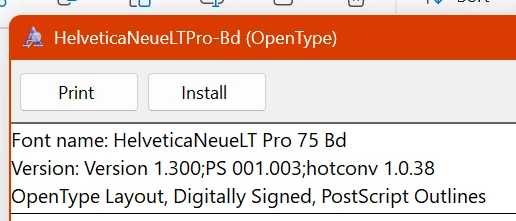
- As of yesterday FrameMaker is suddenly reporting: The "HelveticaNeueLT Pro 75 Bd Bold" (HNLTP) Font is not available.
- To the extent of my knowledge nothing changed between Friday and Monday on my workstation.
Steps Taken
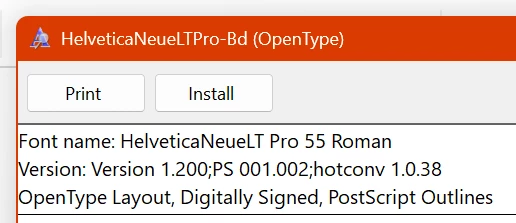
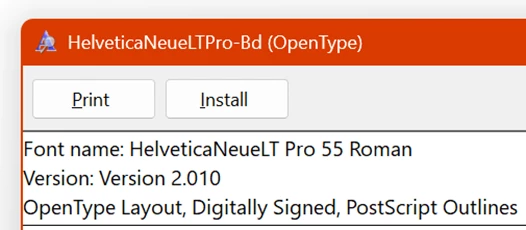
- Verified that HNLTP activated through EC displays correctly in EC, and that the font is available and working in other apps (INDD / AI / PS 2025 all show the font correctly).
- Deactivated all fonts in EC (Vault / System / User / Google) and activated just HNLTP form my Vault. (No change)
- Deactivated all fonts in Creative Cloud Desktop (CCD), and removed an locally installed fonts, while having only HNLTP active from the EC vault. (No change)
- Deactivated HNLTP in EC and used CCD to activate and install locally HNLTP from Adobe Fonts / TypeKit. (No change)
- Installed the font directly into the Windows 11 "Fonts" folder after deactivating in in EC and removing any Adobe Fonts. (No change)
- Removed any fonts installed in: %%APPDATA%%\Local\Microsoft\Fonts\
In ALL of the above steps HNLTP showed up in the app, but that one weight of font simply will not "activate" in the FM2022 app. I'm at my wits end as to what about FrameMaker 2022 is blocking just that one weight of HNLTP so I'm reaching out here to see if anyone else may have a solution.
Thank you in advance for any assistance you can provide!


 AdChoices