
Known Participant
May 17, 2022
Question

Framemaker 9 hangs upon launching

  • May 17, 2022
  • 1 reply
  • 224 views

When I launch Framemaker 9, the app hangs/crashes/spits out the following message:
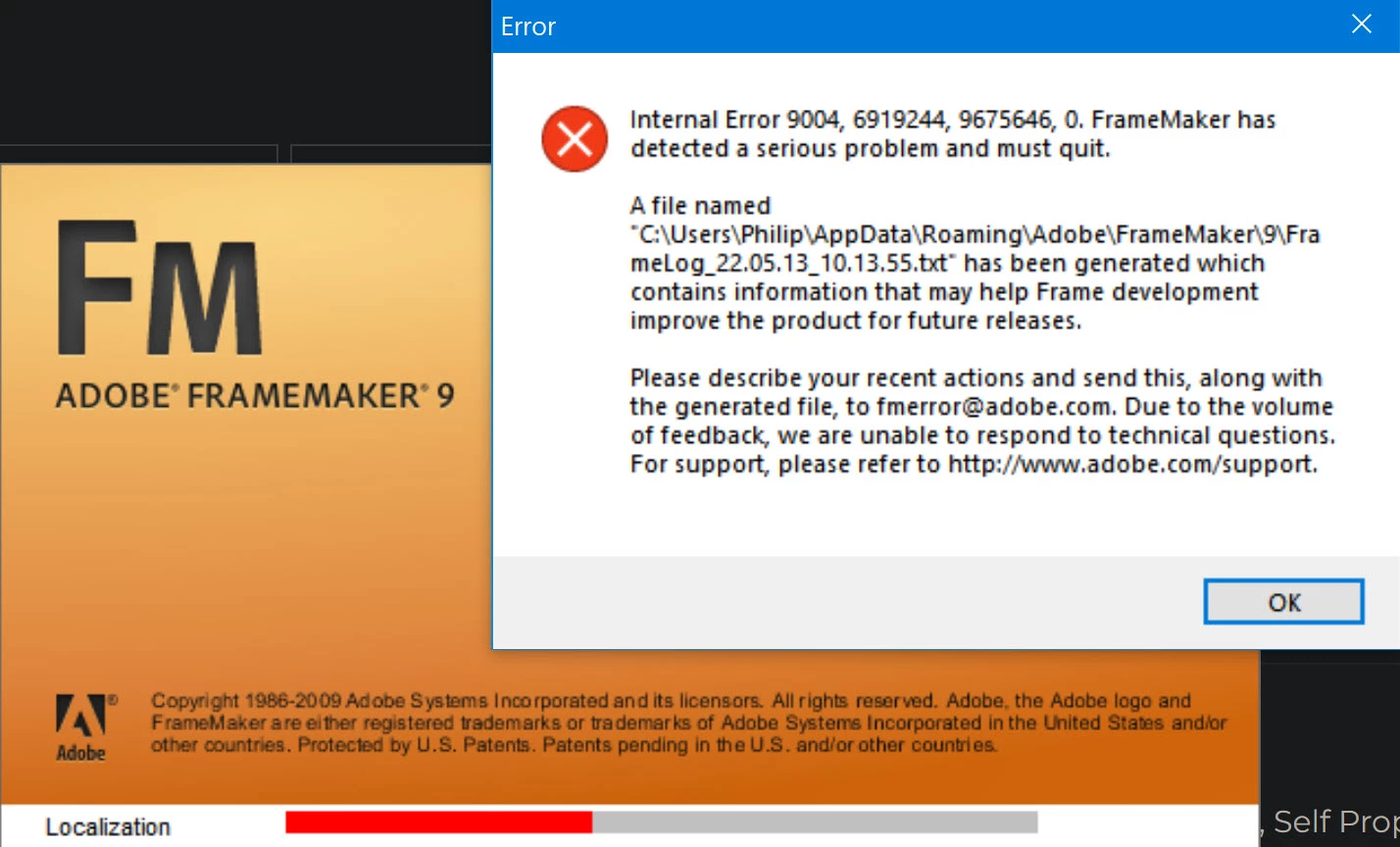


I have uninstalled the software, then reinstalled it. Rebooted. Deleted files from \temp folder. I have made sure I have all the patches in place.  None of this resolves this issue.  Everything was working fine weeks ago, and nothing changed on my PC other than typical Windows 10/64 updates and a removal of a wireless printer from Printer > Config.


I have followed all of the steps outlined on your https://helpx.adobe.com/tech-comm-suite/kb/known-issues.html page, under the “Crash/Launch Related” section.  None of that helped. 

    This topic has been closed for replies.

    1 reply

    Jeff_Coatsworth
    Community Expert
    Community Expert
    May 17, 2022

    If it's consistently crashing when it hits that Localization stage, then it's probably a corrupted Linguistics folder - find it in your hidden Appdata folder, rename it & re-launch again.

    Sam StateAuthor
    Known Participant
    November 18, 2022

    The issue can be recreated by having a new version of Framemaker open/running (e.g., FM11) and then launching an older version of Framemaker, in this case, FM9.  FM9 will choke if FM11 is currently running. Deleting the \Linguistics folder in the \appdata\Roaming\... folder will resolve the issue, if one them closes FM11 before launching FM9.

    Jeff_Coatsworth
    Community Expert
    Community Expert
    November 18, 2022

    Ah, you didn't mention that little tidbit of info when you first posted now did you? ;>)