Participant
May 16, 2024
Question

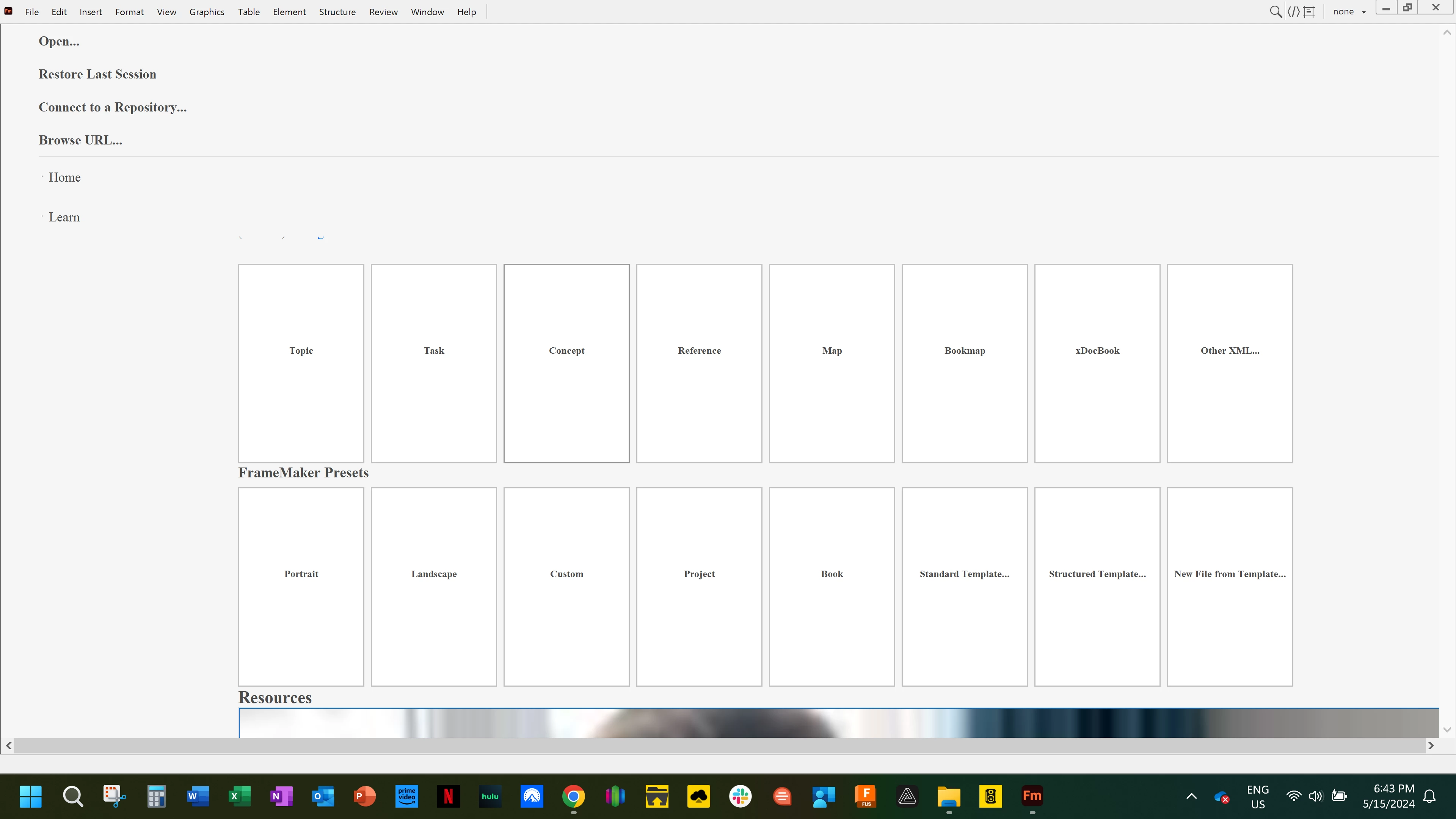
Framemaker homepage looks nothing like tutorial

  • May 16, 2024
  • 2 replies
  • 204 views

Good evening,


I installed Framemaker and when I open the program it looks nothing at all like the tutorials.  I have been unable to find a solution after hours of searching.

    This topic has been closed for replies.

    2 replies

    Jeff_Coatsworth
    Community Expert
    Community Expert
    May 16, 2024

    Did you install FM as an Admin on your C:\ drive?

    Community Expert
    May 16, 2024

    Hi,

    What is your FrameMaker version (Help | About)? The current one is 17.0.4. However, this update does not support some scripting solutions. Therefore in some circumstances it might be better to use 17.0.3.

    Yes. This does not look like the regular WelcomeScreen page.

    What happens, when you open a file?

    Then this page should turn into a separate tab WelcomeScreen. Does it still look like your screenshot?

    Do you have internet access?

    Did you check the forum for "Welcome screen"? There are a number of threads. However, mostly Adobe had changed inadverdently something and had to correct this.

    In the online help there is a section about the Welcome screen:

    https://help.adobe.com/en_US/framemaker/using/using-framemaker/user-guide/frm_basics_ba-user-interface_welcome-screen.html

    Does this help?

    Best regards, Winfried