
Inspiring
July 19, 2020
Question

Framemaker -publish to html5 -does not retain cross reference links set inside text boxes.

  • July 19, 2020
  • 1 reply
  • 420 views

In my framemaker doc I have text boxes that contain cross reference links to other sections in the same doc. These are valid within the FM doc, but invalid in the html5 output.

example - FM doc with X-Ref dialog box:
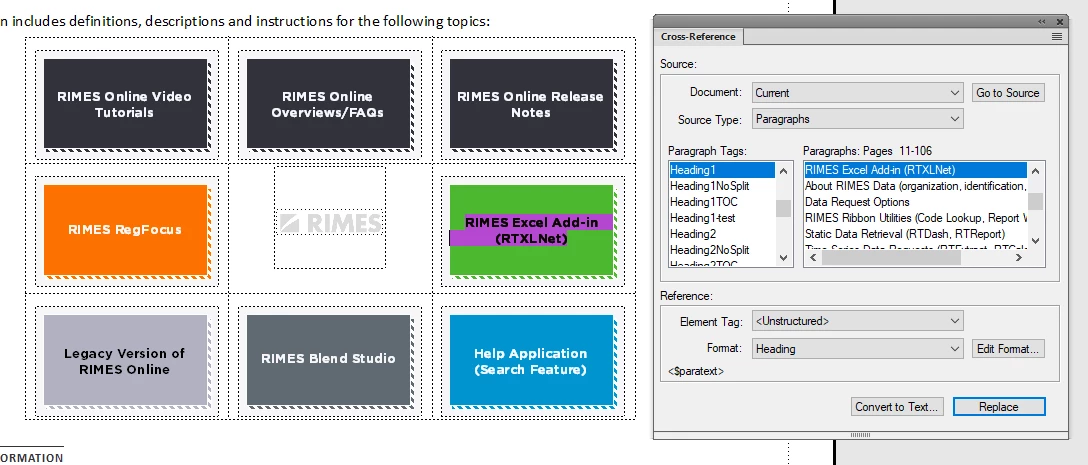
when I published to html5 responsive output, the boxes became flat images and the hypertext laid flat, no links.


I see in the publish settings things like Options - use html page template and override styles;
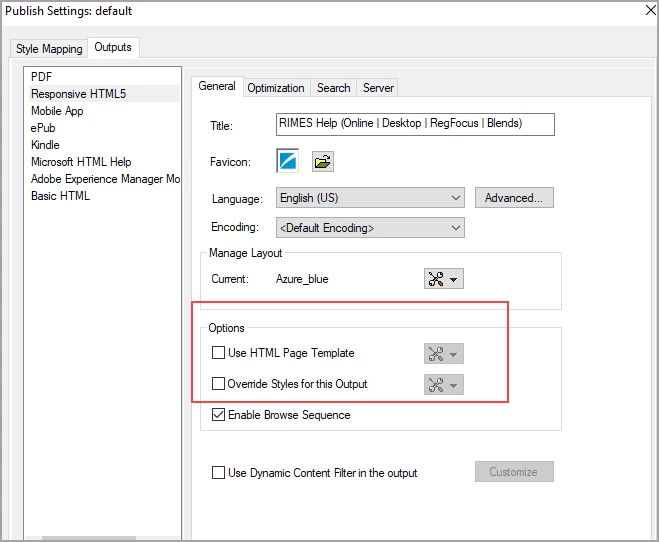
If I evoke the Edit-Settings dialog, are there any settings that effect the x-ref links validate inside text boxes? Any advice would be greatly appreciated.

-Bill

    This topic has been closed for replies.

    1 reply

    Bob_Niland
    Community Expert
    Community Expert
    July 19, 2020

    Anyone who can help will want to know what version of FM.

    As I don't yet use the HTML output pathway, what object type are the boxes in the source document?

    In the workflow settings, another thing to check would be graphics conversions. Older FMs, and possibly still as default, things like FrameArt, SVG & imported PDFs were flattened to JPG or GIF. I'd expect that to trash any hypertext in them.

    COHAN3Author
    Inspiring
    July 19, 2020

    Hi Bob,

    Sorry about that, the FM Version is 2019. Also, my 'text boxes' are actually frames, and each frame is in a cell in a table. Not sure where I find Graphic Conversion settings in FM. Of note, I installed a trial version of RH 2019, but I am generating/ publishing through FM, as in File-Publish-Responsive HTML5, generate, publish. I found a workaround; made the box frames hotspots and configured each to go where it should go, but I am still perplexed as to why the cross reference links in each frame are not appearing as links in the html5 output.  Outside of that issue I have one more. I am seeing that only heading 1 creates a topic in the output, with the headings 2-4 simply appearing below it instead of as new topics. I ticked the Automap checkbox but that did not create the topics. Any advice in this regard?

    -Bill


    Bob_Niland
    Community Expert
    Community Expert
    July 20, 2020

    re: Also, my 'text boxes' are actually frames, and each frame is in a cell in a table.

    Anchored Frame in the cell text, and then Text Frame inside the AF?


    re: Not sure where I find Graphic Conversion settings in FM.

    This is probably not the problem, but I see a couple here:
    File » Publish » Responsive HTML5 » Settings » Edit
    Optimization:
    ☐ Convert SVG to Raster image
    Style Mapping » Image Settings
    Advanced: Default Format [As Is]