Stefan_Eike
Participant
November 25, 2011
Answered

FrameMaker scaling PNG/JPG

  • November 25, 2011
  • 4 replies
  • 5834 views

Hi,

I'm trying to use PNG for screenshots with FrameMaker 10. FrameMaker seems to handle them as 72 ppi graphics and downscale thema after import to 75%. Can anyone reproduce this phenomenon? So if I use FrameMaker 10 only, everything is fine. But if I try to scale by another XML attribute, both scaling mechanisms constrain themselves.

Example

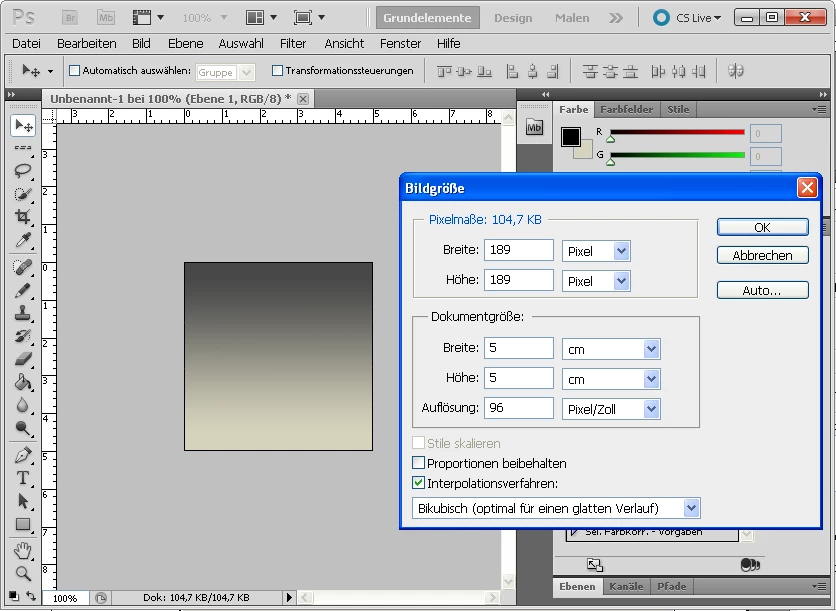
1. I create a new image with PhotoShop 5.5.

  • 5 cm × 5 cm
  • 189 px × 189 px
  • 96 pixel/inch

2. I reference this file and select 96 dpi.
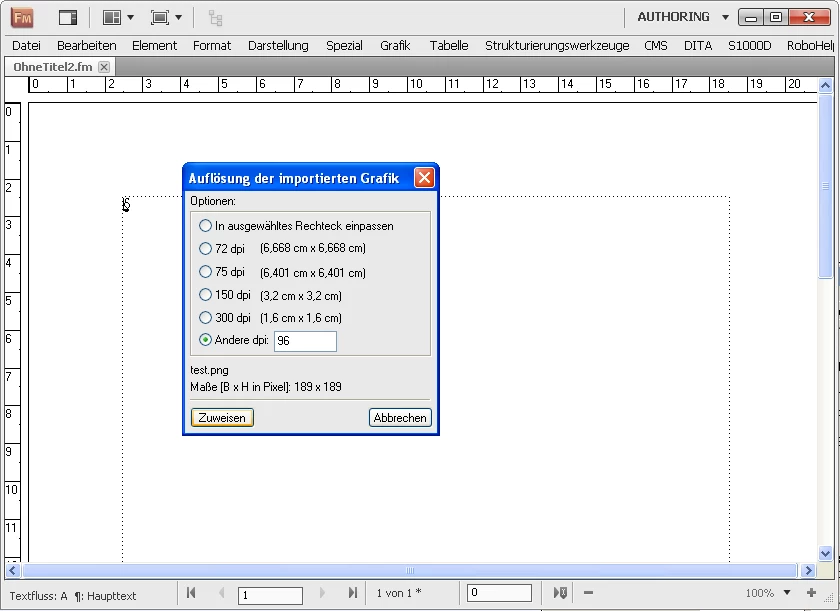
3. The file has been referenced. The absolute size 5 cm × 5 cm is correct, as well as the 96 dpi, but it seems to scale it down to 75 dpi.
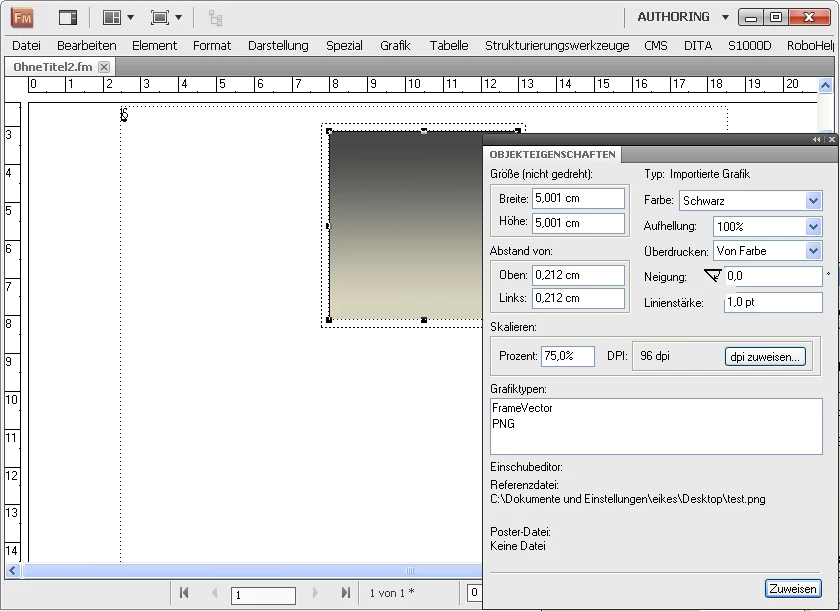
Anybody else out there with the same problem?

Thank you and best regards!

This topic has been closed for replies.
Correct answer Michael_Müller-Hillebrand

Well, Stefan,

You changed your original general question into a scripting question – and there is a forum for that. You’ll get quicker answers if you use the matching forum.

Inset objects have properties you can lookup in the OMV (object model viewer, press F1 in the ESTK) and from those you need:

FrameParent to give you the anchored frame (this in turn has Height and Width properties you can set from reading the Height and Width of the Inset)

LocX and LocY to make sure the Inset is positioned correctly inside the anchored frame.

- Michael

4 replies

Stefan_Eike
Participant
December 5, 2011

No one?

Michael_Müller-Hillebrand
Legend
December 5, 2011

Well, Stefan,

You changed your original general question into a scripting question – and there is a forum for that. You’ll get quicker answers if you use the matching forum.

Inset objects have properties you can lookup in the OMV (object model viewer, press F1 in the ESTK) and from those you need:

FrameParent to give you the anchored frame (this in turn has Height and Width properties you can set from reading the Height and Width of the Inset)

LocX and LocY to make sure the Inset is positioned correctly inside the anchored frame.

- Michael

Stefan_Eike
Participant
December 1, 2011

This extendscript resizes all graphics to 96dpi, but how can i change the size of the parent frame?

doc = app.ActiveDoc;

graphicObj = doc.FirstGraphicInDoc;

while(graphicObj.ObjectValid()) {

    graphicObj = graphicObj.NextGraphicInDoc;

    if(graphicObj.type == Constants.FO_Inset) {

        name = graphicObj.InsetFile;

        graphicObj.InsetDpi=96;

    }

}

Stefan_Eike
Participant
November 28, 2011

Well, your answers are helpful for understanding the scaling mechanism but they don't help me solving the problem.

How can I change the default from 72dpi to 96dpi? I don't want to abdicate using PNG, because TIF is up to 40× bigger than PNG.

Michael_Müller-Hillebrand
Legend
November 25, 2011

Stefan,

some bitmap graphics like GIF, JPG, PNG have no dpi setting stored with the format. FrameMaker treats them as having a 72dpi resolution (for historical reasons).

If you change the default 72dpi to 96dpi you effectively import the file at 4/3 of the (assumed) original resolution. Since the resolution is invers proportional to the size this increase equals a scaling of 3/4 = 75%.

You would achieve the same effect if you first import at 72dpi and the scale to 75%. But I am not sure if FrameMaker then updates the resolution value accordingly.

So from my POV everything works as expected.

- Michael

Stefan_Eike
Participant
November 25, 2011

Hallo (Herr) Michael (Müller-Hillebrand),

how can I change the default values? We're using TCToolbox CMS and generating XML files automatically. When opening these files, FrameMaker assigns the templates and the sets the scaling of graphics. Does FrameMaker use input filters?

Schönes Wochenende!

Stefan

Van Kurtz
Inspiring
November 28, 2011

Stefan,

We're using TCToolbox CMS and generating XML files automatically. When opening these files, FrameMaker assigns the templates and the sets the scaling of graphics. Does FrameMaker use input filters?

If you import an image into a FrameMaker document and scale it, either directly during import or after the import, and then export it as XML, FrameMaker records the scaled size or the scaled dpi in an attribute of the image element, depending upon your read/write rules. For details, see the structured applications guide that comes with FrameMaker or downloadable from Adobe.com. When you open the XML file in FrameMaker, Frame uses the same read/write rules to size the image correctly.

So, I am thinking you need to set up your XML generator (TCToolbox CMS?) to insert an attribute into each image element, an attribute that specifies the resolution of the image, in your case 96 dpi. Then when you open the XML in FrameMaker, Frame will use your read/write rules to apply the value of the dpi attribute to the imported image. Thus, the resolution does not need to be embedded in the image file itself.

Van