Participant
December 19, 2017
Answered

FrameMaker-Schnittmarken

  • December 19, 2017
  • 1 reply
  • 520 views

Hi

Meine Kollegin in ich Arbeiten mit FrameMaker 2015 (vorher FrameMaker 10). In der alten Version konnten wir Schnittmarken einstellen und diese Einstellung finden wir jetzt nicht mehr. Kann uns jemand helfen?

    This topic has been closed for replies.
    Correct answer Barb Binder

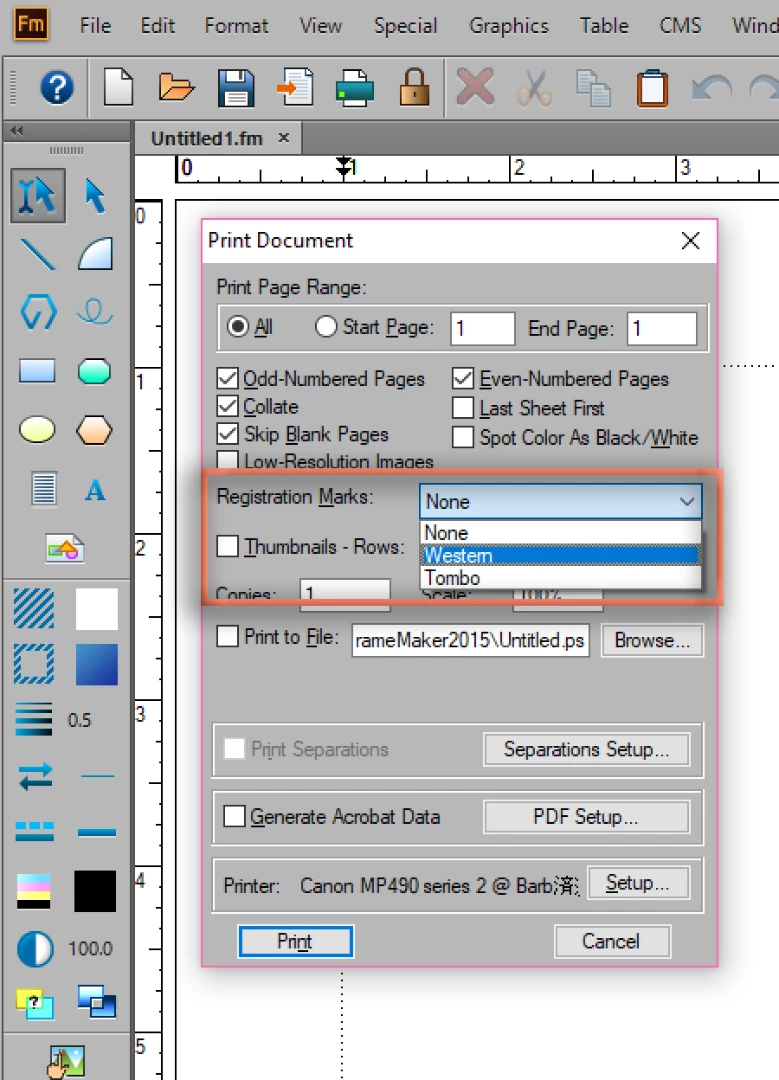
    They are still there in 2015, both in the Print dialog box...

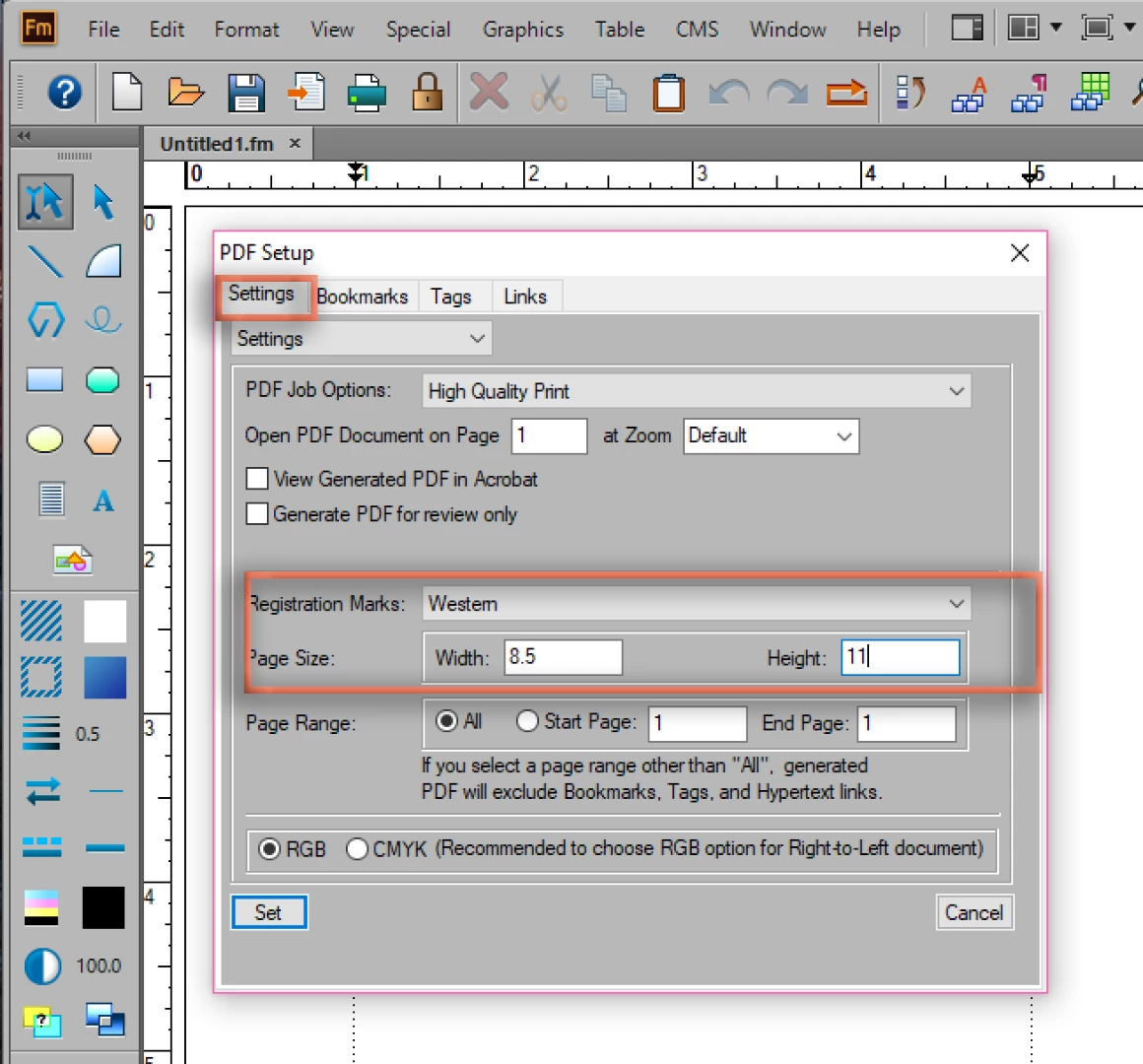
    ...and when saving to a PDF. I just wrote the steps for someone else, so here is a link, but I'm including a 2015 screen shot since he was asking about 2017.

    How to use Registration Marks in FM 2017?

    It sounds like the issue is locating the command and not how to use it—but for others, remember that you won't see the crop and registration marks unless you print to a paper size that is larger than the document. In this example, the document size is defined 6" x 9", but printing to the paper size 8.5 x 11.

    ~Barb

    1 reply

    Barb Binder
    Community Expert
    Barb BinderCommunity ExpertCorrect answer
    Community Expert
    December 19, 2017

    They are still there in 2015, both in the Print dialog box...

    ...and when saving to a PDF. I just wrote the steps for someone else, so here is a link, but I'm including a 2015 screen shot since he was asking about 2017.

    How to use Registration Marks in FM 2017?

    It sounds like the issue is locating the command and not how to use it—but for others, remember that you won't see the crop and registration marks unless you print to a paper size that is larger than the document. In this example, the document size is defined 6" x 9", but printing to the paper size 8.5 x 11.

    ~Barb

    ~Barb at Rocky Mountain Training
    Community Manager
    December 19, 2017

    Also, please note, that the "target" PDF paper size should be big enough to host the crop marks.

    Note, that when you don't give enough space, the crop marks will not be visible at all or only partially visible.