


Participant
July 14, 2015
Question

FrameMaker to Microsoft HTML Help (chm) Problem

  • July 14, 2015
  • 2 replies
  • 1085 views

I've created a FrameMaker 12 document of pages with a special appearance. After hours of work juggling paragraph tags I've got the Table of Contents looking like I want.

When I "Publish" it to a Microsoft HTML Help file (a chm file), the topic pages look the way I want. The Contents panel on the Help file looks the way I want!

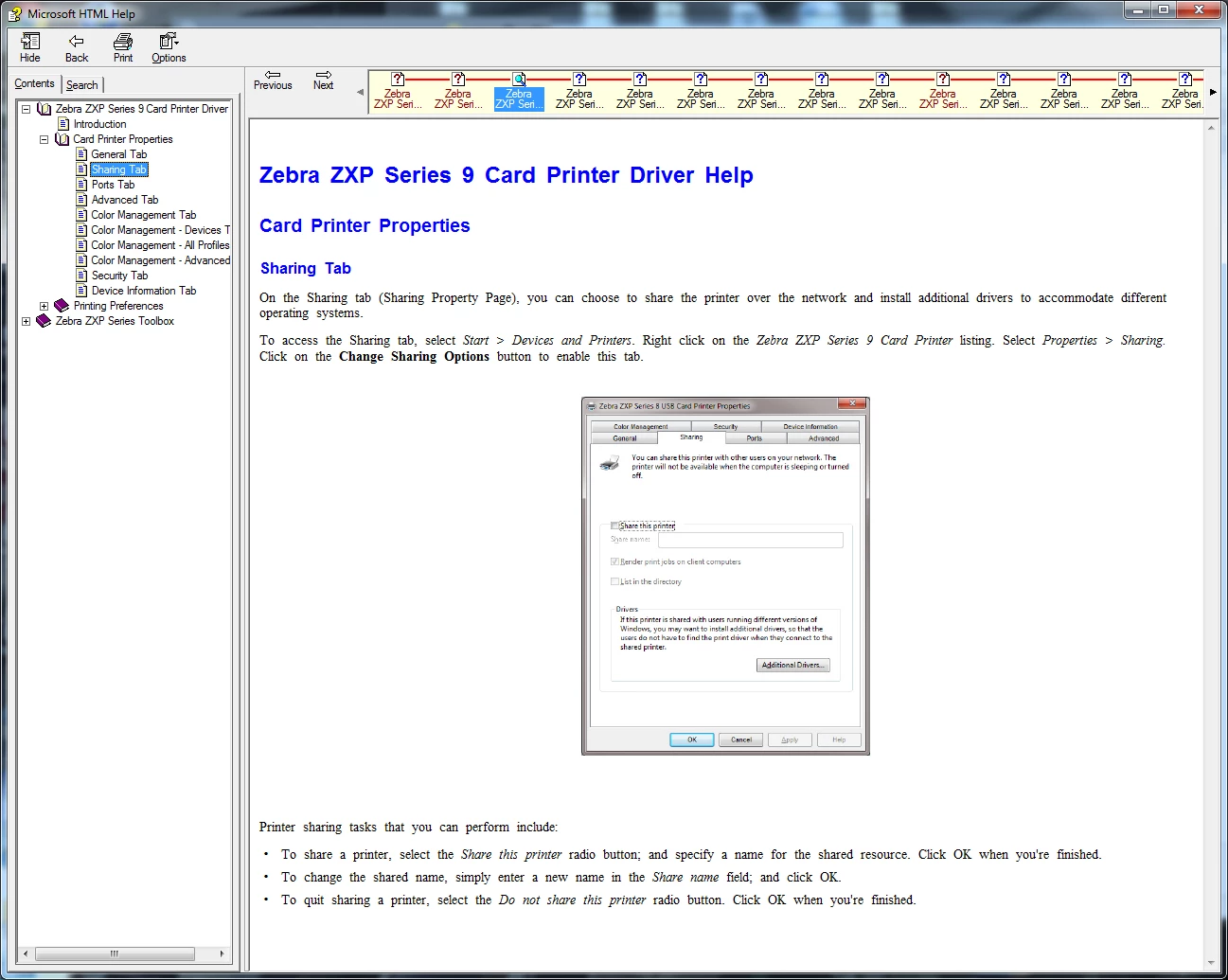
BUT... There's a "ribbon" across the top of the page window. What is this? Where did it come from? And most important --- How do I get rid of it?
    This topic has been closed for replies.

    2 replies

    Robert_^_W
    Inspiring
    February 25, 2016

    Under the Outputs area of the settings, you'll find Enable Browse Sequence. This turns that navigation bar on and off. I'm currently looking for the code to put in my CSS to add the Back and Next controls for breadcrumb navigation.

    Jeff_Coatsworth
    Community Expert
    Community Expert
    July 14, 2015

    Think it may be the skin you chose

    tburtonAuthor
    Participant
    July 15, 2015

    Jeff -

    I didn't knowingly select a "skin" (whatever that is!). I used defaults for the Publish settings. How do I choose a different one, or can it be modified to get rid of the ribbon?

    (As you probably can tell, this is my first attempt at publishing a FrameMaker document to Microsoft HTML Help!)

    Thanks in advance for all help!

    Tom Burton

    Jeff_Coatsworth
    Community Expert
    Community Expert
    July 15, 2015

    Sorry, no idea – I always use the TCS route to pull FM content into RH for help generation. Gives you much better control over your output than the Publish option inside FM. BTW, why are you creating CHMs? They’re like antique help technology now ;>)