

McCready1982
Known Participant
August 18, 2024
Question

FrameMaker: Update cross-references to imported spreadsheet

  • August 18, 2024
  • 1 reply
  • 284 views

Greetings.

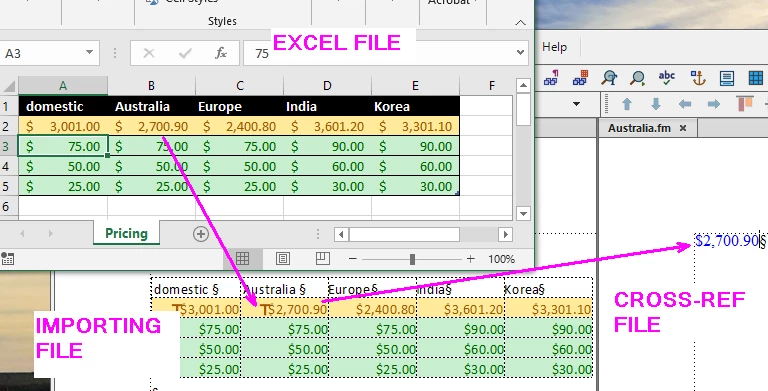
I'm importing by reference an Excel file into a FrameMaker file.

I'm then cross-referencing from this FM file to multiple other FM files to generate multiple price sheets. At least that's what I'm trying to do.

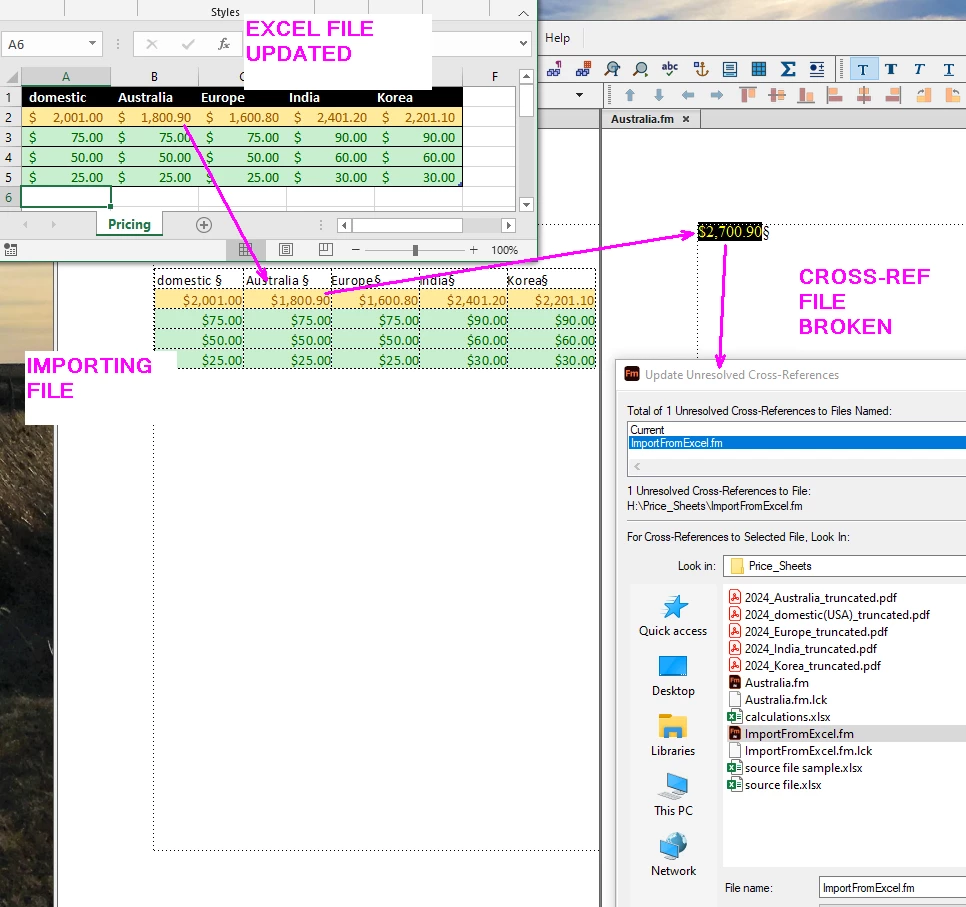
When I update the excel file, the importing FM file also updates as expected. However, the cross-referencing FM file does not update. Instead, the cross-references become unresolved. When I try to reestablish the cross-references (select the file, click Open), the error just reappears.


I'm looking for a way to maintain these cross-references from a live import file. (There are thousands of prices to update. The screenshots below are a micro sample I'm using to experiment on.)


Here are the importing and x-ref files before I update the spreadsheet:
 

Here they are after I update the spreadsheet:
 

    This topic has been closed for replies.

    1 reply

    Dave Creamer of IDEAS
    Community Expert
    Community Expert
    August 18, 2024

    When you import a Word or Excel file by reference, you can not edit the text. How are you inserting the cross reference but not converting the referenced file?


    David Creamer: Community Expert (ACI and ACE 1995-2023)
    McCready1982
    Known Participant
    August 19, 2024

    From the Cross-Reference dialog, the referenced file actually shows up as paragraphs, all tagged by default as "Body." I'm able to cross-reference them in the same way you would normal text.

    Dave Creamer of IDEAS
    Community Expert
    Community Expert
    August 19, 2024

    Unfortunately, when you update the referenced file, you also replaced any edits made, including any xref markers.


    David Creamer: Community Expert (ACI and ACE 1995-2023)