


Question
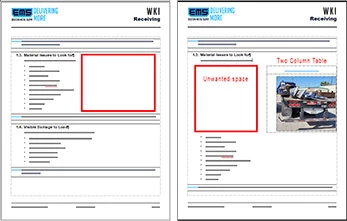
FrameMaker v17. I can't seem to get the Runaround properties that I need to stop a gap on the left side of the page.
FrameMaker v17. I can't seem to get the Runaround properties that I need to stop a gap on the left side of the page.

FrameMaker v17. I can't seem to get the Runaround properties that I need to stop a gap on the left side of the page.
Already have an account? Login
Enter your E-mail address. We'll send you an e-mail with instructions to reset your password.
 AdChoices