Known Participant
May 9, 2021
Question

frustrated - fm 2019 crashes and looses info

  • May 9, 2021
  • 5 replies
  • 1271 views

can someone tell me if there something i have to do in order to avoid,,, 
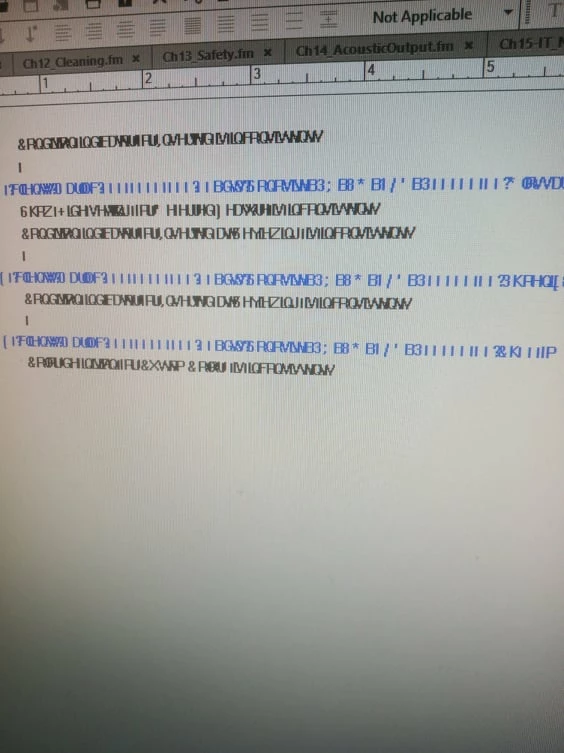
this keeps on happening but i cannot figure why...
pffffffffff....

    This topic has been closed for replies.

    5 replies

    Jeff_Coatsworth
    Community Expert
    Community Expert
    May 10, 2021

    Generally any time that FM has a crash, an error log file is created - they only mean something to Adobe technical support, which is why they usually ask you to e-mail them in when they occur.

    You still haven't confirmed what exact point version you're running - check in Help > About to find that info.

    Community Manager
    May 10, 2021

    As others have already asked, please share the exact version you are using (Help > About Framemaker).

    I have seen the special effect shown on your screen photo in some early builds of FM (2019 release).

    Make sure you update to the latest build (Help > Updates).

    Known Participant
    May 10, 2021

    does anyone know what FrameLog_20.08.13_09.42.17.txt files are,

    i have found a bunch of that and on the dates that i was having the issue

    Bob_Niland
    Community Expert
    Community Expert
    May 9, 2021

    What version of FM, on what operating system?
    Is this happening randomly, or at regular intervals? (might we suspect auto-save here)
    What error is reported upon crash?
    Is there anything in the FM log file?
    C:\Users\{username}\AppData\Roaming\Adobe\FrameMaker\{FMversion#}\consfile.txt

    I haven't seen random FM crashes since FM7.1 on Unix.

    Crash tip: do not immediately try to re-open the .fm file, as this destroys the .backup. Preserve everything first.

    Known Participant
    May 10, 2021

    frame maker 2019 on windows 10,
    it happens all the time with each book, i am working on 2017 to avoid that but this is not the solution,
    it reports an error of detected a serious problem and must quit,
    there is not a folder with frame maker 2019 at roaming path for frame ,
    attached is the folders i can see 
    last one has nothing in it


    Barb Binder
    Community Expert
    Community Expert
    May 10, 2021

    there is not a folder with frame maker 2019 at roaming path for frame

    As an FYI, FrameMaker 2019 is version 15—so it's the 15 folder within your screen shot (see my first response above). 


    ~Barb 

    ~Barb at Rocky Mountain Training
    Barb Binder
    Community Expert
    Community Expert
    May 9, 2021

    Hi @dorothea.per:


    Did this just start? Here are my initial thoughts:

    1. Make sure you have all of the patches installed (Help > Updates). The current version of 2019 is 15.0.8.979.
    2. Rebuild preferences. (See https://www.rockymountaintraining.com/adobe-framemaker-resetting-preferences/ for details).
    3. Enable Auto-Save in Preferences until you get this worked out.


    ~Barb


    Edit: You might also try downloading the free 30-day trial of FrameMaker 2020 to see if the issue persists. Be sure to work on copies of the files when testing.


    ~Barb at Rocky Mountain Training
    Known Participant
    May 9, 2021

    also i am loosing any change that has happened from previous update and save all files state

    pulkitn
    Adobe Employee
    Adobe Employee
    May 10, 2021

    Add-on to Barb & Bob.
    Adobe support is also available if you want any help at  "https://helpx.adobe.com/in/contact/enterprise-support.other.html#framemaker" 

    Do make sure you are updated to the latest version, usually support first asks you to update FrameMaker.


    Thanks
    Pulkit 

    Known Participant
    May 12, 2021

    i did try,,,no luck