

Question
Garbled font in PDF from FrameMaker 2019
Hi,
I am using the latest updates of FrameMaker and Acrobat DC on Win10.
I am using the Open Sans font set, downloaded from Google.
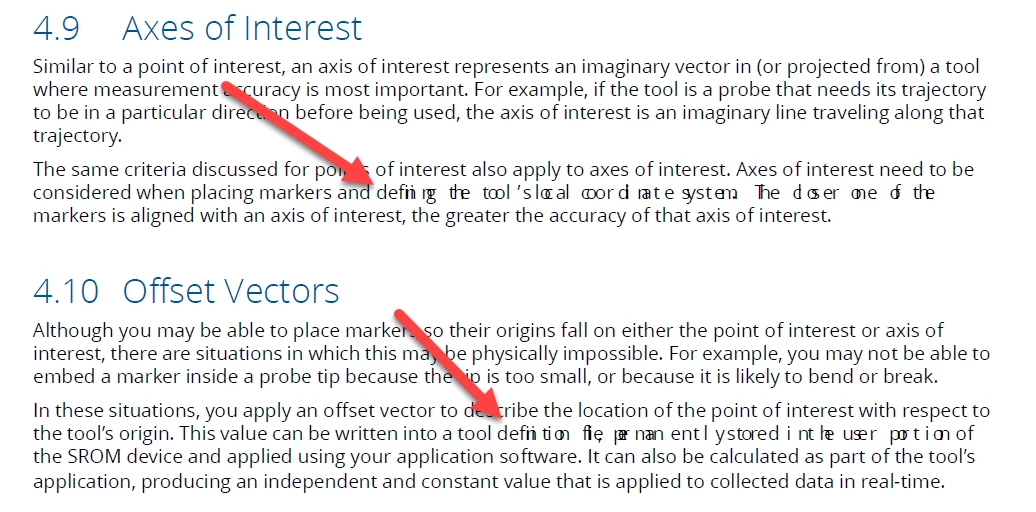
When I generate my PDF I am getting garbled font. In the PDF it is still the correct font but the stretch is all messed up.
I have copied this text in from notepad, pasted as text, pasted as unicode text, and even retyped the text manually in FrameMaker. And I have done publish as PDF and File Save as PDF. The exact same characters come out mangled. It is spotty throughout the document and only happening in Body text.
I can't to print to postscript because since the latest update of Frame, distill to PDF from PS gets hung on the last page.


 AdChoices