Inspiring
July 20, 2018
Answered

Glossary question

  • July 20, 2018
  • 2 replies
  • 1343 views

Hello all,

I notice that when I create a glossary, it looks like this:

I see that it has put a page number - sort of like what an index looks like.

My questions:

Should any page having the term (widget) be listed (not just page 3)?

Should the reader be able to click on any instance of the term and be taken to the glossary?

Many thanks

Ben

    This topic has been closed for replies.
    Correct answer Matt-Tech Comm Tools

    Thanks Matt.

    To be clear on my example:

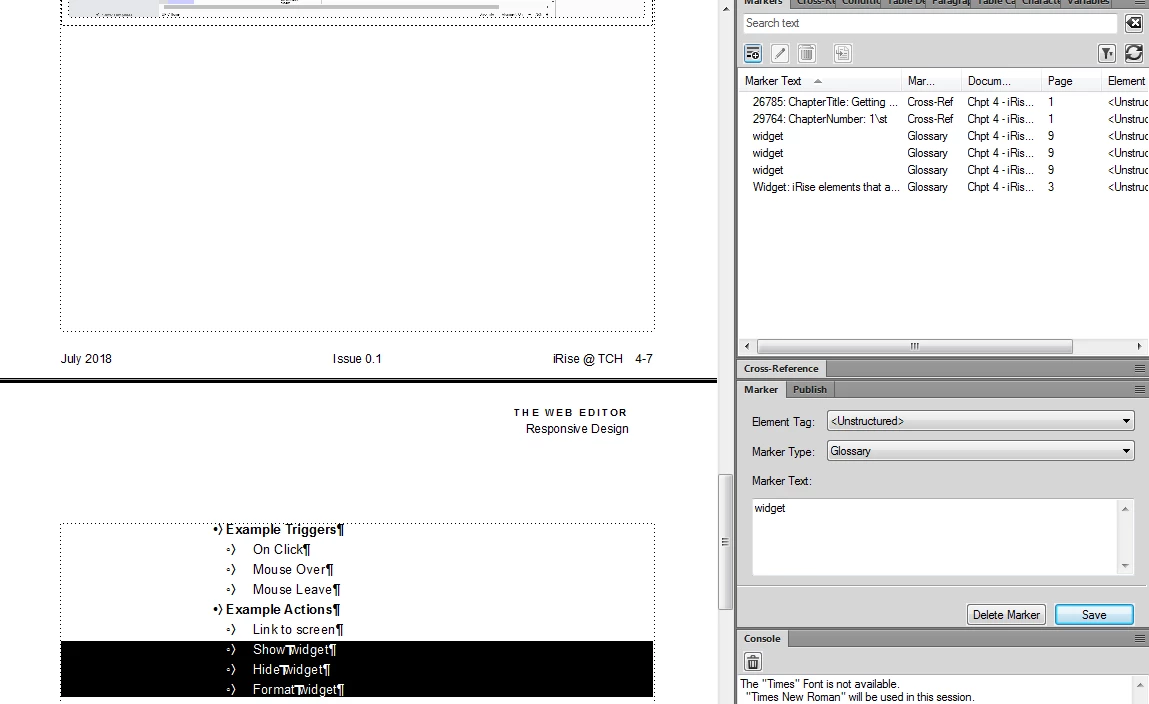
    I have several instances of the term "widget" throughout the book.  I have selected 3 instances and applied a glossary marker to each.

    What I want to happen is that when the reader comes upon any of these 3 instances, they can click and will be taken to the glossary entry for the term.  But, this is not working for me yet (i.e. there is no click action on any of the 3).


    Ah, so you're looking for that online help functionality that I mentioned in my response to Barb...

    But you want it in the PDF.

    I'd suggest creating a static glossary, and then inserting xrefs into your doc to link to that static page in the PDF.

    2 replies

    Barb Binder
    Community Expert
    Community Expert
    July 20, 2018

    Morning, Ben!

    I just responded to your inquiry via my blog, but now that I'm seeing this thread, your question makes sense.

    Normally a glossary does not have page numbers, although it is the default. To remove them, just remove the <$pagenum> building block from the IOM reference page. (This brings up the question of why do I show them in the screen shot, and I'm sure I was rushing to document the process for the student and didn't notice. I'll cycle back next week to update the screen shot.)

    I'm confused by Matt's comment to add a glossary marker for each instance, so maybe I'm misunderstanding—either your question or his answer or both! FrameMaker adds a hyperlink on the alphabetized glossary entry, and it links back to the marker in the body of the document, but doesn't go the other way.

    ~Barb

    ~Barb at Rocky Mountain Training
    Matt-Tech Comm Tools
    Community Expert
    Community Expert
    July 20, 2018

    If Ben wants a user to take advantage of the IOM hypertext links for various instances of the term, he'd need to add markers to each instance. However, that wouldn't help much unless the page #s were also included, which then presents its own challenges.

    If there are multiple versions of the content (conditional text, multiple books with varied chapters) then it's best to mark all instances as you would regular index entries so nothing is inadvertently omitted.

    Also, when producing online output, the markers can be converted to individual glossary links in each instance containing the marker.

    ***Or just mark an instance that won't be omitted, remove the <$pagenum>, and move on to the next challenge***

    -Matt Sullivan, FrameMaker Course Creator, Author, Trainer, Consultant
    Jeff_Coatsworth
    Community Expert
    Community Expert
    July 20, 2018

    How are you creating this glossary?

    Inspiring
    July 20, 2018

    Hi Jeff,

    Jeff_Coatsworth
    Community Expert
    Community Expert
    July 20, 2018

    Cool - then what do you do to get the image in your first post?