
Inspiring
April 28, 2021
Answered

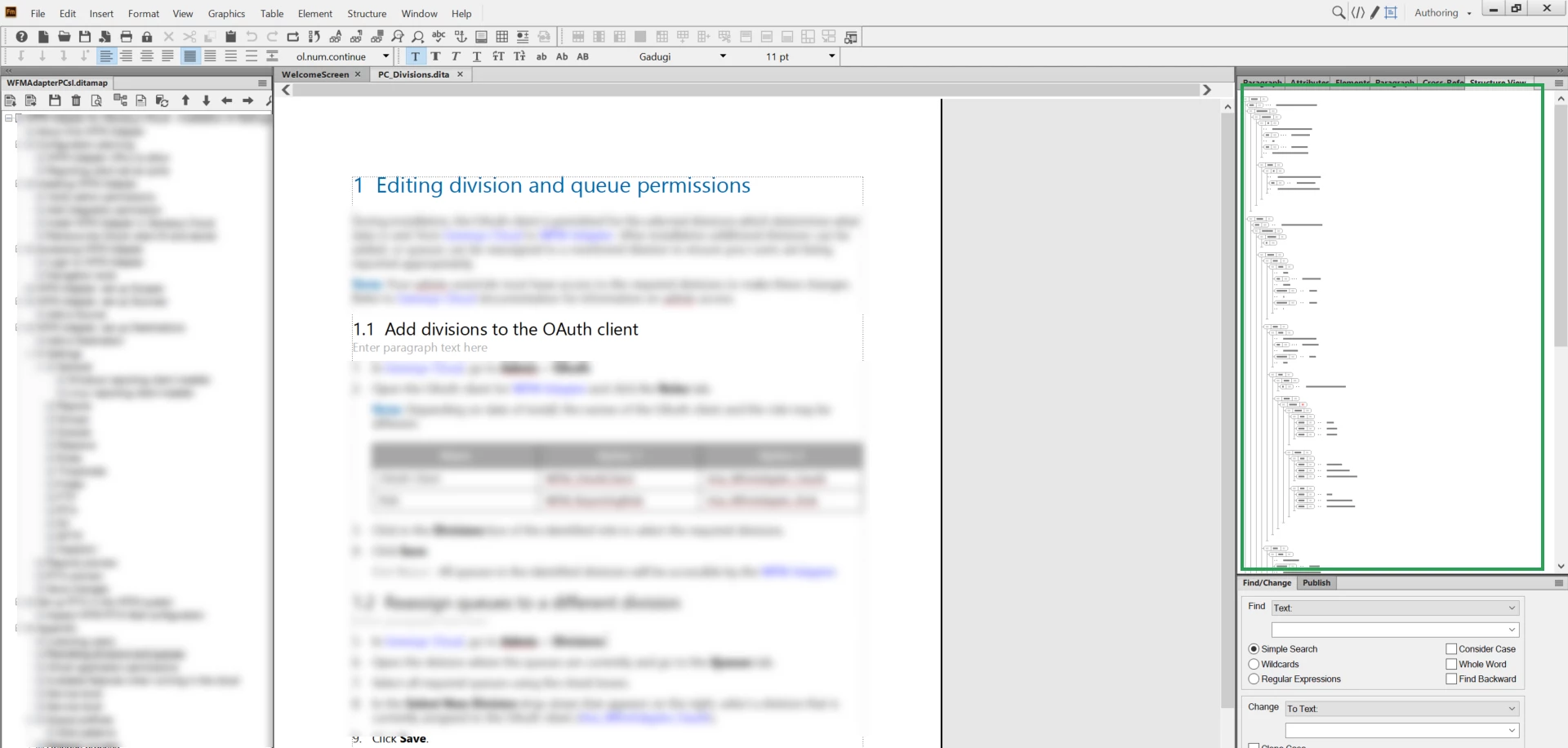
HELP! How do you change the font size of the Structure View pod text?

  • April 28, 2021
  • 2 replies
  • 1164 views

I accidently did some sort of weird drag/drop and scroll and it change the size of the text in my Structure View pod. I can't even read the text now.

How do I change this back?
 

This topic has been closed for replies.
Correct answer Matt-Tech Comm Tools

If you click inside the Structure View, you can use the Control+Scroll Wheel to zoom in and out on the Structure View elements and the text snippets.

Unfortunately, this also does two odd things:

  • your tabbed documents may go all over the place, so you might need to use the Window>Consolidate command after changing the size
  • the scaling of the Stucture View is quite sensitive, so getting the desired size by Control-Scrolling may take you a few tries

-Matt

2 replies

Matt-Tech Comm Tools
Community Expert
Matt-Tech Comm ToolsCommunity ExpertCorrect answer
Community Expert
May 3, 2021

If you click inside the Structure View, you can use the Control+Scroll Wheel to zoom in and out on the Structure View elements and the text snippets.

Unfortunately, this also does two odd things:

  • your tabbed documents may go all over the place, so you might need to use the Window>Consolidate command after changing the size
  • the scaling of the Stucture View is quite sensitive, so getting the desired size by Control-Scrolling may take you a few tries

-Matt

-Matt Sullivan, FrameMaker Course Creator, Author, Trainer, Consultant
Inspiring
May 3, 2021

Thank you Matt!!! That is the magic combination. Short of using the keyboard shortcuts I found.

(For all others, focusing in the structure pod and using the +/- does not work in FM19. The +/- only control the document page.)

Matt-Tech Comm Tools
Community Expert
Community Expert
May 3, 2021

Good to hear you got it fixed!

-Matt

-Matt Sullivan, FrameMaker Course Creator, Author, Trainer, Consultant
Inspiring
April 28, 2021

I found it! Founda keyboar shortcut in this https://help.adobe.com/en_US/framemaker/2019/using/using-framemaker-2019/user-guide/frm_shortcuts_sh.html

Have no idea how it would be done without these keyboard shortcuts.

Klaus Göbel
Legend
May 1, 2021

Just click into Structure View pod and the use "+" or "-" in the bottom right corner.


Participating Frequently
May 2, 2021

The +/- buttons in the corner of structure view were removed in FM2017 or FM2019 (can't remember which).


Or they were just hidden, in which case, I would love to know if there is a setting to turn this back on.