Participating Frequently
June 16, 2014
Answered

Hiding conditionalized text causes preceding list to display additional list item

  • June 16, 2014
  • 1 reply
  • 464 views

So, I have a document that I want to conditionalize some sections for. There's section A that has a task list in it followed by section B that also has a task list. I just want to conditionalize section B so that it's not published as the feature it's documenting isn't ready yet.

I highlighted the section I want to conditionalize and applied the condition to it (which brings us to the second problem of the defined style not for the condition not displaying but that's of minor importance to the primary issue).
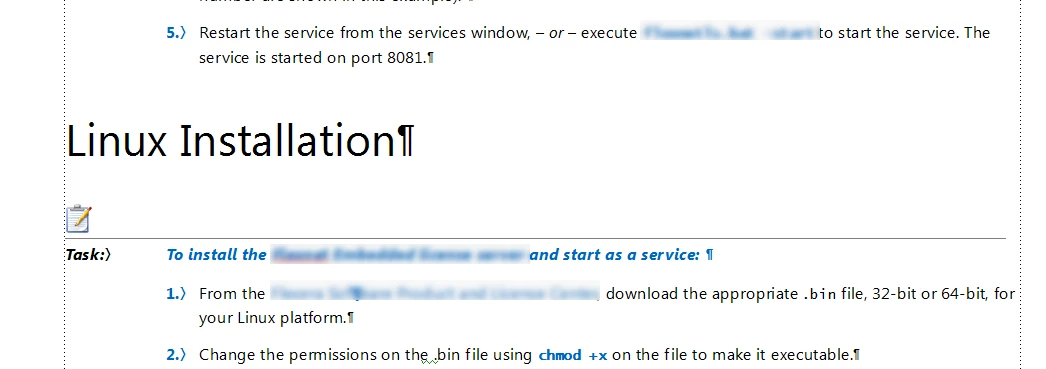
Then I go to the Show/Hide conditional text and set the condition to be hidden. This is the result:

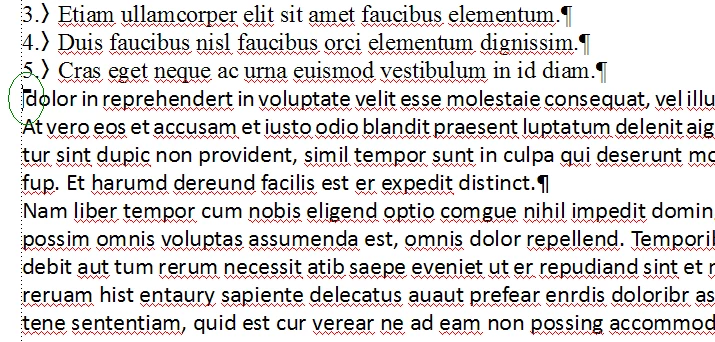
I now have an additional blank list item where I don't want one. How do I get rid of it?

This topic has been closed for replies.
Correct answer Arnis Gubins

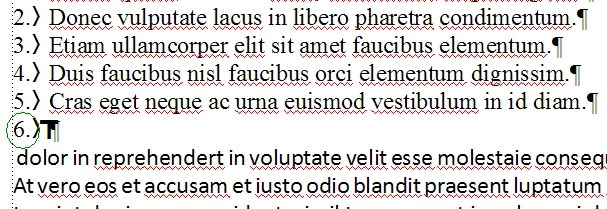
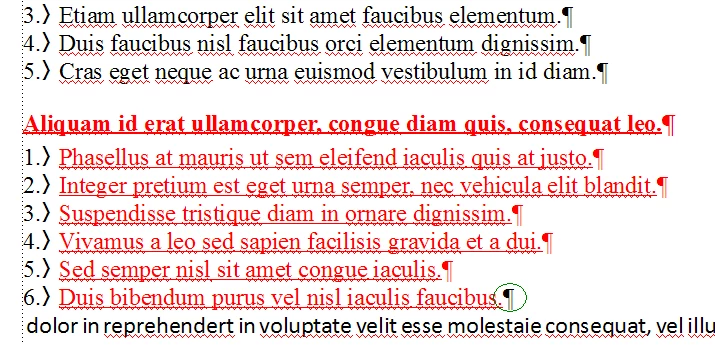
It looks like you didn't include the end-of-paragraph mark of the last task list item in Section B. That will cause the hidden condition marker to be inserted in the last numbered step paragraph.

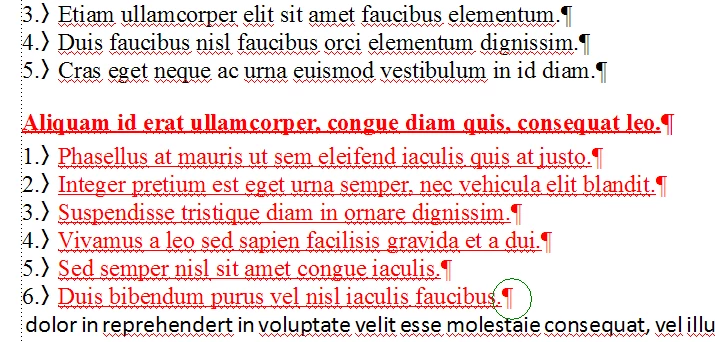
Compared with selecting the end-of-paragraph mark in the last step:

1 reply

Arnis Gubins
Inspiring
June 16, 2014

Which version (and point release) of FM?

How exactly did you select the text? Did you have your Text Symbols turned on so that you can see if end-of-paragraph markers were included?

How are your autonumber sequences defined?

Is Section B a text inset from another FM document?

navoff1Author
Participating Frequently
June 16, 2014

This is version 12, and yes, I had the Text Symbols turned on (as you can see in the images above. I even tried adding an additional blank line in between the previous list and section B as well as an additional line after, but all that did was add a blank line before and after the list item.

Here's the same sections with an extra line added both before and after the section to be hidden. Notice that at the insertion point starting section B, that the condition tag Linux is checked:

Here it is after I've hidden the conditional text. Now the cursor is at the start of that blank line and if you'll notice, the condition tag is not set at that point, yet I still get the numbered bullet item:

Which makes me think that FrameMaker's issue has something to do with not recognizing the start/end of the numbered list. It does the same thing if I've got two bullet lists, one in a section that is visible followed by one in a section that is hidden.

Arnis Gubins
Arnis GubinsCorrect answer
Inspiring
June 16, 2014

It looks like you didn't include the end-of-paragraph mark of the last task list item in Section B. That will cause the hidden condition marker to be inserted in the last numbered step paragraph.

Compared with selecting the end-of-paragraph mark in the last step: