Participant
January 31, 2019
Answered

How do I add alphanumeric page numbers to TOC in FrameMaker 2019

  • January 31, 2019
  • 1 reply
  • 502 views

I am working on a project and I need my TOC to display alphanumeric page numbers for my appendices.  The actual appendices have appropriate alphanumeric numbering.  However, when the page number display in the TOC, it is just the number "1".  I tried going to the reference page and put "A+-" for the appendices following Appendix A hoping it would then provide "B-1", "C-1" and "D-1" but this did not happen.  I got "A+-1" for all appendices. I also tried putting <$paratext> before the <$paranum> but that did not work either.

Thank you in advance for your assistance!

Edrice Angry
This topic has been closed for replies.
Correct answer Barb Binder

Hi Edrice:

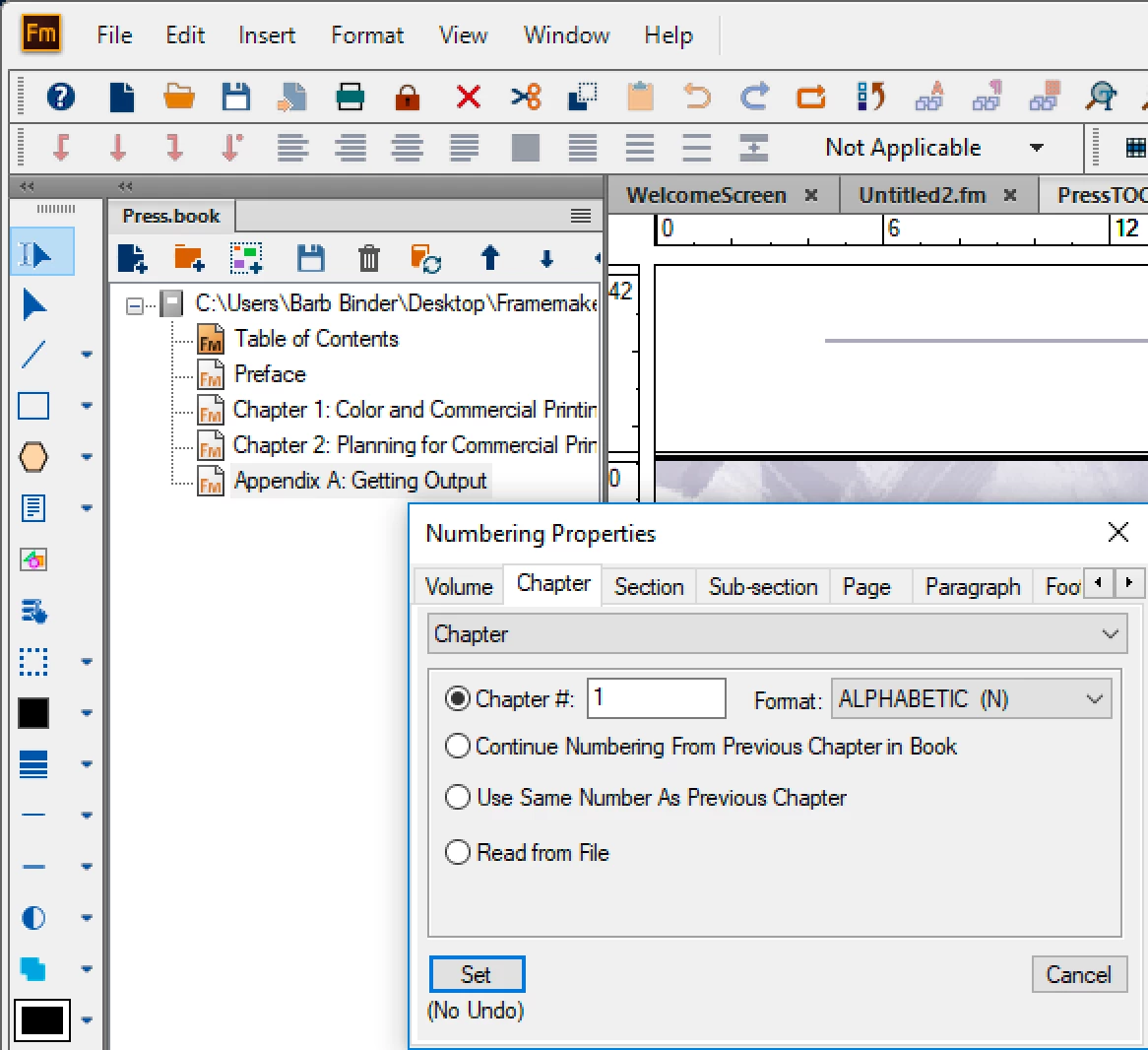
In the book window, right click Appendix A and set the chapter numbering properties to Chapter 1, ALPHABETIC. For Appendix B-infinity, choose ALPHABETIC and Continue Numbering from Previous Chp in Book.

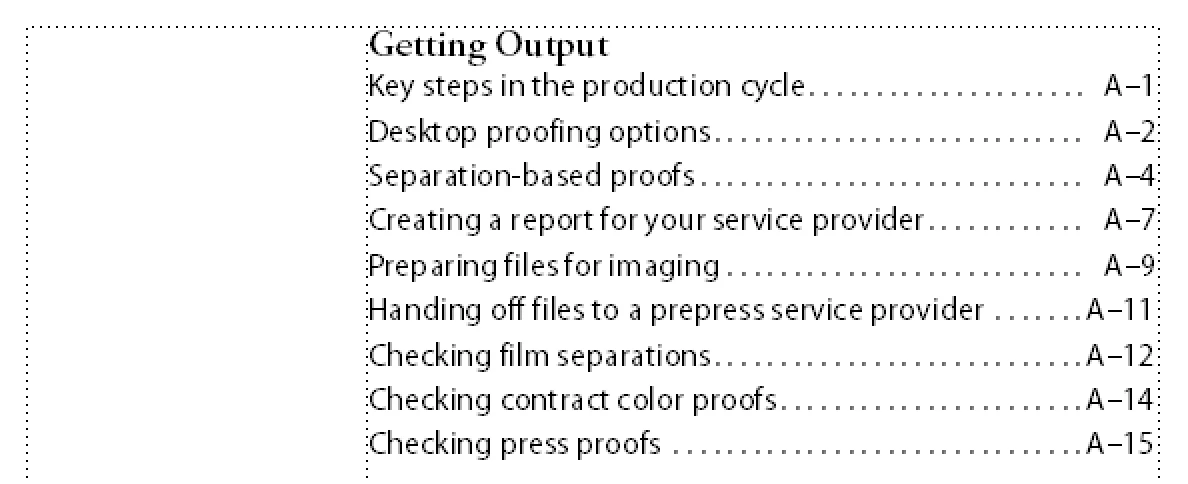
On the TOC reference page, add <$chapnum>– in front of the <$pagenum> building block.

Update your book:

~Barb

1 reply

Barb Binder
Community Expert
Barb BinderCommunity ExpertCorrect answer
Community Expert
January 31, 2019

Hi Edrice:

In the book window, right click Appendix A and set the chapter numbering properties to Chapter 1, ALPHABETIC. For Appendix B-infinity, choose ALPHABETIC and Continue Numbering from Previous Chp in Book.

On the TOC reference page, add <$chapnum>– in front of the <$pagenum> building block.

Update your book:

~Barb

~Barb at Rocky Mountain Training
EdriceAuthor
Participant
January 31, 2019

Hi Barb,

Thank you from the bottom of my heart!!!  You are amazing!  It definitely fixed my concern and it is working beautifully now!!

Edrice Angry