
Edrice66
Known Participant
June 10, 2020
Question

How Do I Change a Directory Address in Marker.ini in FrameMaker 2019

  • June 10, 2020
  • 1 reply
  • 615 views

Hi Everyone,

I need some help. I have a file that I am placing into one folder but it is attached to another folder. Trying to research it how to fix, it says to change the directory for the template by customizing the marker.ini settings. I do not know where to find this. 

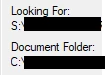
Here is what I am seeing.


How do I change/fix this?


Thanks, 

Eddie66
 

This topic has been closed for replies.

1 reply

Community Expert
June 11, 2020

I don't understand your question... What do you mean by "...it is attached to another folder"? Do you mean it is looking for graphics files stored in another folder? Solving your problem by changing maker.ini, sounds odd to me and I think you need to describe your problem in better details in order for us to figure out what is happening.

Bjørn Smalbro - FrameMaker.dk
Edrice66
Edrice66Author
Known Participant
June 11, 2020

I apologize for not being clear.  When this file was originally created years ago, it appears to have been created by using a file which when you drill down to the original location is attached to a slide gif. Therefore whenever you try to open this file you get a "missing file" error stating that FrameMaker is looking for the file in S://. I have renamed the file and altered it in the hopes of breaking the connection and placed in a new location, D://. In order to open the file I select "ignore all missing files".


I need remedy this issue. I want to use this file as a template in Structured FrameMaker and in "FrameMaker Working with Content" on page 11 it states, "You can also change the directory used for the templates (to display a network location, for example) by customizing the marker.ini settings". So I am trying to find out where this is so that I may do this, unlink the file from the S:// thus stopping the missing file box from continually popping up.


Hopefully this is a better explanation of what I need.

frameexpert
Community Expert
Community Expert
June 11, 2020

When you open the file and you get the Missing Graphic prompt, you should get a dialog box that allows you to point to the current location of the graphic. Once you do that and save the document, the substitution should be permanent. Make sure you do it for the structured template itself, not just a file that you open with the structured application.


The maker.ini setting that you are referring to does not apply to this problem.

www.frameexpert.com