


Inspiring
Apr 6, 2021 10:57 PM UTC
Answered

How do I indent the line in the TOC that wraps to the next line?

Client does not want the word "Connection" to wrap to the left margin as seen above. he wants any word wraps to be indented.


Did it manually to show what I need:

 

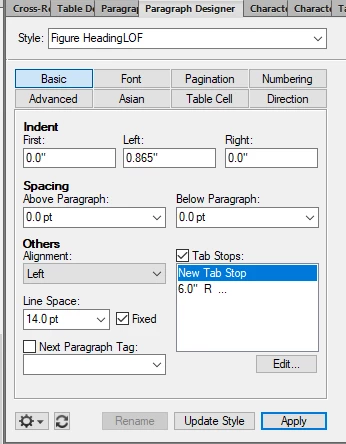
Paragraph Designer:
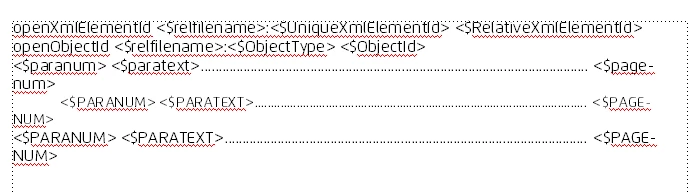
This is TOC file's Reference page:


    This topic is closed to new replies. Start a new post to keep the conversation going.
    Winfried RengCorrect answer
    Community Expert
    Apr 7, 2021 5:57 AM UTC

    Hi,


    Did you update the paragraph style globally with your new indentation settings?

    Then this paragraph will have this settting also, when you update the book and this LOF.


    Best regards


    Winfried

    2 replies

    Winfried RengCommunity ExpertCorrect answer
    Community Expert
    Apr 7, 2021 5:57 AM UTC

    Hi,


    Did you update the paragraph style globally with your new indentation settings?

    Then this paragraph will have this settting also, when you update the book and this LOF.


    Best regards


    Winfried

    Translate
    Inspiring
    Apr 7, 2021 12:55 PM UTC

    Well that was stupid of me! Thanks!

    Translate