

Community Expert
November 22, 2021
Answered

How do I make the bread crumb work properly in the Indigo skin for HTML5 on unstructured FM2020?
  • November 22, 2021
  • 1 reply
  • 242 views

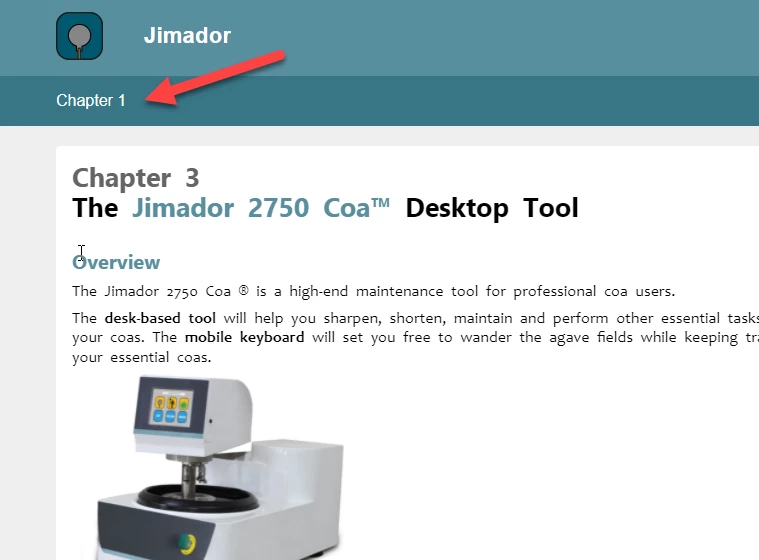
I am working on a new template, and want to use the Indigo skin for HTML5 with unstructured FrameMaker 2020. But I can't make the breadcrumb pick up the correct topics names. It stays put at Chapter 1 even if I assign each Chapter Name paragraph as a topic when publishing.

Is there a way to fix it?

    This topic has been closed for replies.
    Correct answer FrameMaker-dk

    Figured it out! In case anyone wants to know... The breadcrumb feature is hooked up on paratext. So switching from a paragraph that merely contained an autonumber to a paragraph that contained actual text was what worked. A little odd and not what I would have preferred, but better than nothing.


    1 reply

    FrameMaker-dkCommunity ExpertAuthorCorrect answer
    Community Expert
    November 23, 2021

    Figured it out! In case anyone wants to know... The breadcrumb feature is hooked up on paratext. So switching from a paragraph that merely contained an autonumber to a paragraph that contained actual text was what worked. A little odd and not what I would have preferred, but better than nothing.


    Bjørn Smalbro - FrameMaker.dk
    Bob_Niland
    Community Expert
    Community Expert
    November 23, 2021

    What character did you choose?

    Does the hack work with arbitrary whitespace characters like \u200b ?
    U+200B ZERO WIDTH SPACE


    And then perhaps stewardship suggests using a Variable to insert it, as it's otherwise hard to notice, find or select:
    Name: Breadcrumb
    Def: \u200b