

Susan305351693t3o
Inspiring
February 21, 2024
Answered

How do I set numbering properties?

  • February 21, 2024
  • 2 replies
  • 620 views

This is driving me crazy.


I watched one of the online videos about numbering settings, and I thought it would be a great idea to set up my documents to have Roman numerals on the title/toc pages, and then Arabic for the remainder.

And there has been no peace since.

So, I go to my "Cover" page to set it to have Roman numerals:
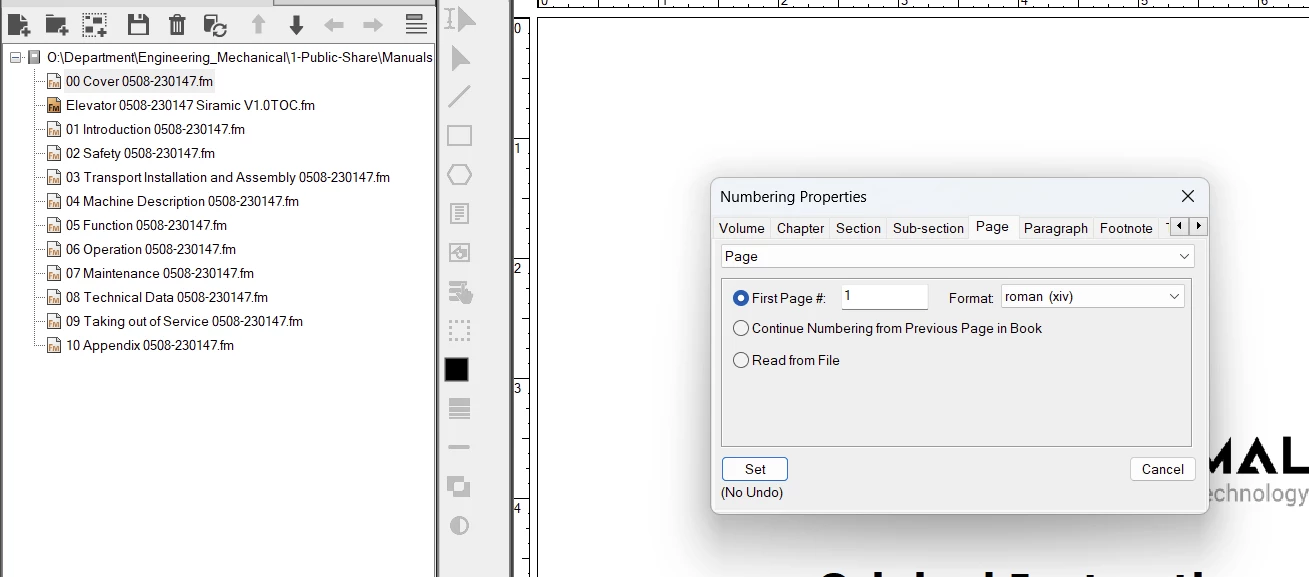
I have it set to "Page." I want it to start at 1, so I set it to start at page 1, and then I select lower case Roman numerals, and hit "set."


I do the same thing for the TOC, only I select "Continue numbering..."
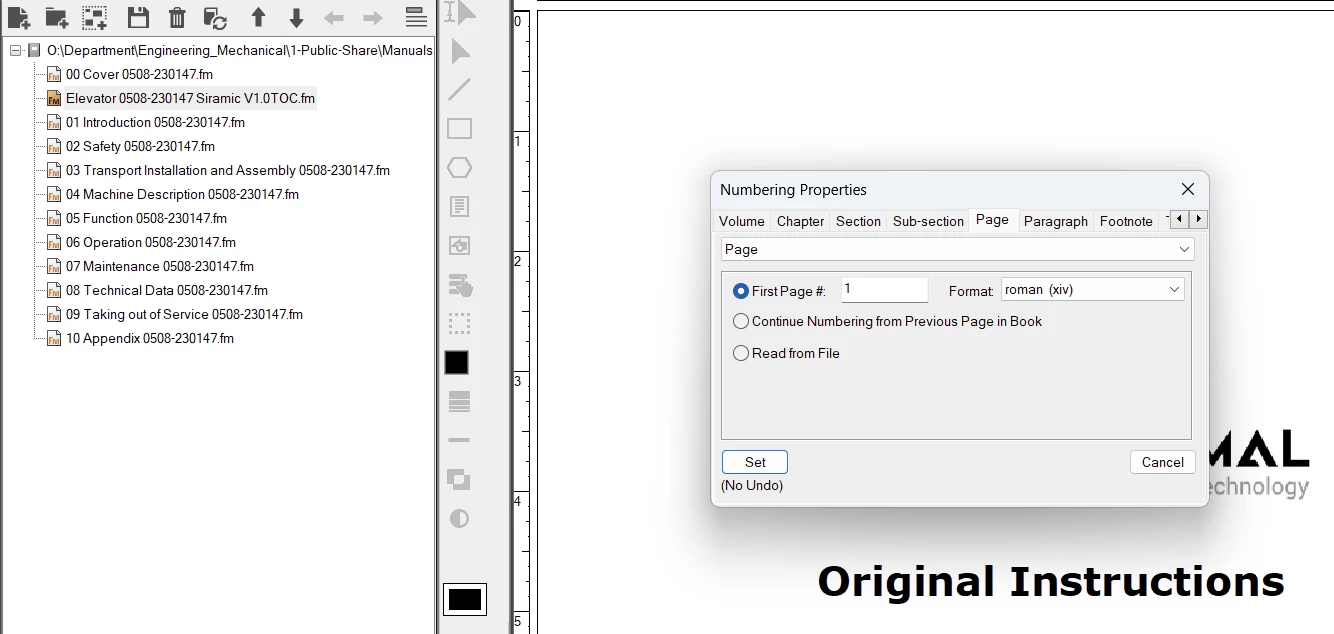


Then, because I want the remainder of my pages (from "Introduction" chapter to the end), to have ARABIC numbers, I do the following:


I select the Introduction chapter, open Numbering, and set it as follows:
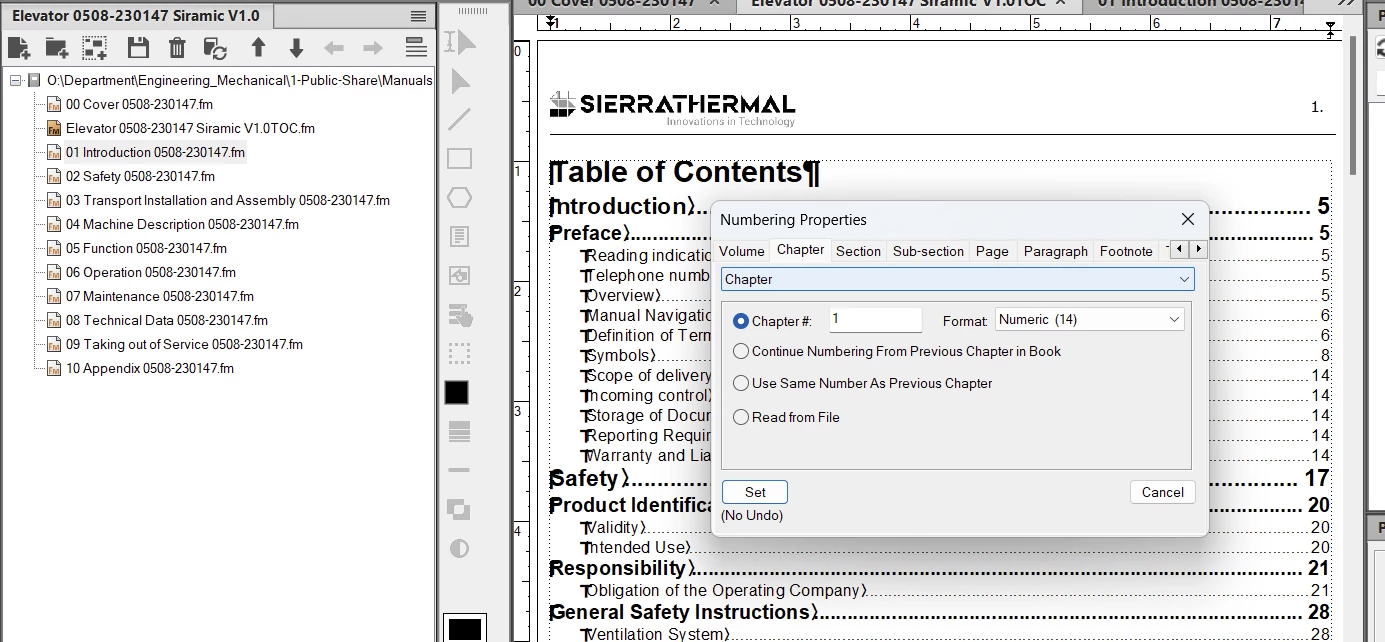


Then, I set each subsequent chapter the same as this, but select "Continue from previous..."


Then I update my book, and create a pdf.


And that's where it all goes south:
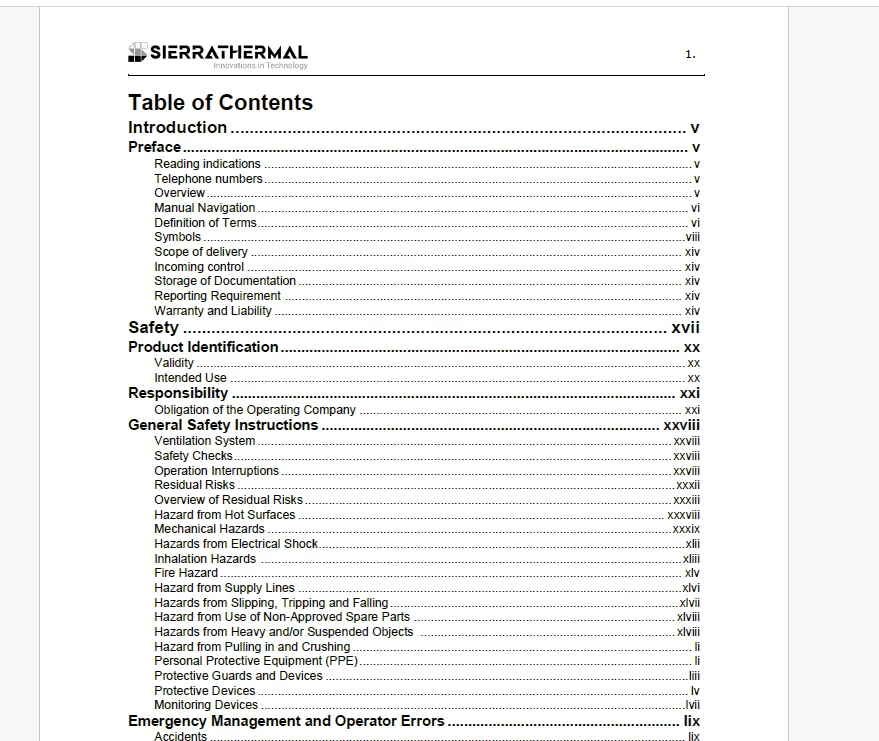


It makes every page Roman! I SPECIFICALLY set it so that the chapters would be ARABIC! What is the problem? I followed this process exactly for another book, and it worked just fine! How can I get this to work?

Thanks. This is driving me nuts :-0!

 

    Correct answer frameexpert

    Your goal was to just change Page numbering properties so you want the Page tab for each component. The Chapter tab is for the Chapter Number variable in each document.

    2 replies

    Barb Binder
    Community Expert
    Community Expert
    February 22, 2024

    Hi Susan:


    I know you have figured this out for now, but I wanted to say that the key to mastering numbering is to be vigilant about checking which tab you have selected when using Numbering Properties, because all the options underneath the tabs look similar. Looking at the top row of the dialog box, from left to right, you'll see:


    Volume | Chapter | Section | Subsection | Page | Paragraph | Footnote | Table Footnote


    You need to check which tab is active everytime you open the dialog box. You can set more that one numbering property at one time, you just need to switch to the appropriate tab. As Rick pointed out, since you were focused on page numbering, the Page tab needed to be active each time you selected a file or files in book window to modify the numbering properties. 


    ~Barb


    ~Barb at Rocky Mountain Training
    Susan305351693t3o
    Inspiring
    February 21, 2024

    I may have solved this. I changed all of the tabs to "Page" instead of the top two being "Page" and the remainder being "Chapter." I really don't understand what the difference is, and why one would override the other, but it seems, despite it being illogical, to work.

    frameexpert
    Community Expert
    frameexpertCommunity ExpertCorrect answer
    Community Expert
    February 21, 2024

    Your goal was to just change Page numbering properties so you want the Page tab for each component. The Chapter tab is for the Chapter Number variable in each document.

    Susan305351693t3o
    Inspiring
    February 21, 2024

    Yes. Thank you.