
Participant
March 9, 2017
Question

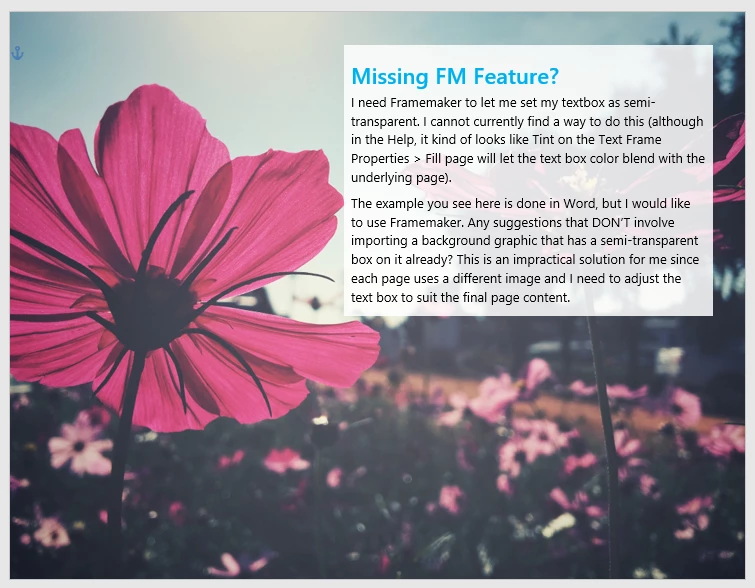
How do I specify a semi-transparent text box in Framemaker?

  • March 9, 2017
  • 2 replies
  • 2876 views

I'd like to create a semi-transparent text box so that the background image subtly shows through the text box without affecting overall readability of the text.

I read an older forum post that indicates it cannot be done, however, I'm hoping that is not the case now.  When I look at the Help related to Text Frame Properties > Fill, it looks like I might be able to use Tint to get a transparent effect, but that doesn't seem to work (I must have misunderstood).

Please advise.

Thanks

Lynn
This topic has been closed for replies.

2 replies

Ian Proudfoot
Legend
March 10, 2017

Lynn,

I have used a PostScript Code text frame in FrameMaker many years ago for some long-forgotten special effects. If you are printing to PDF or a PostScript printer there are all sorts of things that can be done. The only problem is that you only get to see the results in the output.

Postscript can handle transparency, so by editing the PostScript code you can achieve the results that you want. I think this is something that could be automated with ExtendScript...

Ian

Arnis Gubins
Inspiring
March 10, 2017

Technically speaking, postscript is still an opaque colour model. However, there now is a pdfmark operator that allows Distiller to create transparency from postscript in PDF versions 1.6 (Acrobat 7.0) and greater. This is the SetTransparency pdfmark. So, using postscript text frames in FM does allow one to sneak in the transparency effect, but one has to also manually enable the transparency in the PDF joboptions file [this is not accessible through the Distiller edit interface] by setting "  /AllowTransparency true".

In the example below, I've created a postscript text frame in the Aframe with the image. The postscript code specifies a green rectangle with a 50% transparent orange rectangle partly covering it. Note the image part in the orange rectangle.

As a production tool having the transparent box contain your text, it's really not a practical thing. You would have to postscript code the size of each of your transparent text frames and then overlay the actual FM text frame to fit.

Conclusion: for a special effect, transparency effects can [now] be done in FM. However, from a maintenance and production point of view, it's a total PITA!

P.S. I haven't explored using pre-defined EPS files with fixed-size semi-transparent rectangular areas to match various text-frame sizes. This could make things a bit easier, but it would still be PITA for non-geeks.

Barb Binder
Community Expert
Community Expert
March 9, 2017

I think you might find this thread helpful, and while it is almost 5 years old, as far as I know it is still correct.

Transparency in FrameMaker 11

~Barb at Rocky Mountain Training
Bob_Niland
Community Expert
Community Expert
March 9, 2017

Basically, FM is not the tool for this sort of opacity. Whenever I've needed to do it, I've pre-composed as much as necessary in Illustrator.

But there is a way to hack it FM. Frame Art vector objects can be transparent, and can be scaled to arbitrarily small sizes. A grid of small white objects could be created, kept on a Reference Page, copied and placed behind text, and scaled as needed. Relative opacity would be determined by stroke weight. This is a transparent white point cloud.

I just tried it with a grid of tiny white circles. Performance is not great, but it works. A semi-random grid of near point-size single non-overlapping lines at random angles might be ideal (dithered), as it would avoid most of the risk of aliasing and have the least performance impact. If I had an on-going need for such a thing, I'd be tempted to use a spreadsheet to generate the object as MIF, otherwise it's a huge amount of effort.

wklynnbAuthor
Participant
March 9, 2017

Thanks Bob. I'm not familiar with Frame Art. I'm also not familiar with the MIF workaround. I've worked with MIFs to perform find-and-replace sweeps of parameters in the code related to graphic changes. I've never created anything new in MIF.