


Known Participant
May 21, 2014
Question

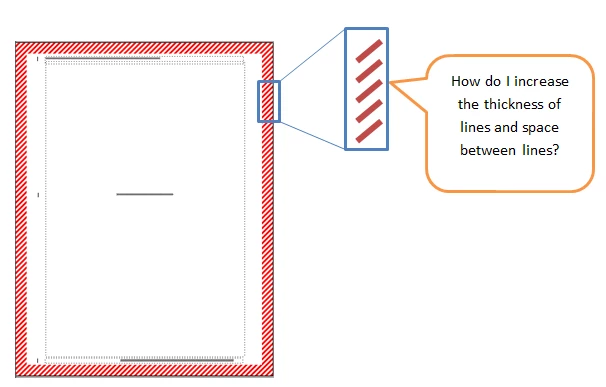
How do I widen the thickness of hash mark pen pattern

  • May 21, 2014
  • 1 reply
  • 420 views

I am working in FM11. I need to have a caution border around pages from one chapter in my book. I took the hash mark pattern from set pen pattern and made a rectangle on a master page. The thickness of the rectangle is fine and I see how to change that. I would like to make the pattern itself thicker meaning the diagonal marks have more white space before and after the color hash mark.
    This topic has been closed for replies.

    1 reply

    Arnis Gubins
    Inspiring
    May 21, 2014

    You can't tweak this directly in FM.


    You could do it using postscript code within a Postscript text frame on the Master Page, but this requires some ps coding.


    Best way to do it would be to use a drawing package like Illustrator or CorelDraw and create a custom border there, export as EPS and import onto the Master page.

    FMdancerAuthor
    Known Participant
    May 27, 2014

    Thanks for the info!