
Question
How do you get the chapter numbers to show in the book panel?
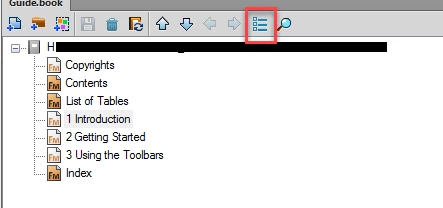
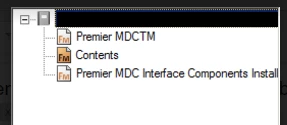
I have some book files that when you toggle from the fm file name.fm to the chapter number display, the chapters show numbers such as 1 Introduction, 2 Getting started, 3 Using toolbars etc. Then other books just show "chapter name " without the chapter number sequence. Where is that setting?
Chapter numbers display
Chapter numbers don't display


 AdChoices