

Bob Giant
Participant
January 4, 2023
Question

How FM handles Process Instruction

  • January 4, 2023
  • 1 reply
  • 145 views

Hi Everyone,

I like to ask you about how FrameMaker handles a process instruction.


As you can the following xml source file, there is a PI: <?oxy_comment_start> and <?oxy_comment_end> inside <p> tag.
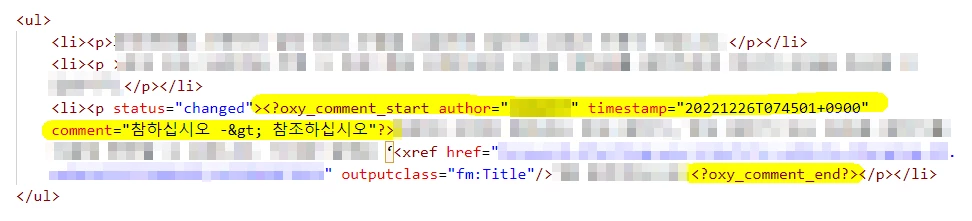
 

Then, after opening this xml file in FM, you can see the following screenshot. There is a unnecessary line break in an unordered list.
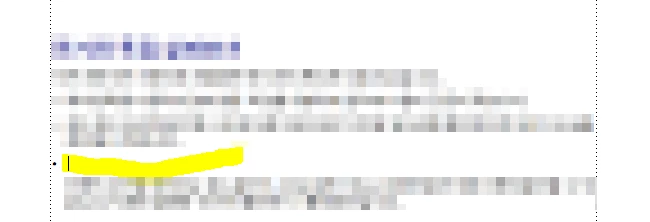
 

Can you tell me how I can remove this inappropriate line break, or how I can make FM not manage specific PI tag and not display PI in both FM editing view and PDF output?


For your information, I'm using FM 2019 and there are Korean and English texts in this xml file.

    This topic has been closed for replies.

    1 reply

    frameexpert
    Community Expert
    Community Expert
    January 4, 2023

    You can add a pre-process XSLT stylesheet to your FrameMaker structured application that will strip out processing instructions and clean up the text around it. Here is a simple stylesheet that you can try:

    <?xml version="1.0" encoding="UTF-8"?>
    <xsl:stylesheet xmlns:xsl="http://www.w3.org/1999/XSL/Transform"
        xmlns:xs="http://www.w3.org/2001/XMLSchema"
        exclude-result-prefixes="xs"
        version="3.0" expand-text="yes">
        
        <xsl:output indent="no"/>
        
        <xsl:template match="/">
            <xsl:apply-templates/>
        </xsl:template>
        
        <xsl:mode on-no-match="shallow-copy"/>
        
        <xsl:template match="processing-instruction()"/>
        
    </xsl:stylesheet>