

Question
How to add a ditamap file name in Structured Framemaker
Hi there,
Ref: Structured FrameMaker
I was asked to put the ditamap name in the header of my published document (for an internal customer, this a work instruction name).
I opened the structured output template ChapterOutputTpl_WI_0104.fm and renamed it to ChapterOutputTpl_WI_test.fm.
I tried 2 approaches:
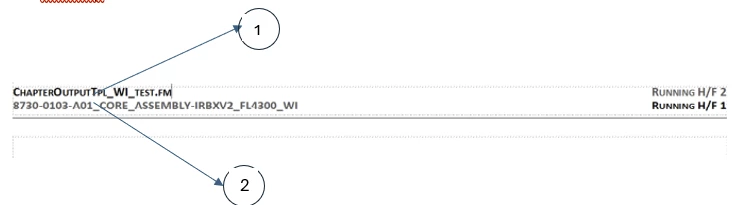
- Entered a variable <filename short>
- Entered a fixed number in the header that is the work instruction name and my ditamap name
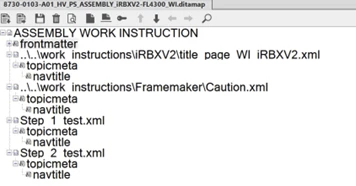
My ditamap is as shown below.
When I published, I got the following headers:
- On the title page:

- On the Caution page- why is not the layout on the title page, I don’t know

- On the Step_1_test file

- On the Step_2_test file – why the layout is not as this for Step_1_test file and doesn’t have file name, I have not idea.

The fixed number shown as item 2 was shown everywhere.
However, I would like to have the ditamap name in the header, so when I change the file name and the revision in it, it will be automatically reflected in the header.
Does someone add a ditamap name in the header (or footer)?Any suggestions are greatly appreciated.
My published pdf is attached. - On the title page:
Regards,
Zornitza Doneva


 AdChoices