


aghil2101
Known Participant
August 2, 2017
質問

HOW TO ADJUST THE SIZE OF COLUMN?

  • August 2, 2017
  • 返信数 3.
  • 829 ビュー

Dear Experts.

I am having a FM Doucment which contain lot of tables in it. All of these tables were imported from a MS Word file. After importing I resized the column and rows using the below codes but I am seeing few issues in the tables.

Please guide me to solve this problem.
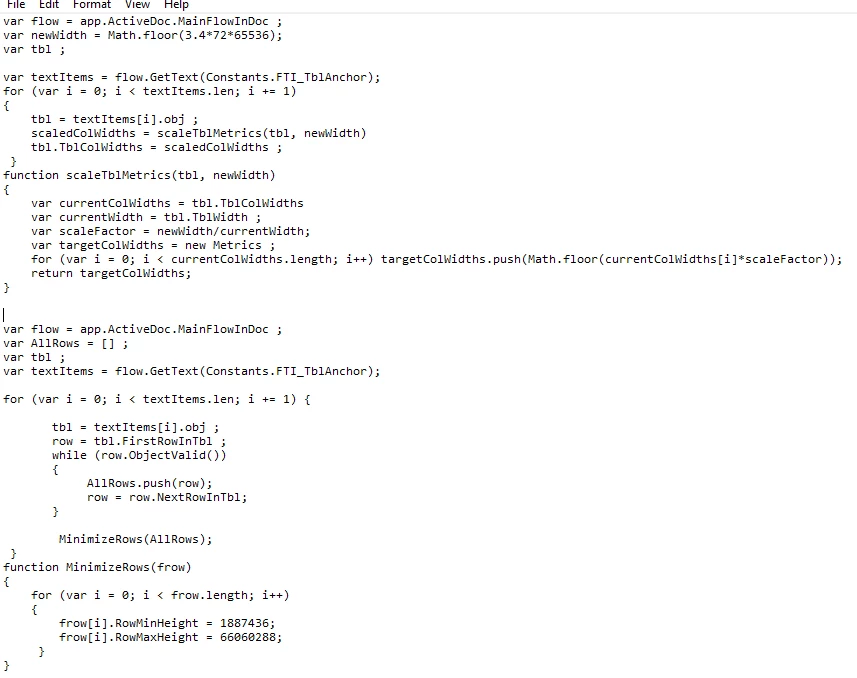
Script is executing perfectly but I am seeing few problems in the table. Please see the image's below.

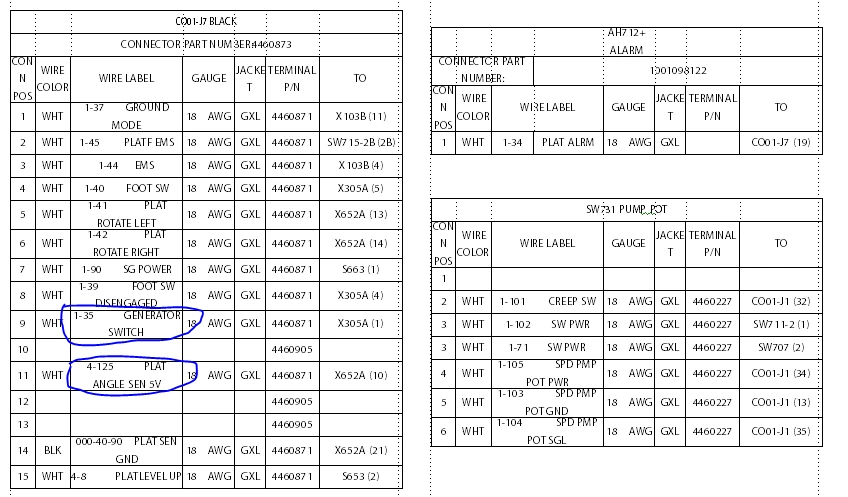
1.  In Few tables I am seeing that space between the letters is not unique.
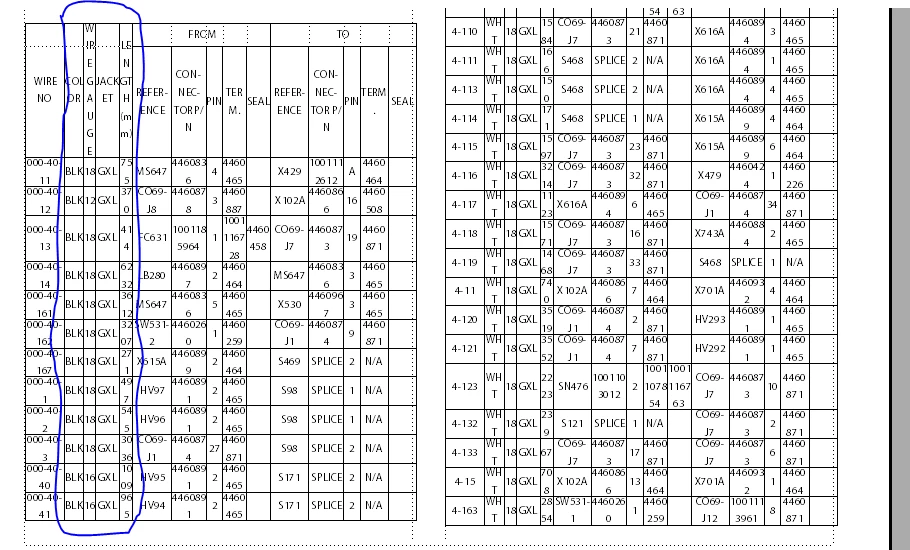
2. Some other tables the column size is too small.
With Regards

Aghil.M

このトピックへの返信は締め切られました。

返信数 3

Legend
August 3, 2017

HI Aghil.M,

Can you post pictures of how the tables looked before your script ran?

Russ

aghil2101
aghil2101作成者
Known Participant
August 3, 2017

Hello Russ,

Thanks for the reply. Please see the image below.

With Regards

Aghil.M

aghil2101
aghil2101作成者
Known Participant
August 3, 2017

Hi Russ

Instead of scaling the table, I gave uniform width to all tables and this is what I got. Now I can see some difference in the table.

1. Is it possible to adjust the text size based on the cell width.

How to give a particular style to the first two rows of the tables. I am trying to make the text bold and give color. I am able to give the color.

Please help me to sort out this issue.

With Regards

Aghil.M