Known Participant
Jul 21, 2023 11:10 AM UTC
Answered

How to bold Steps in Numbering in Adobe Framemaker?

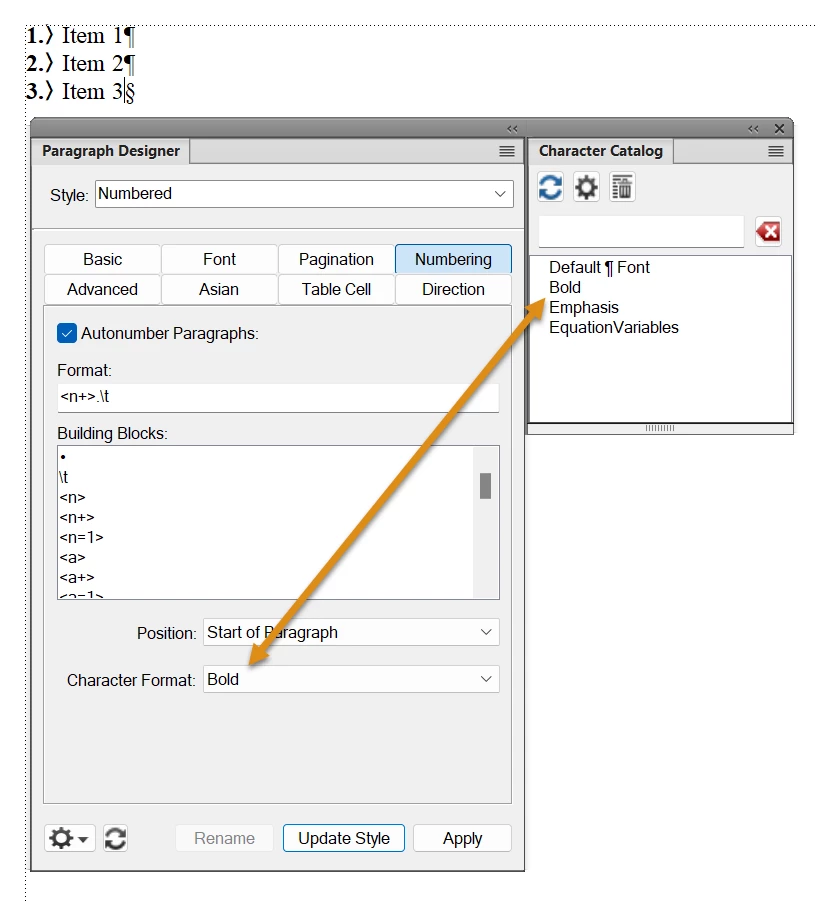
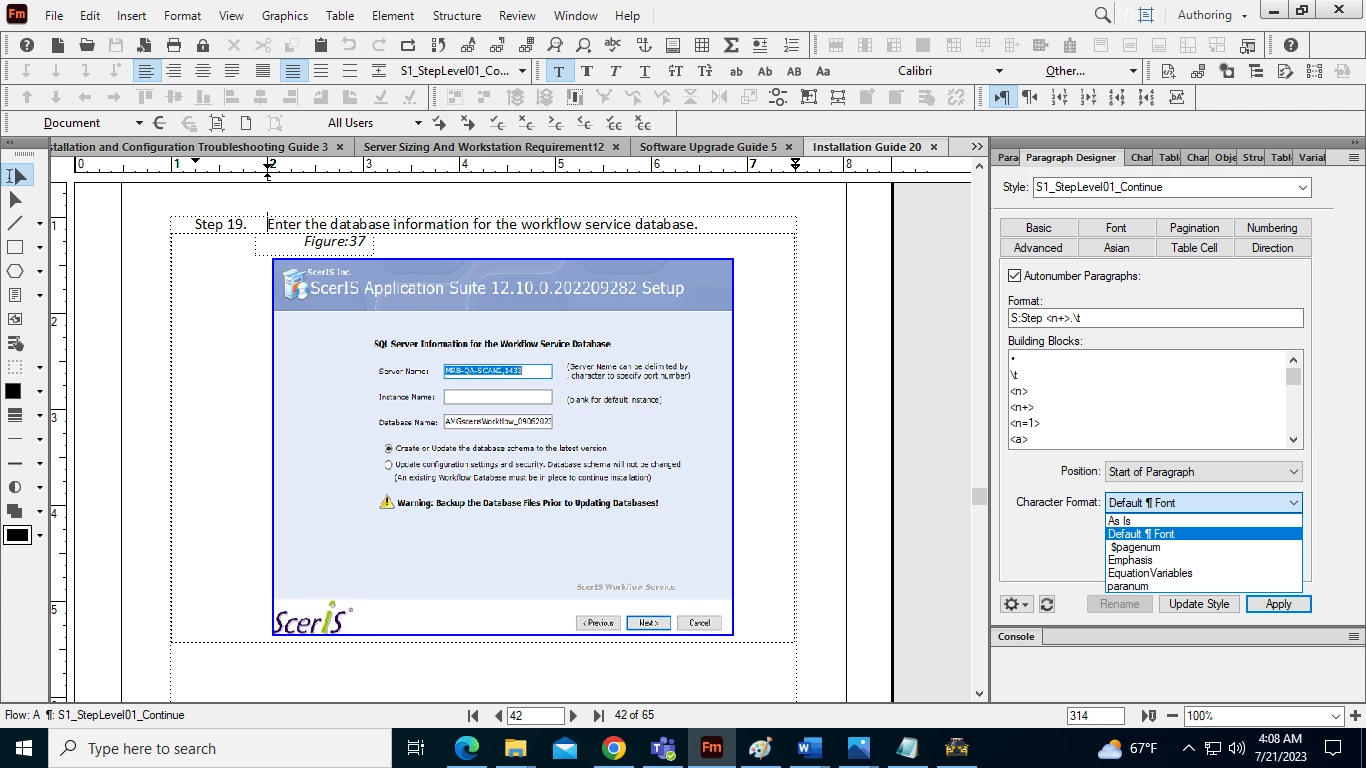
How to bolden the steps in numbering properties. I tried to use the option given in character format, but no option is there to bolden the steps. Please check the screenshot.

 

    This topic is closed to new replies. Start a new post to keep the conversation going.
    Barb Binder
    Barb BinderCorrect answer
    Community Expert
    Jul 21, 2023 1:43 PM UTC

    ~Barb at Rocky Mountain Training

    4 replies

    Barb Binder
    Community Expert
    Barb BinderCommunity ExpertCorrect answer
    Community Expert
    Jul 21, 2023 1:43 PM UTC

    Translate
    ~Barb at Rocky Mountain Training
    Known Participant
    Jul 22, 2023 12:04 PM UTC

    Thanks Barb!

    Translate
    frameexpert
    Community Expert
    Community Expert
    Jul 21, 2023 11:24 AM UTC

    You have to create a Character Format that gives you bold (or whatever you want) first and then it will show up in the drop-down list.

    Translate
    www.frameexpert.com
    Known Participant
    Jul 22, 2023 12:03 PM UTC

    Thank you! It worked.

    Translate