
Answered
How to continue auto-numbering for multiple files in a book?
My client has different files that I am putting into FM. They all have numbered headings.
How do I set it up so that the file heading increments as I add a file? In the attachment I show that heading 1.0 and 2.0 are actually in the same file so ignore that. However for the News file the heading number does not increment but starts over at one. It should increment the number every time I add a file. So for the News file, in the TOC is should say 3.0 News instead of 1.0. And I need to also increment the page number to start at one for the first chapter and then to increment when I add a file to the book.
I assume it has to do with Format>Document>Numbering?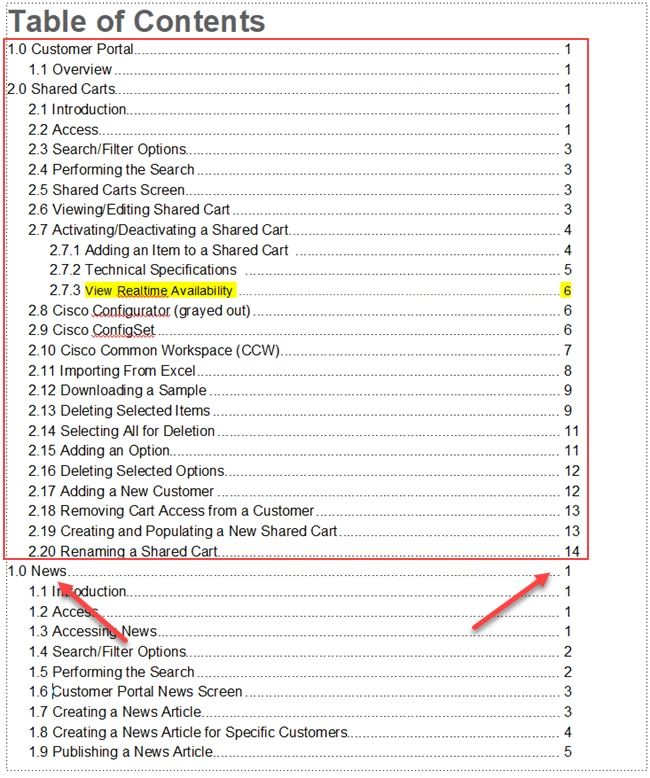


 AdChoices