Answered
how to create a dotted line
Hello,
On an empty line in Frame Maker, I would like to create a dotted line on
all the width of the column. How to do this ?

Hello,
On an empty line in Frame Maker, I would like to create a dotted line on
all the width of the column. How to do this ?
Hi Pierre:
Using either technique already mentioned (leader dots with a tab stop or a reference page frame), the line is going to move as you edit the text. That's normally the goal when you use a line as a division between sections.
If you want to add a line that you can move, and won't move until you move it, you can draw it with the line drawing tool in the Graphics toolbar (View > Toolbars > Graphics Toolbar.) The Graphics Toolbar also has formatting options, including dashes, color, choices, and line thickness.
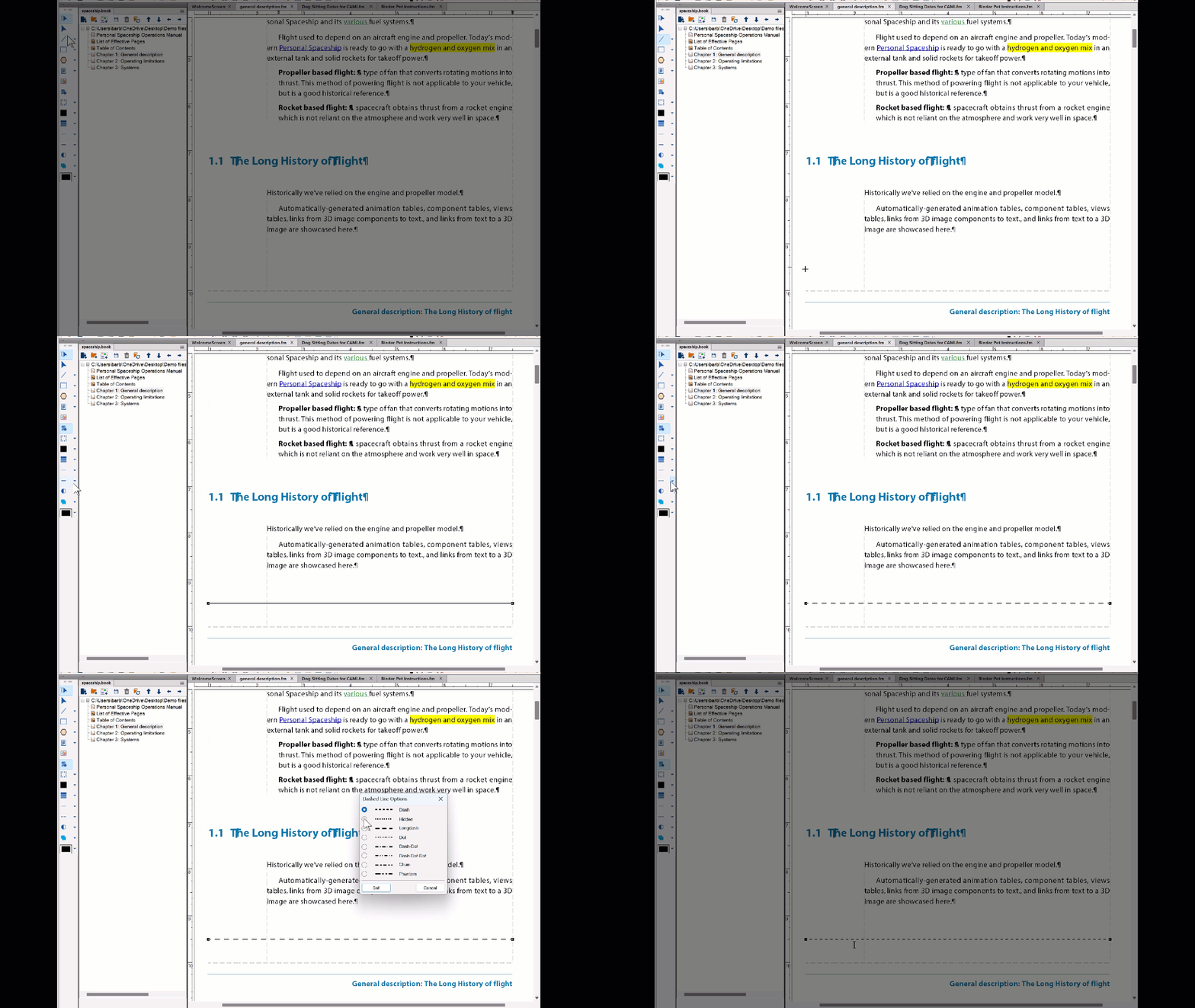
This is how I added line above the footer, but on the master pages.
~Barb
Already have an account? Login
Enter your E-mail address. We'll send you an e-mail with instructions to reset your password.


 AdChoices