
Answered
How to define alt text for an anchored frame in FrameMaker 11?
What is the procedure in FrameMaker 11 to include alt text for anchored frames? We need to produce tagged PDF output that is accessibility compliant; this output must include alt text for each image in the document that a screen reader can read out.
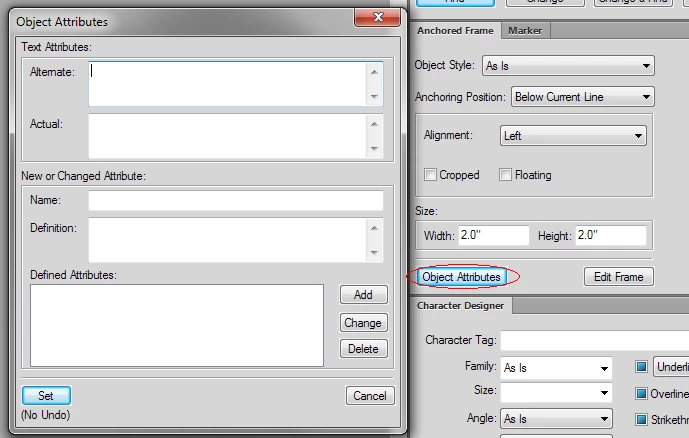
In previous FrameMaker versions, it was possible to define alt text as follows:
- Select the frame and choose Graphics > Object Properties.
- Click Object Attributes.
- In the Text Attributes section, add your alt text and actual text, and then click Set.
The FrameMaker online help still describes this same procedure, at http://help.adobe.com/en_US/framemaker/using/WSd817046a44e105e21e63e3d11ab7f7960b-7f0f.html. However, I see that in FrameMaker 11, what you get on choosing Graphics > Object Properties has completely changed from previous versions, and I cannot see Object Attributes.
Where is the alt text defined for an object in FrameMaker 11?
 AdChoices