Participant
June 20, 2019
Answered

How to do I get FrameMaker 2019 to produce callouts via Acrobat?

  • June 20, 2019
  • 3 replies
  • 1347 views

We have upgraded from FrameMaker 11 to Framemaker 2019.

Frame, in combination with Acrobat, does not produce callouts made in FrameMaker.

Has anyone else had this problem?

How did you solve it?

Kind regards,

Fred Gerke
    This topic has been closed for replies.
    Correct answer Barb Binder

    Hi Fred:

    I'm not having issues with the PDF output. I put one call-out in as a text frame and one in as a text line to see if that made a difference. It did not.

    What version of FrameMaker are you on—the current one is version: 15.0.3.603—and do your call-outs move with the anchored frame?

    ~Barb

    3 replies

    Barb Binder
    Community Expert
    Community Expert
    June 25, 2019

    Hi Fred,

    That’s great news. Glad you’re back on track!

    ~Barb

    ~Barb at Rocky Mountain Training
    Barb Binder
    Community Expert
    Community Expert
    June 20, 2019

    Hi Fred:

    And can you define "call-out"?

    This is an Acrobat text call-out box and this can only be added in Acrobat or Reader.

    This is a sticky note, and can be added in the FrameMaker file (any version) using the Alert hypertext command (or Alert with Title) found in the Insert > Hypertext pod.

    ~Barb

    ~Barb at Rocky Mountain Training
    Participant
    June 21, 2019

    Hi Barb,

    Thank you for taking the time to help me.

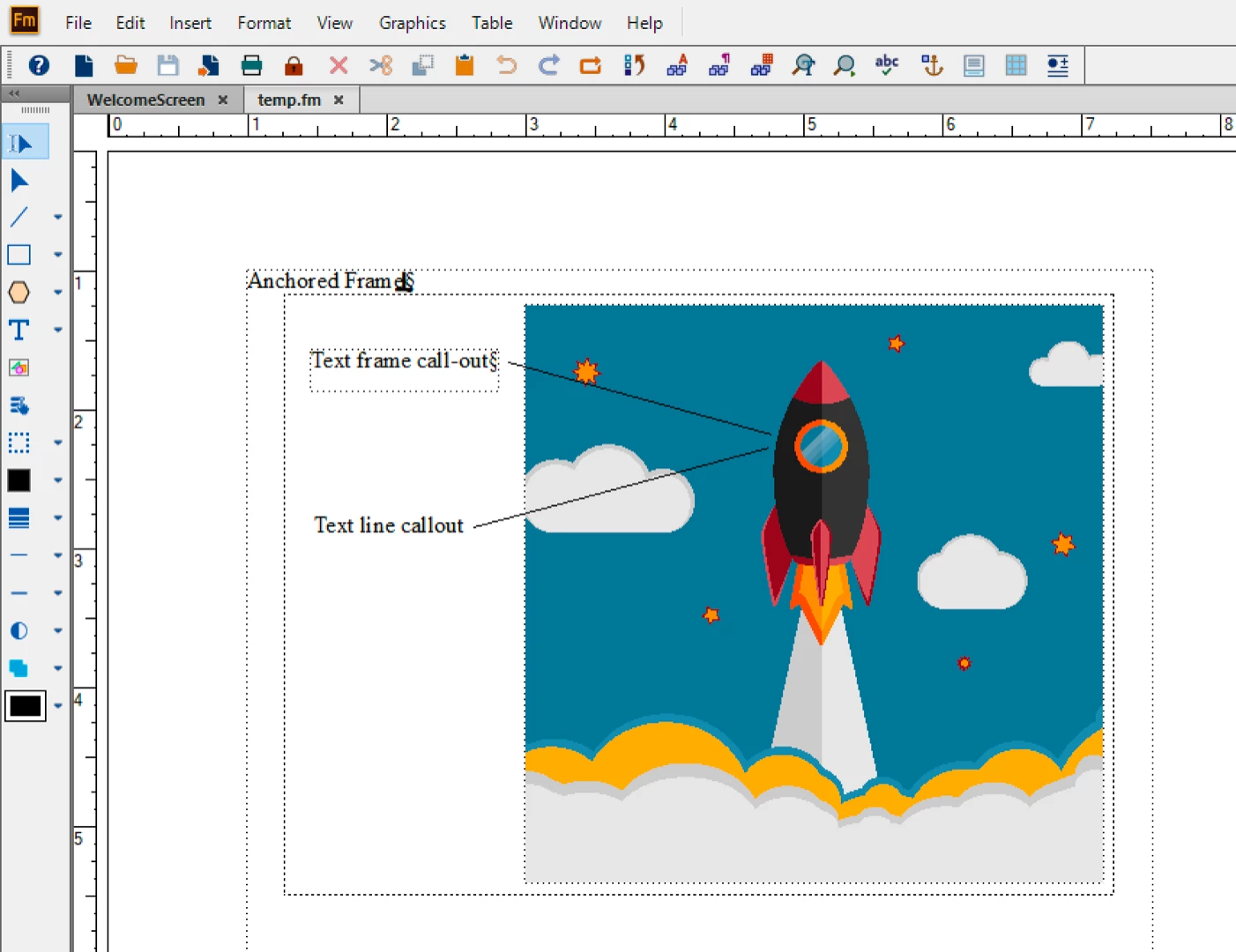
    1. In our documentation, images are placed inside of Anchored Frames (of course).
    2. After an image has been "Imported by Reference" into the anchored frame, we often create a Text Frame and type some information into it to further clarify the point we want to make.
    3. We then use the line tool on the Graphics Tool bar to draw a line between the text and the item in the image.

    (See the accompanying screen shot.)

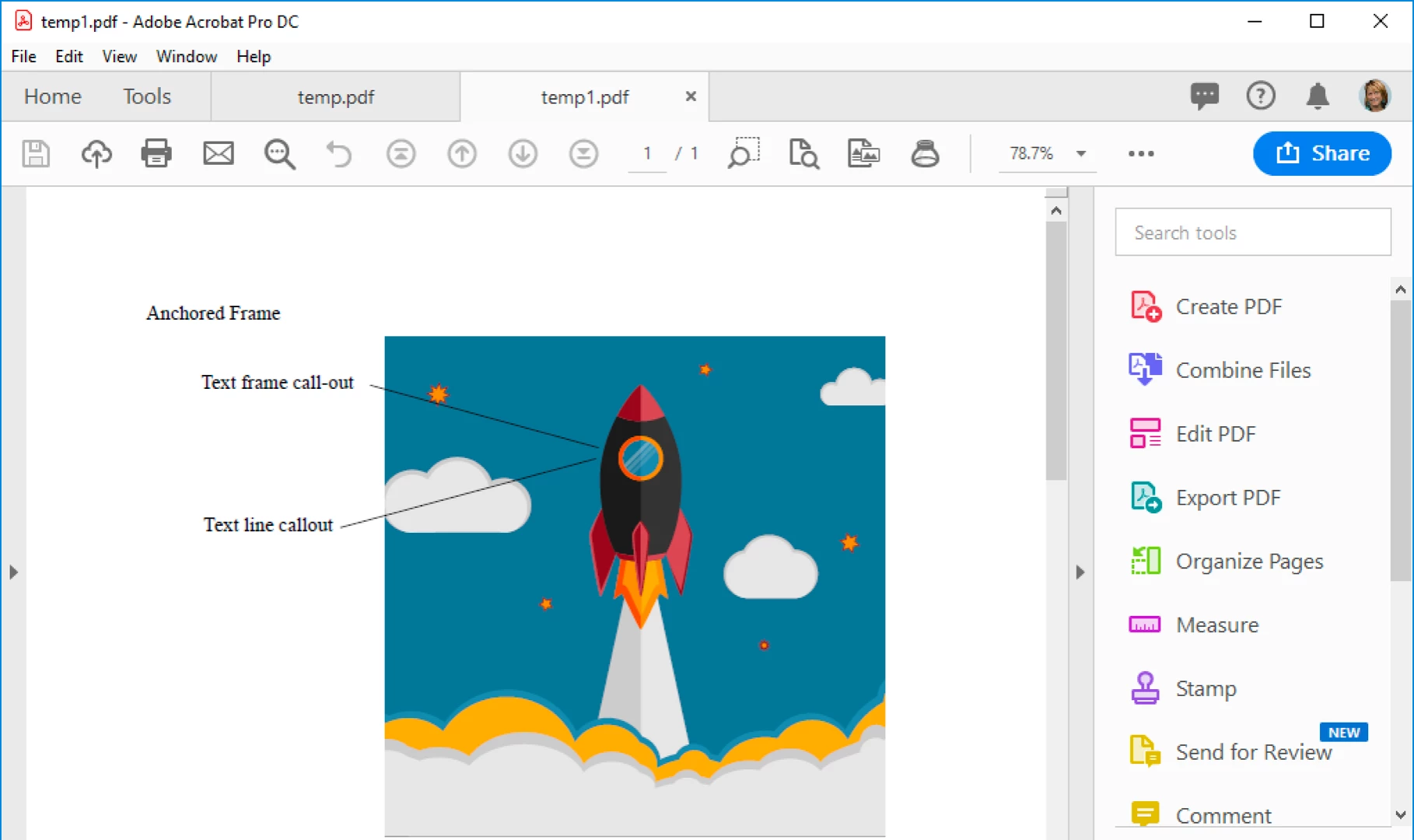
    See below for the result when we save as PDF in FM 2019.

    Kind regards,

    Fred Gerke

    Barb Binder
    Community Expert
    Barb BinderCommunity ExpertCorrect answer
    Community Expert
    June 21, 2019

    Hi Fred:

    I'm not having issues with the PDF output. I put one call-out in as a text frame and one in as a text line to see if that made a difference. It did not.

    What version of FrameMaker are you on—the current one is version: 15.0.3.603—and do your call-outs move with the anchored frame?

    ~Barb

    ~Barb at Rocky Mountain Training
    Bob_Niland
    Community Expert
    Community Expert
    June 20, 2019

    How are (were) the callouts implemented?

    FM doesn't have integrated callouts (such as are routine in CAD apps), so there are lots of ways of faking it.

    I use to do it by means of self-masking FrameArt, containing a text frame, where the c/o text would typically be an Xref to the item autonumber from a BOM list elsewhere in the document. The c/o # then also became automatically hypertext to the BOM. That was in FM7 or 9, and I would expect it to work identically in any later FM.