
Answered
How to get rid of WelcomeScreen?
Is there a way to permanently disable/remove the "WelcomeScreen" that keeps opening in FrameMaker 2019 (update 8)?
- I just noticed it sometimes is constantly using the CPU - even with not documents open and program minimised? Not much, but still... Just annoying...
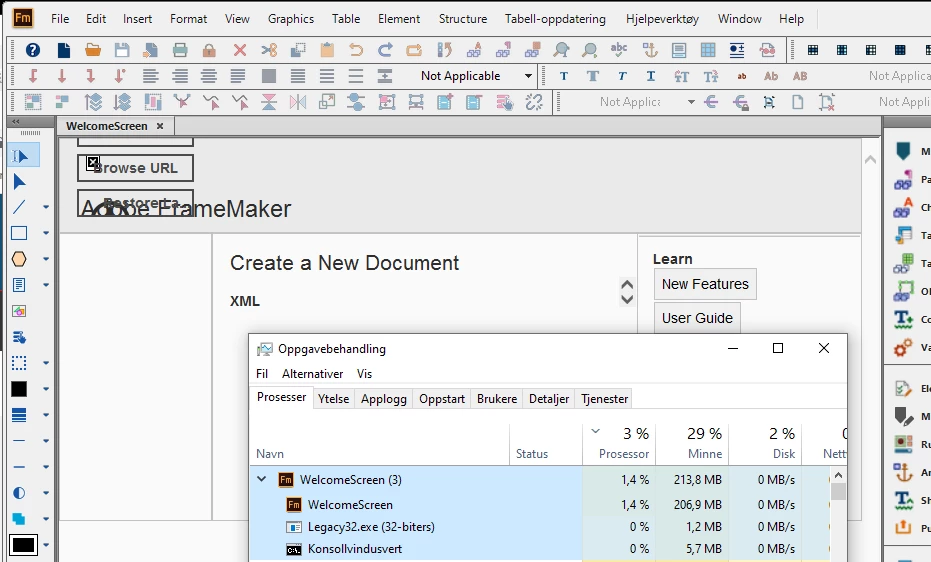
- It doesn't work anyway as it always renders completely messed up (please don't rely on low/default security settings in a user's browser to render the UI).
- If a tab and I close it, it will automatically reopens whenever i open a document (why? that makes no sense?)
Please let me just disable it somehow until hopefully it is fixed in some future update. Right now it is just in the way. It would be best if this can be done without requiring admin privileges.


 AdChoices