
Participant
February 9, 2022
Question

How to handle FM variables in header and footer while migrating to DITA.

  • February 9, 2022
  • 2 replies
  • 573 views

My current unstructured FrameMaker documents contain variables (both user and system type) in the header and footer. I need to migrate my document into DITA format. While doing so I am struggling to handle these variables. Since DITA does not support the insertion of any element in page header and footer, I am not able to use the DITAVAL feature also in header and footer.

Please suggest a work around to have these variable in the DITA interface and also obtain the same during PDF generation.

Please note that we are trying not to use the combined interface of FrameMaker and DITA while migrating and want to achieve the output through DITA interface only.

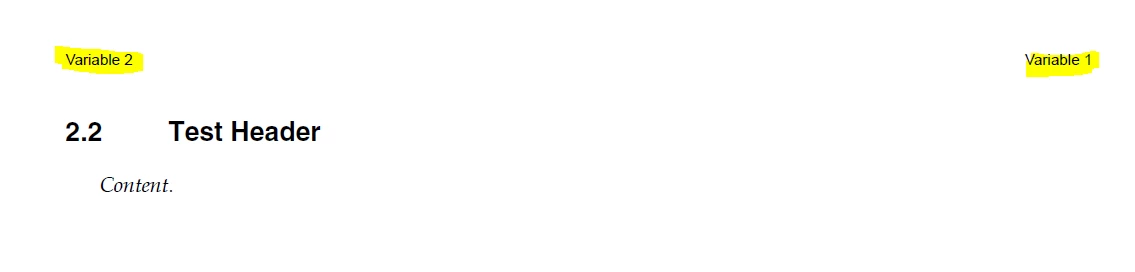
Below are the reference snapshots from header and footer respectively.


This topic has been closed for replies.

2 replies

4everJang
Legend
March 10, 2022

DITA is just a way to store the structured content and as such has no built-in tools to make anything appear in heaers or footers of a PDF document. Simply because DITA is only the content, and everything else needs to be created from either the DITA source itself or from external sources of information.


Still, you can use FrameMaker's rendering capabilities to pick up some text that will have to be inside your DITA file and show it as part of the header and footer via Running H/F variables. 


I would suggest creating a special paragraph format that uses 2pt font size, 0 pt fixed linespacing, no space above and below, and white font color (so that it becomes invisible on the content pages and takes up no space in your layout. With the ditaval files, you can control the content of this invisible paragraph. Make sure it is at the start of your topic, e.g. as a titlealts element following your title. Then define your template with Running H/F variables to pick yp the content of the titlealts paragraph.


In this way, all the content is part of the DITA file, even though some content is not visible as such, but only created to style the header and footer of your pages.

Matt-Tech Comm Tools
Community Expert
Community Expert
February 9, 2022

Can you expand what you mean about trying not to use the combined interface of FrameMaker and DITA?

Are you using only the XML View, and not the WYSIWYG View?

The DITAVAL file is used to set conditions, so I'm unclear on how that relates to your Header/Footer.

If your content is showing specific conditions, then the headers should be displaying the appropriate contextual info in the Header/Footer.

To display info in the headers and footers, assuming you are using the WYSIWYG view, you can move to the Master Pages in your topic template and redefine your Running H/F variables to use the paragraph tags associated with your DITA elements. You can use the Paragraph Designer to get the style name associated with a specific element and its context.


-Matt Sullivan, FrameMaker Course Creator, Author, Trainer, Consultant
Participant
February 10, 2022

Hi Matt.

Thanks for your response. Let me provide you with some further details.

Our aim is to use one set of content (created in the forms of "concepts" and "tasks") to generate multiple PDFs in which the only difference that lies is in the product part number and its description. We are right now handling this with the help of the .ditaval file feature offered by DITA. But while handling this part number description in the header we are unable to control it through .ditaval as the DITA interface is not allowing us to insert any tag in the header.

Right now we are working on the WYSIWYG interface.

As you explained about the usage of the system variables, just to answer, we are already using some variables in the header and footer. But since the variable usage is a feature of FM and not DITA, we do not want to use any variables throughout our files. This is what I meant when I wrote that we do not want to work in a combination DITA and FM both.

To replace variables only we are using .ditaval file.

Matt-Tech Comm Tools
Community Expert
Community Expert
February 11, 2022

The headers/footers don't contain dita, but they reflect what is currently visible in the doc. Using your show/hide by attribute filter, you should be able to display the correct version of the doc and then the running h/f will reflect the currently displayed content. 


-Matt Sullivan, FrameMaker Course Creator, Author, Trainer, Consultant
