

Question
How to integrate Troubleshooing template into my dita output
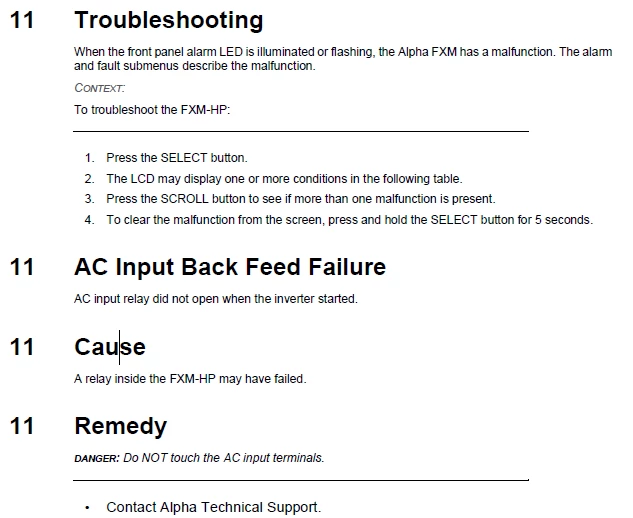
I am trying to use the DITA specific Troubleshooting topic. I have created number of troubleshooting topics using the template. I have then added these to my ditamap. Upon publishing, the headings do not follow the prescribed structure of other topics.
The headings within the topic do not cascade down, but remain H1 level.
AC Input Back Feed Failure should be 11.1, Cause should be 11.1.1, Remedy 11.1.2.
I understand if I need to customize this myself - but not sure were to go about doing this. Is this controlled by the EDD for this topic type, or is it controlled by the template?


 AdChoices