Inspiring
November 30, 2017
Answered

how to modify the location of a change bar

  • November 30, 2017
  • 2 replies
  • 515 views

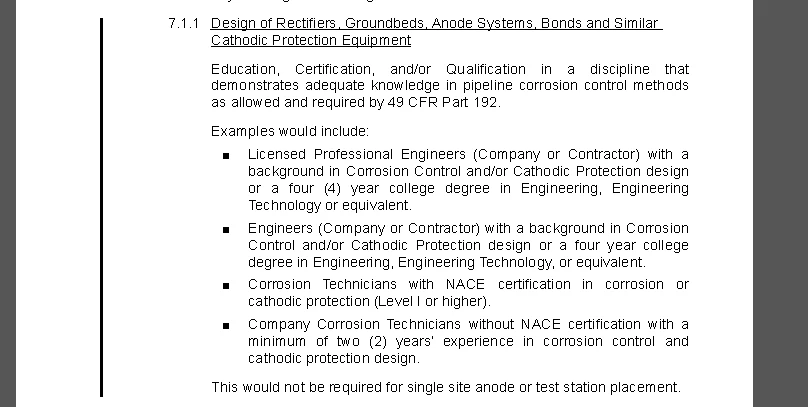
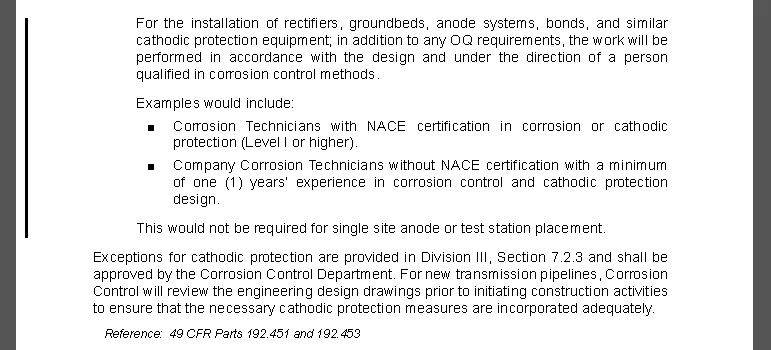
I'm applying a change bar to text that flows across two (2) pages. on the odd numbered page the change bar appears fine and prints to a PDF, but on the even numbered page, the change bar appears far to the left on the PDF and will not appear when I print the PDF to a hard copy. How do I modify this?

odd # page:
even # page
thanks and regards,

Matt

    This topic has been closed for replies.
    Correct answer Matt-Tech Comm Tools

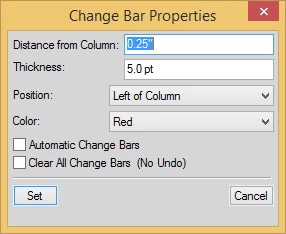
    In Fm 2017, go to Format > Document > Change Bars to reduce the change bar offset so that it fits within your printer margins.

    2 replies

    Inspiring
    November 30, 2017

    Thank you Matt. That worked...

    regards,

    Matt-Tech Comm Tools
    Community Expert
    Matt-Tech Comm ToolsCommunity ExpertCorrect answer
    Community Expert
    November 30, 2017

    In Fm 2017, go to Format > Document > Change Bars to reduce the change bar offset so that it fits within your printer margins.

    -Matt Sullivan, FrameMaker Course Creator, Author, Trainer, Consultant