
How to set read-only textbox and add folder browser button at the CMS Login dialog.
Hello.
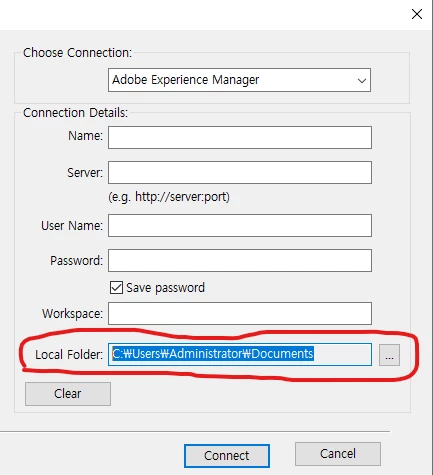
I used below codes to set CMS login dialog and this codes are refered from 'fdkreference.pdf'. but the 'Local Folder' text box was not read-only and the folder browser button did not show up.
Is there anyone who knows how to set read-only textbox and add button?
Thanks.
VoidT F_ApiInitialize(IntT initialization)
{
F_StringsT *userFields = (F_StringsT*)F_Alloc(sizeof(F_StringsT), NO_DSE);
userFields->len = 2;
userFields->val = (StringT *)F_Alloc(sizeof(StringT) *userFields->len, NO_DSE);
userFields->val[0] =F_ApiCopyString((ConStringT)"WorkSpace:");
userFields->val[1] =F_ApiCopyString((ConStringT)"Local Folder:");
F_ObjHandleT cmsId = F_ApiCMSRegister((ConStringT)"Custom CMS");
F_ApiCMSConfigLoginUI(cmsId,userFields, False);
F_Free(userFields);
}


 AdChoices