


Answered
How to use Registration Marks in FM 2017?
Issue: I do have big problems, creating Registration Marks in FM 2017.
This is my current procedure for creating Registration Marks (I rely on Matt's book.):
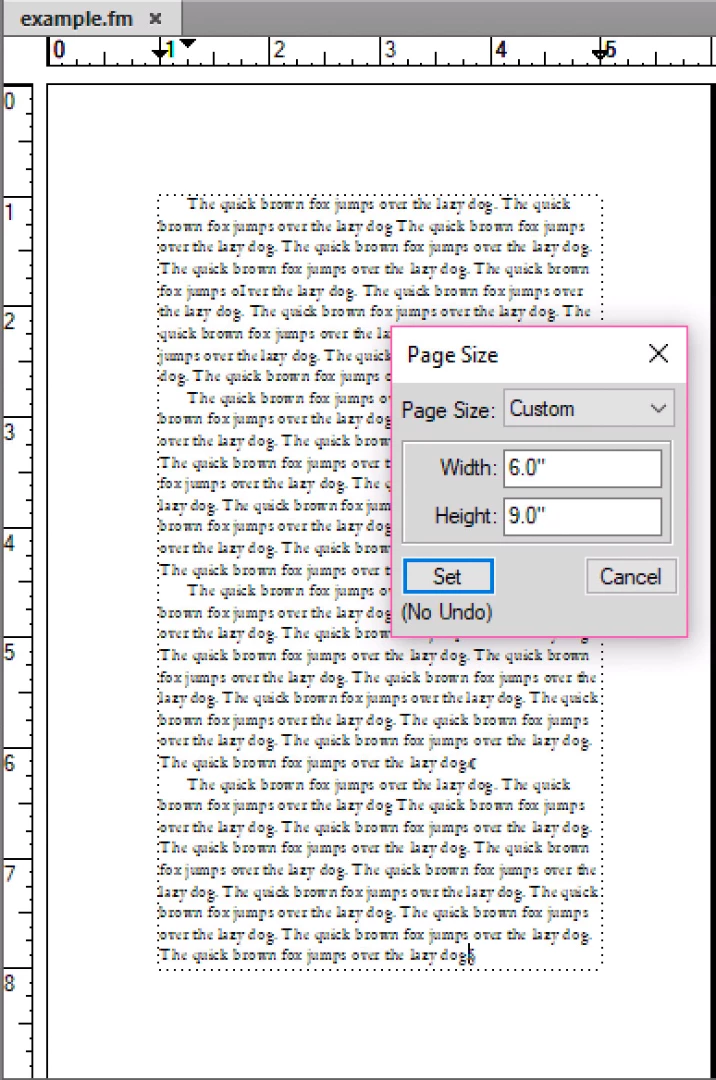
- Create a new blank document. Check the paper size: Format > Page layout > Format. My document size is A4 (21 x 29,7 cm). Fine.
- Open the print setup dialog: File > Print Setup. Check the paper size again: A4. Fine.
- Click Properties to open the Adobe PDF Document Properties dialog. Navigate to the Layout tab. Click Advanced. Check the paper size again: A4. Fine.
- Click OK (3x). The Print Setup is finished.
- Open the print dialog: File > Print. Click Normal for the Registration Marks type.
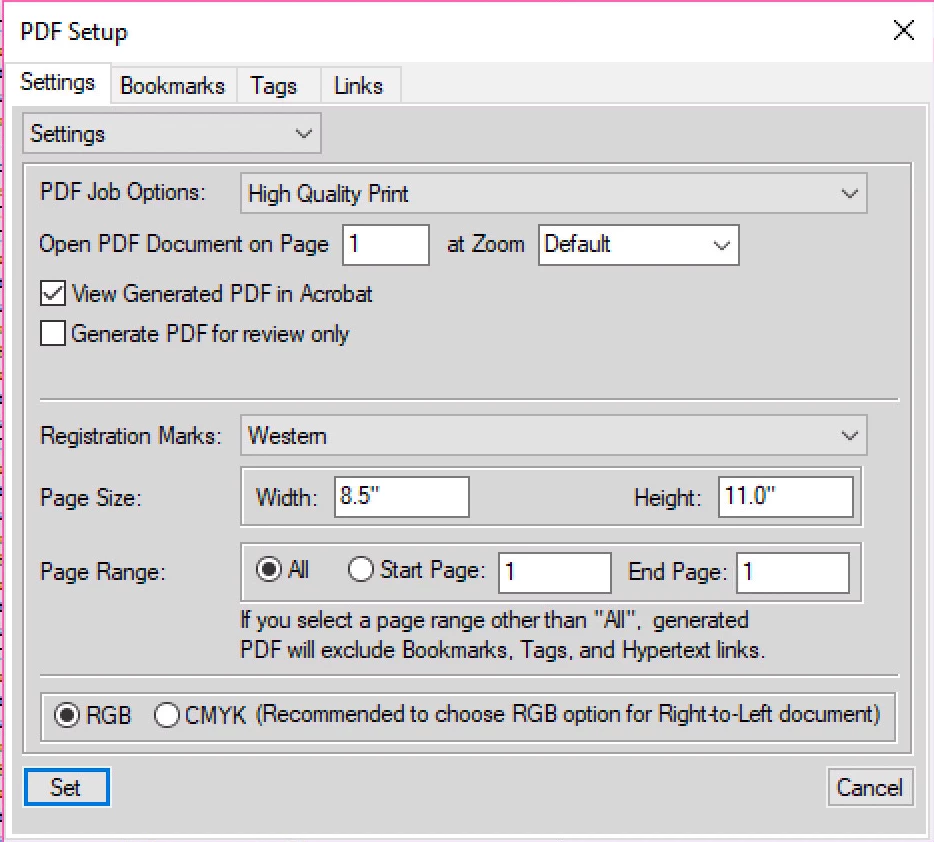
- Open the PDF Setup in the print dialog. Navigate to the Settings tab. Click again Normal for the Registration Marks type. To preserve extra space for the Registration Marks, set the Page Size to 24 x 33 cm. Click Set.
- Back in the print dialog, uncheck Print to File. Click Print.
- FM pops up a message in German: 'Registermarken passen nicht auf das Papier im Drucker. Fortfahren?' (In English: 'Registration Marks don't fit on the paper in the printer. Continue?') Click Yes.
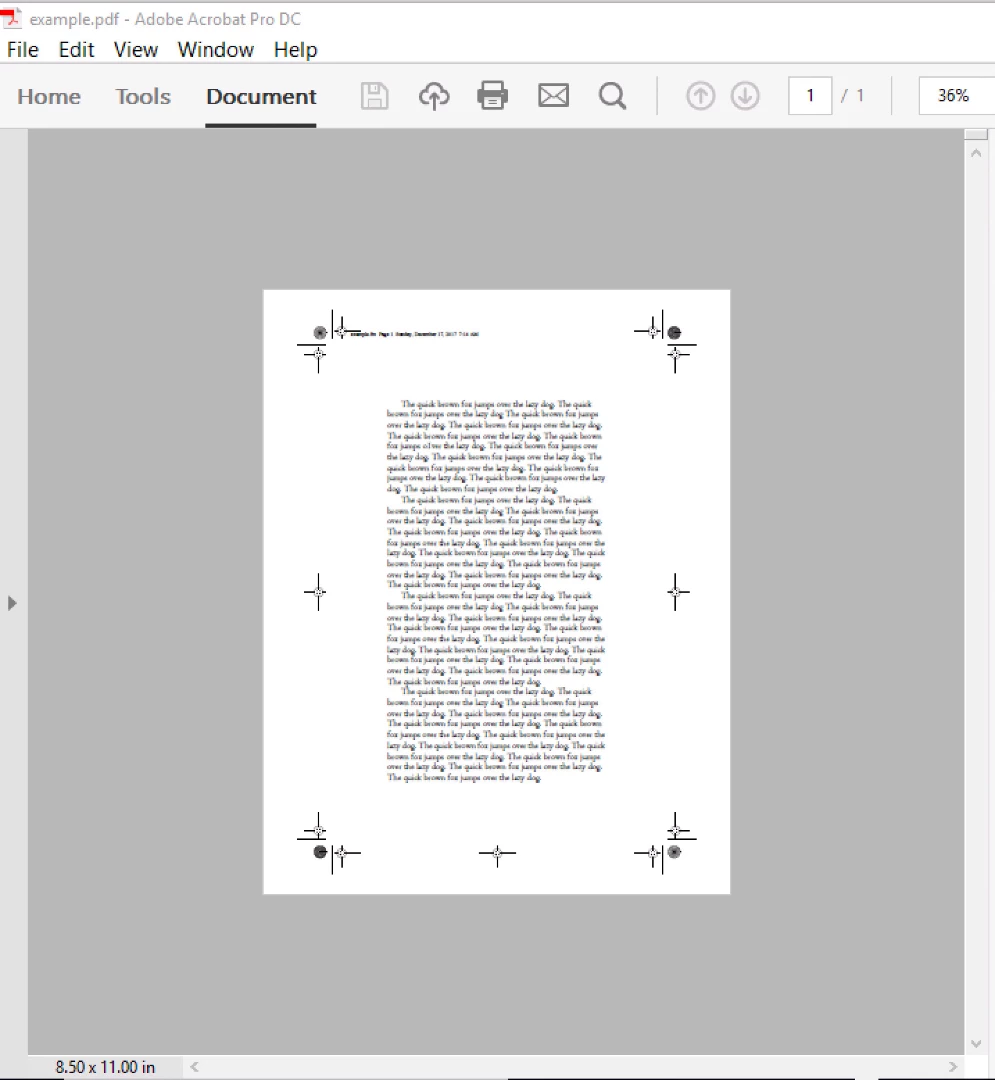
- A PDF is created: A4 without Registration Marks.
An attempt to improve:
- Open the print setup dialog again: File > Print Setup. Set the paper size to A3 (29,7 x 42 cm). This is much bigger than 24 x 33 cm. Therefore, there should be enough extra space for the Registration Marks.
- Open the print dialog: File > Print. Click Print.
- No more warning messages, a PDF is created, but still in A4 and still without Registration Marks. Grrr.
Questions:
- Starting with an easy one: Is the Registration Marks type Western now called Normal?
- Why are there so many ways to set the page size? What's the difference?
- In the FM page layout dialog
- In the printer setup dialog
- In the Adobe PDF Document Properties dialog (2x)
- In the PDF Setup dialog
- Why does the distiller remove any extra space (i.e. containing the Registration Marks)?
- Why should I increase the page size in the PDF Setup and then uncheck Generate Acrobat Data? (Matt's book)
- Why should I click two times the Registration marks type? (Matt's book)
- In the printer setup dialog
- In the PDF Setup dialog
- Where are my Registration Marks? Where did I go wrong?
I really love difficult functions, that don't work. 

 AdChoices