
Known Participant
February 24, 2022
Answered

Hyperlink Text Over a inserted .Ai File not working properly when PDF

  • February 24, 2022
  • 1 reply
  • 534 views

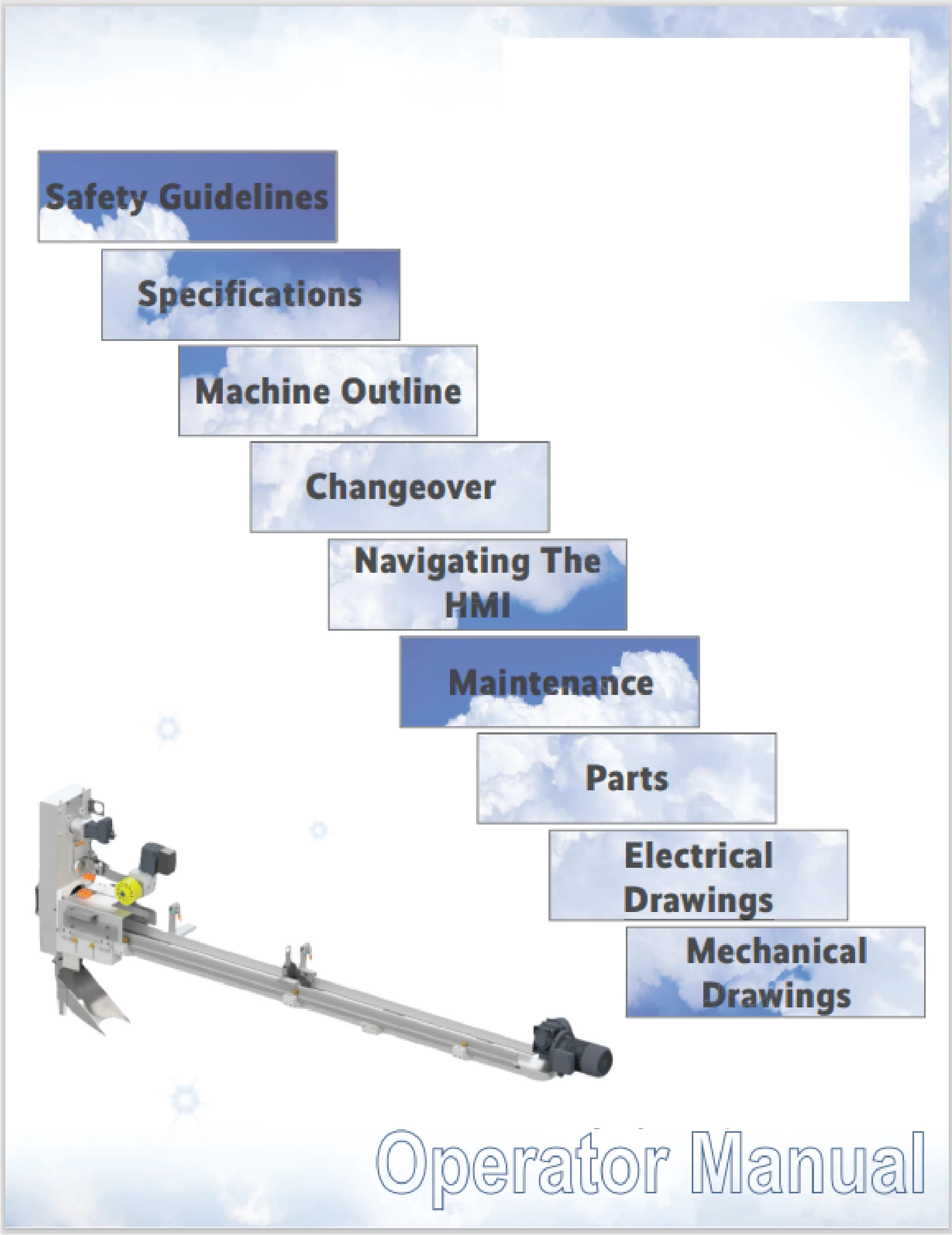
I incorpoated a .ai cover photo into my framemaker document. I tryed to save the .ai file as pdf and import the pdf directly into framemaker. as well as copy and pasting the pdf into a new document and resaving the .ai file. 3-4 of the clickable buttons do not work. a large portion or all of the buttons are not clickable when the document is saved as a pdf. Everything from the maintenance pushbutton adn below do not function as designed. i cannot come up with a different work around for the issue. This is a non-structured document.
This topic has been closed for replies.
Correct answer Matt-Tech Comm Tools

they are created using text frames with hyperlink jump to page command. I dont use hotspots and i am having a hard time assigning my desired headers with a marker to use the hotspot. i can try this meathod but might need a tutorial to figure out how to assign the marker to the hotspot...


I'm guessing it's a semantics thing...I can take a quick look at the file if you can dm me your email address or a Dropbox link to the file (Please don't post your email address in this post, to avoid being spammed)

-Matt

1 reply

beau5CC8Author
Known Participant
February 24, 2022

They are all assigned jump to page number _. Correctly. The links work as designed in framemaker. They start to not function correctly only when pdf.Comapny logo whited for privacy. 

Matt-Tech Comm Tools
Community Expert
Community Expert
February 24, 2022

To reconfirm, do the links all point to locations within a single PDF?

Since you only have perhaps 9 destinations, have you considered using FrameMaker's Hotspot Tool (directly below the Graphic Frame tool (the 8th tool shown below, with the Place a Graphic Frame tool tip) to create hotspots in FrameMaker?


-Matt Sullivan, FrameMaker Course Creator, Author, Trainer, Consultant
beau5CC8Author
Known Participant
February 25, 2022

Hi Matt,


they do all point to places within the same framemaker document/PDF