accountsp20122068
Participating Frequently
August 8, 2019
Answered

Hypertext linking within document and pages

  • August 8, 2019
  • 5 replies
  • 2126 views

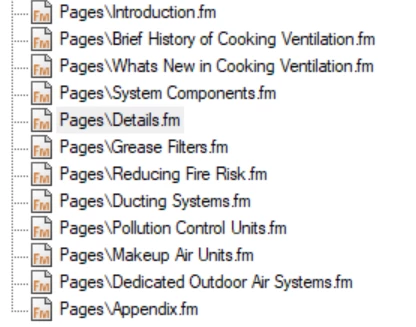
I have been messing around with this and searching for an answer for some time now. I have a book made up of various pages. I have a page called "Details." I would like to link a few words on this page to another page located in the book called "Appendix." I have tried Hypertext and cross-reference methods and cannot get them to work. I can hypertext within the same page. For example; if I have the "Details" page open, I can link a word from page 9 to a page 11 heading. My issue is, I cannot get words from page 9 to page 20 to link.

I am using FM19 and currently updated to the latest.
    This topic has been closed for replies.
    Correct answer Barb Binder

    Hi AccountsP:

    But did you specify a named destination in the second document? Is there a marker to jump to?

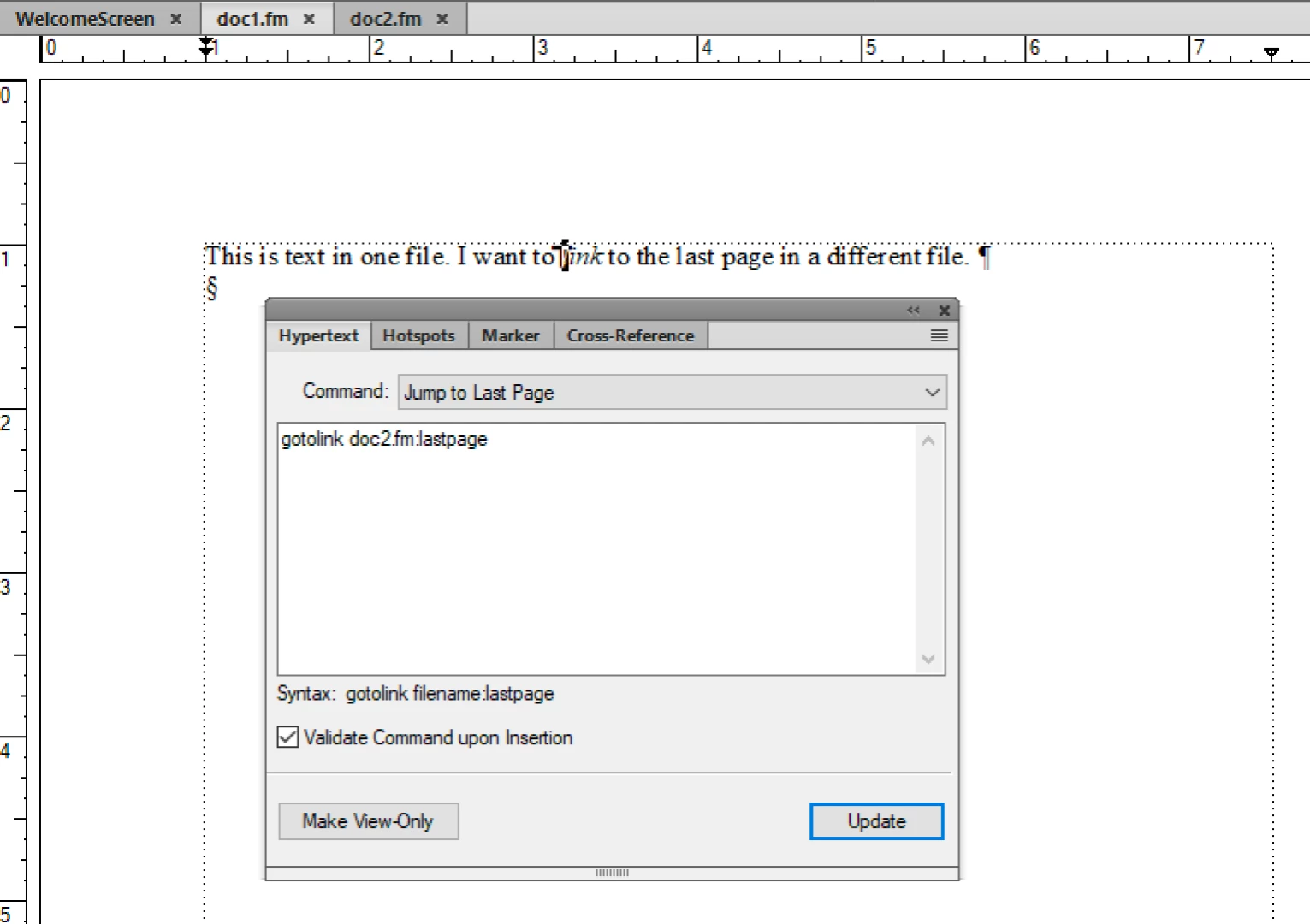
    Because you want to link to the last page, my earlier suggestion was to jump to the last page, which avoids having to add the named destination marker.

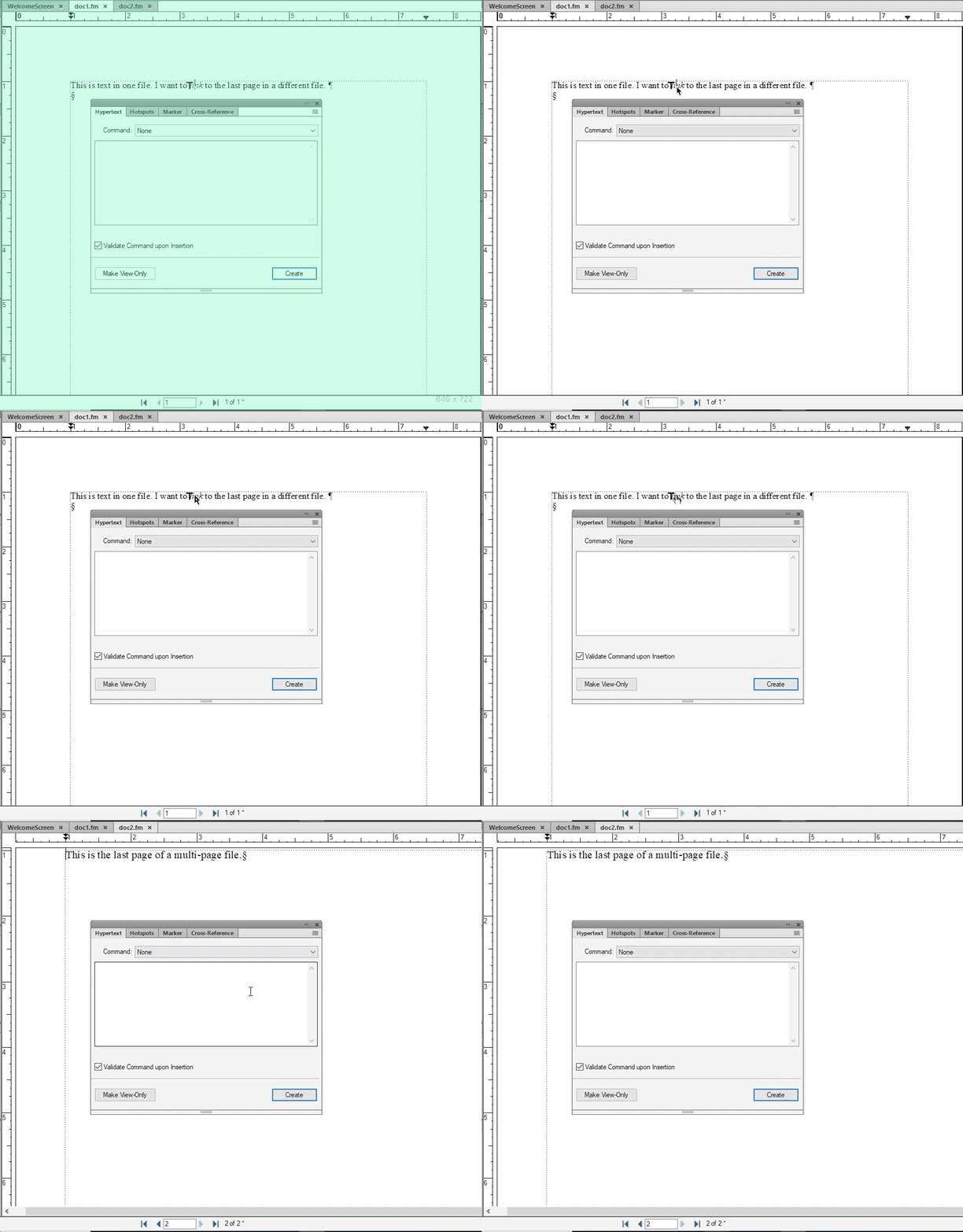
    Note that I have two files open: doc1.fm is one page, doc2.fm is two pages. In doc1.fm I added a Jump to Last Page marker, and specified doc2.fm.

    Now when I follow the hyperlink, it jumps to the last page (second page) of doc2.fm.

    ~Barb

    5 replies

    LinSims
    Community Expert
    Community Expert
    August 12, 2019

    It looks like the drop-down is saying "Jump to First Page". I think that is conflicting with the information in the marker definition box.  I know the command gotolink is the same, but try changing the command to Jump to Named Destination and type the link name in after gotolink.

    accountsp20122068
    Participating Frequently
    August 12, 2019

    When I select Jump to Named Destination and hit update, it defaults to Jump to First Page.

    Barb Binder
    Community Expert
    Barb BinderCommunity ExpertCorrect answer
    Community Expert
    August 12, 2019

    Hi AccountsP:

    But did you specify a named destination in the second document? Is there a marker to jump to?

    Because you want to link to the last page, my earlier suggestion was to jump to the last page, which avoids having to add the named destination marker.

    Note that I have two files open: doc1.fm is one page, doc2.fm is two pages. In doc1.fm I added a Jump to Last Page marker, and specified doc2.fm.

    Now when I follow the hyperlink, it jumps to the last page (second page) of doc2.fm.

    ~Barb

    ~Barb at Rocky Mountain Training
    Barb Binder
    Community Expert
    Community Expert
    August 11, 2019

    Hi AccountsP,

    1. The superscript 1 isn't a footnote reference, is it?
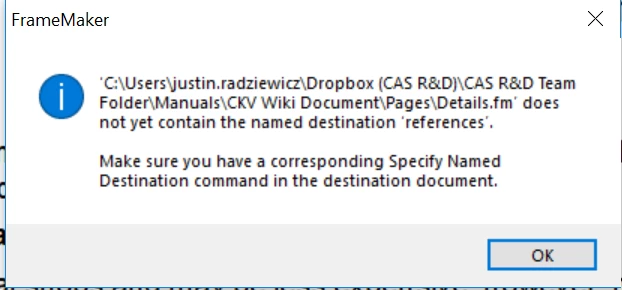
    2. It looks like you are jumping to a named destination in the other file (syntax: gotolink filename:linkname) but Fm isn't finding the destination marker in that file. Did you try jumping to the last page (syntax: gotolink filename:lastpage)?
    3. In my personal experience, working on files located on Dropbox causes issues in FrameMaker that I do not encounter while working on files located on Dropbox when using InDesign, Photoshop, Illustrator, etc. I assume it is related to how Dropbox keeps snapshots of all changes made to files in your Dropbox account.

    ~Barb

    ~Barb at Rocky Mountain Training
    accountsp20122068
    Participating Frequently
    August 12, 2019

    Hi Barb,

    I have a page at the end of my document with informational links and cited references. I have "References" set to a Heading 3 paragraph tag. I used the Specify Named Reference selection for the "References" heading. When I try to link my subscripts/superscripts (Body tag), I receive the error from my original post.

    I will pull the document off of Dropbox and see if it will work.

    accountsp20122068
    Participating Frequently
    August 12, 2019

    So far nothing is working where I can hypertext from 1 page to another. I am working off of my desktop. Is it possible to hypertext from page 1 to page 2? I tried to link to the last page and to the named destination command. I either get an error or the text will not go to the page (acts like a deadlink).

    Attached is an example of what I am trying to do. If anyone can see what I am doing wrong, please let me know.

    1. Set the link up on page 2.

    2. Set the hypertext on page 1.

    3. Error.

    accountsp20122068
    Participating Frequently
    August 8, 2019

    Yeah, this book is on Dropbox. We are sharing information back and forth with a sales office out of state. I have all the files open and ready to go. I can do standard cross-references, but I cannot hyperlink/hypertext to other pages.

    The below screenshot works and is my solution for now. What the region wants is for the subscript 1 in the paragraph to hyperlink to the last page. I cannot get this to work. I can get hypertext to work within the same page document (pages 9-11), but I cannot hypertext outside of those pages.

    Hezy A
    Inspiring
    August 12, 2019

    Please note

    The file to which you want to link to must be open when you try to create the hyperlink.

    Maybe it will work then?

    Bob_Niland
    Community Expert
    Community Expert
    August 8, 2019

    Does the "Dropbox" in the path indicate that these are network files?

    Are all the files, source and target, in the same Book, and open in FM?

    Meta: it rather looks like yet-another unintended hazardous consequence of the shift to refined grain and legume oils for cooking is getting out of control.

    Jeff_Coatsworth
    Community Expert
    Community Expert
    August 8, 2019

    The "few words" you want to link to need to be either a paragraph tag or you have to create a cross-reference marker with the "few words" as the marker text; then you can create an xref to it.