
Lukas Engqvist
Community Expert
Community Expert
August 9, 2024
Answered

I am not able to find (working) installers from the Account landing page.

  • August 9, 2024
  • 2 replies
  • 518 views

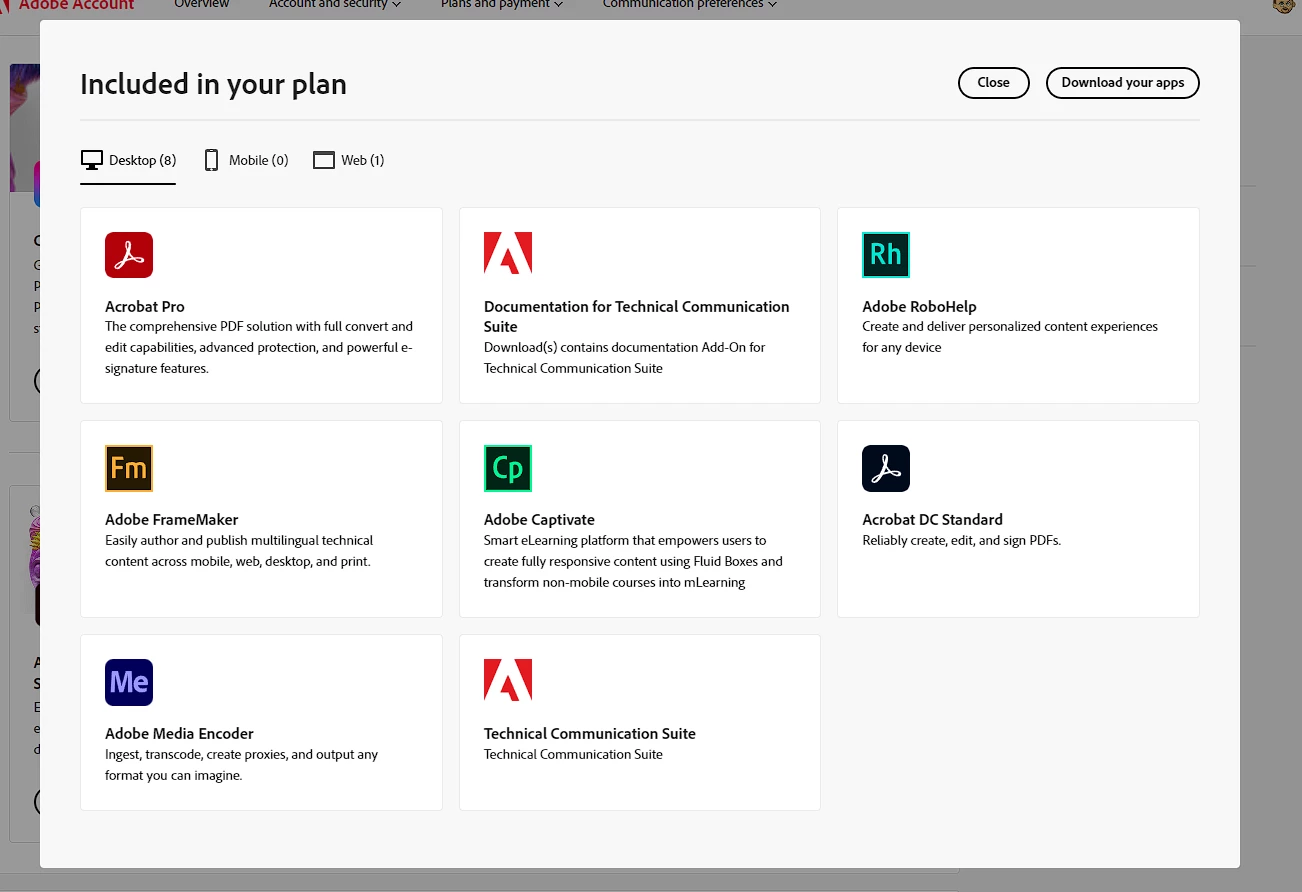
I can see in my Technical Communications suite the apps I have access to, but I cannot install. The "cards"/links are all dead. The "Download your apps" is also only button in appearance. Is there an alternative way to get installers?
    This topic has been closed for replies.
    Correct answer Winfried Reng

    Hi,

    Here is the FrameMaker setup for download:

    https://helpx.adobe.com/framemaker/kb/framemaker-downloads.html

    However, the links in your screenshot should be active. Are all cookies of this page accepted?

    Or just close and re-open the page, possibly with another browser.

    Is the Close button active?

    Best regards, Winfried

    2 replies

    Matt-Tech Comm Tools
    Community Expert
    Community Expert
    August 15, 2024

    The 30-day trial installers are the same as installers found anywhere else...and I can usually find them quicker than any of the "official" installer download locations.

    I find I generally get a call/email from sales folks when I use them, but other than that, they work.

    -Matt Sullivan, FrameMaker Course Creator, Author, Trainer, Consultant
    Winfried RengCommunity ExpertCorrect answer
    Community Expert
    August 9, 2024

    Hi,

    Here is the FrameMaker setup for download:

    https://helpx.adobe.com/framemaker/kb/framemaker-downloads.html

    However, the links in your screenshot should be active. Are all cookies of this page accepted?

    Or just close and re-open the page, possibly with another browser.

    Is the Close button active?

    Best regards, Winfried

    Lukas Engqvist
    Community Expert
    Community Expert
    August 9, 2024

    The link seems to work (after filling out a form). Changing browser did not help, so I have not been able to find link for robohelp, Acrobat extensions or Captivate. And yes it should work from the image I screenshot... but didn't

    Jeff_Coatsworth
    Community Expert
    Community Expert
    August 9, 2024

    Probably you need to talk to the FM folks - see https://helpx.adobe.com/contact/enterprise-support.other.html#framemaker for your Adobe Support options. I'd recommend using the tcssup@adobe.com e-mail address as it reaches a team dedicated to Technical Communication Suite products including FrameMaker.