
Inspiring
March 17, 2021
Answered

I inherited a template with an image in a table style-how do I edit it?

  • March 17, 2021
  • 1 reply
  • 396 views

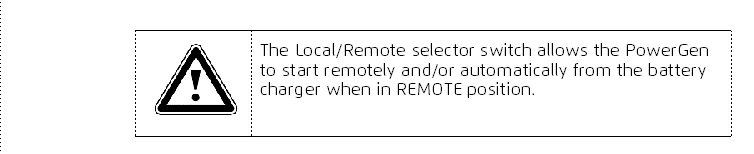
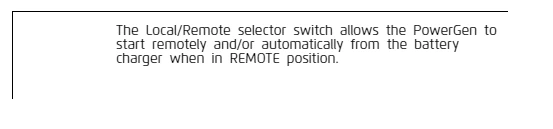
I have a table style that has a caution image already inserted whenever I use that style. However, exporting to HTML blows the table up. How can I remove the caution image from the table style? Or fix the HTML output? The image resides in the reference page BTW. First image is in Framemaker. Second image is in HTML help.


    This topic has been closed for replies.
    Correct answer Bob_Niland

    nrvphotography: I have a table style that has a caution image already inserted whenever I use that style.

    It might be worth figuring out how that was implemented.

    My first guess would be that the table format has a specific para format for at leat the left top column/row, and that format has a Frame Above (or Below) elected, which pulls in the Alert icon from a Reference Page named frame.

    1 reply

    Bob_Niland
    Community Expert
    Bob_NilandCommunity ExpertCorrect answer
    Community Expert
    March 17, 2021

    nrvphotography: I have a table style that has a caution image already inserted whenever I use that style.

    It might be worth figuring out how that was implemented.

    My first guess would be that the table format has a specific para format for at leat the left top column/row, and that format has a Frame Above (or Below) elected, which pulls in the Alert icon from a Reference Page named frame.

    Inspiring
    March 17, 2021

    That makes sense. Thanks!

    Bob_Niland
    Community Expert
    Community Expert
    March 17, 2021

    Then we can talk about whether the
    ⚠ alert {safety} icon (U+26A0)
    (normally WARNING & DANGER, perhaps optionally CAUTION)
    is appropriate for what appears to be just a
    ☝ product function advisory (U+261D).