
FunWrite
Known Participant
March 5, 2018
Answered

Images lost in converting from Frame to PDF

  • March 5, 2018
  • 3 replies
  • 970 views

Hello,

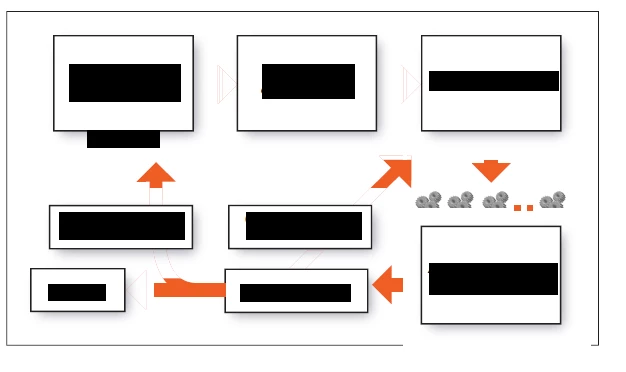
I'm converting a framemaker file to pdf that has quite a few images. However, there is a particular image where the color is lost in the pdf. I create the images in Adobe Illustrator and save them as eps file. The images are imported as a referenced file into Frame. In FrameMaker the images look perfectly fine but the pdf file loses it's colors when converted from FM to pdf. I am using FrameMaker 2017. Saving the figure in pdf from illustrator does not distort the image. Attached is the image where you can see the arrows have lost the colors.

This topic has been closed for replies.
Correct answer Matt-Tech Comm Tools

What happens if you

  • remove the dropshadows
  • move the arrows above the frames?

-Matt

3 replies

Matt-Tech Comm Tools
Community Expert
Matt-Tech Comm ToolsCommunity ExpertCorrect answer
Community Expert
March 5, 2018

What happens if you

  • remove the dropshadows
  • move the arrows above the frames?

-Matt

-Matt Sullivan, FrameMaker Course Creator, Author, Trainer, Consultant
FunWrite
FunWriteAuthor
Known Participant
March 5, 2018

Removing the drop shadows worked! Thanks Matt.

-Farnaz

Matt-Tech Comm Tools
Community Expert
Community Expert
March 6, 2018

Great!

It looked as if the rasterized d/s were obscuring the arrows themselves...glad we could figure it out.

-Matt Sullivan, FrameMaker Course Creator, Author, Trainer, Consultant
Bob_Niland
Community Expert
Community Expert
March 5, 2018

re: I create the images in Adobe Illustrator and save them as eps file.

What color model in AI (CMYK or RGB)?

What workflow from FM to PDF (CMYK or RGB)?

FunWrite
FunWriteAuthor
Known Participant
March 5, 2018

CMYK color model in AI

FM to PDF is also CMYK. Still appears to lose color when FM is saved as a pdf file.

Matt-Tech Comm Tools
Community Expert
Community Expert
March 5, 2018

Can you try saving that image as either AI or as PDF and then reproducing your PDF?

If those options don't work, I'd be happy to take a look at your AI file.

Message me by hovering over my name at the top of this reply.

-Matt

-Matt Sullivan, FrameMaker Course Creator, Author, Trainer, Consultant