Inspiring
January 27, 2023
Answered

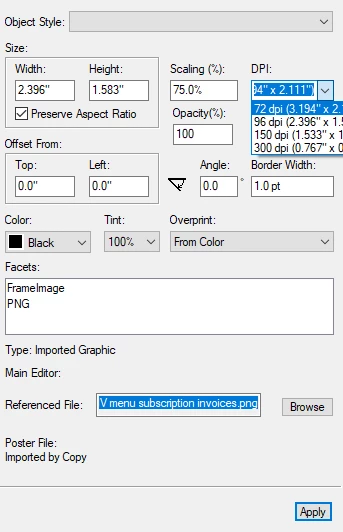
Importing image comes in at 72 dpi...

  • January 27, 2023
  • 1 reply
  • 743 views

Is there a way to have it come in as 96 dpi and save me a step?


    This topic has been closed for replies.
    Correct answer Bob_Niland

    What have you for:
    Edit » Preferences » Graphics
    DPI [ ? ]
    96 is one of the choices

    1 reply

    Bob_Niland
    Community Expert
    Bob_NilandCommunity ExpertCorrect answer
    Community Expert
    January 27, 2023

    What have you for:
    Edit » Preferences » Graphics
    DPI [ ? ]
    96 is one of the choices

    Inspiring
    January 27, 2023

    Bob, You are a genius! It will save me a lot of time believe it or not. Take tomorrow off! 🙂

    Bob_Niland
    Community Expert
    Community Expert
    January 27, 2023

    Glad it worked for you. I haven't checked in on that dialog in while (and it's the one for FM2020, '2022 might vary), but it's not as adaptive as I'd like to see … and to be sure, this isn't necessarily a simple problem.

    For raster graphics, I'd like an option for use-file-metadata (dpi), and if none then use [selection].
    For vector graphics, I'd like an option for use-file-meta (dims), and if none, then use [selection].
    And for any, an option to override to %pagewidth & similar would be nice.

    In Photoshop & Illustrator, I make a point of sizing all my graphics to be pre-optimized for use in the document. It's annoying that the files contain that metadata, and yet I still have to tell FM what those numbers are.

    Not simple? Yeah, some graphic file formats can include both vector & raster elements.
