


in FrameMaker 10, how can I get the Paragraph Catalog panel back?
Somehow when fiddling around in Frame, I managed to remove the paragraph catalog panel and it's gone forever. It's not minimized, it's just... gone. I still have the character catalog, and I have both paragraph and character designer panels, but the handy panel I use all the time to select a paragraph style for text is gone into thin air.
I spent hours off and on browsing the web, scouring help files, and trying every View and Settings option I can find, to no avail. To make this clear, I am attaching a screen shot. You'll notice under the item "F Catalog" the thing that is supposed to say "<para symbol> Catalog" that used to be there is gone.
This is a cry for help -- anyone know how to get that back? Not sure if this automatically informs me of updates, so if you can also email mim (at) collegenet.com, I'd appreciate it. 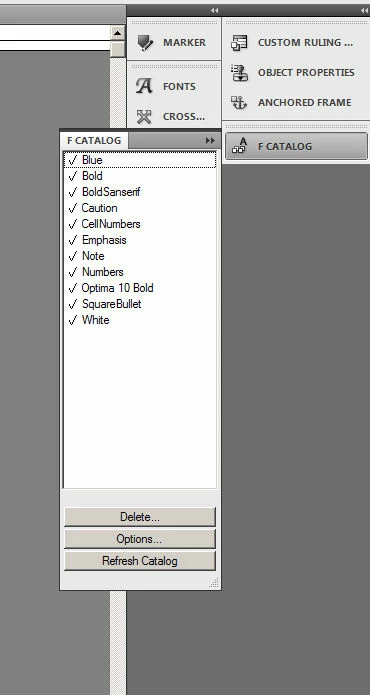
 AdChoices