
Participating Frequently
February 20, 2024
Question

Incorrect appearance of bullets

  • February 20, 2024
  • 2 replies
  • 322 views

Hi everybody. I need some with bulleted list.

I work with FM 2017 (14.0.2.425). Most of the time I use it on my office PC, and everything goes smoothly in this case. Recently I was forced to use it on my notebook as well. I’ve installed the same FM version and placed all fonts used in the document to C:\Windows\Fonts. I’ve checked the “Myriad Roman” font is installed on both machines. However, here the problem began.

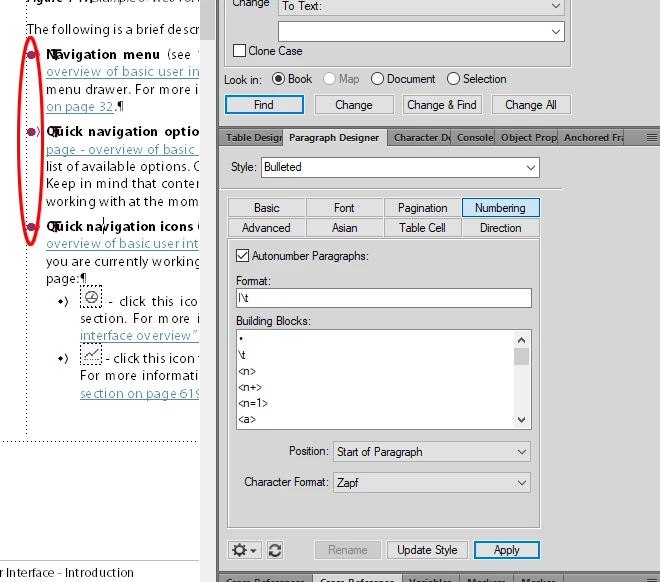
On my office computer, FM shows bullets fine (the following illustration):
However, on my note book FM shows the following:
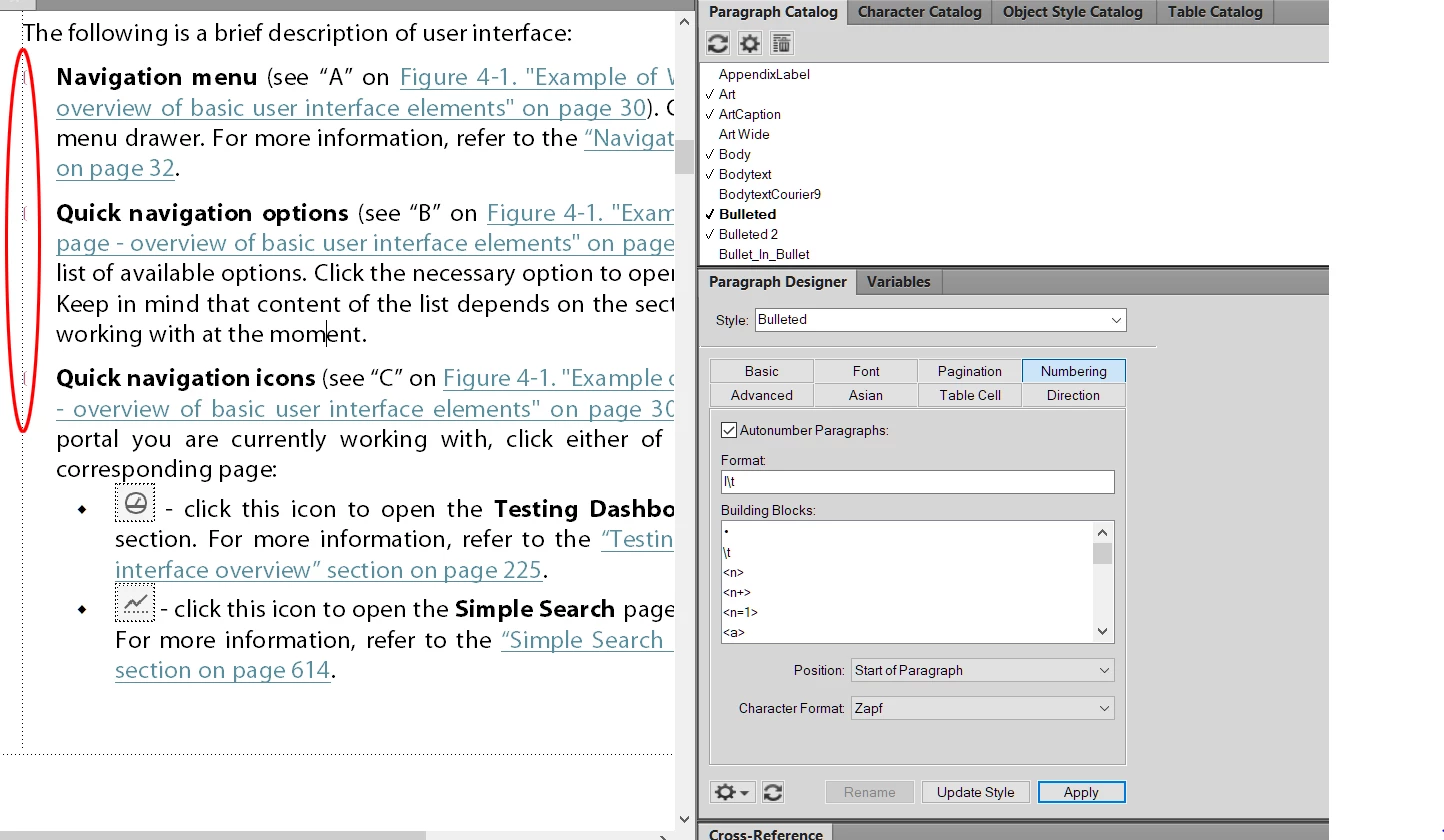
I’ve also checked that Zapf fonts are present on both computers.

Any ideas what’s happening and how to solve the problem?

Thanks in advance

    This topic has been closed for replies.

    2 replies

    Bob_Niland
    Community Expert
    Community Expert
    February 20, 2024

    Don't use that legacy overlay Zapf Dingbat font (or WingDings or WebDings, for that matter; same base problem). Use a Unicode bullet if populated in Myriad Pro, such as:
    • U+2022 BULLET
    ● U+25CF BLACK CIRCLE
    ⬤ U+2B24 BLACK LARGE CIRCLE
    I don't have Myriad on my system to check. If your main font doesn't have the bullet you need, then use a font that does, such as Segeo UI Symbol, and set up a Character Format to apply it.


    The bullet in Zapf resides at \x6c in FM notation, which is the same code point as
    U+006C LATIN SMALL LETTER L
    In any workflow where Zapf can't be mapped, you'll get an "l" instead of a bullet.


    Getting away from legacy codepage/overlay fonts is increasingly important. If the workflow includes output to HTML, for example, these old overlays simply don't work; whereas most browsers perform any needed font fallback for unpopulated Unicode codepoints.

    frameexpert
    Community Expert
    Community Expert
    February 20, 2024

    Hi. Are you getting any missing font messages to the FrameMaker Console when you open the document (View > Panels > Console)? Are both computers using the same version of Windows? I am assuming you are using Zapf Dingbats, which is an Adobe Type 1 font. These fonts have been depricated so you may want to switch to something built into Windows like Wingdings.

    drbotkinAuthor
    Participating Frequently
    February 20, 2024

    Hi frameexpert,

    Console does not show any missing fonts. Both computers have Windows 10 Pro same version. And "Yes", Zapf Dingbats font is used. I could change it to smth else, but the key question is  - "Why bullets are different on two computers with absolutily equal settings?"

    frameexpert
    Community Expert
    Community Expert
    February 20, 2024

    If you go to Control Panel > Fonts, do you see that Zapf Dingbats is installed?