
Inspiring
December 3, 2021
Answered

Indigo TOC icons not picking up H1

  • December 3, 2021
  • 1 reply
  • 435 views

When I publish to HTML5 Indigo output, the landing page TOC icons are picking up the names of the source FM TOC and document files instead of Heading 1:
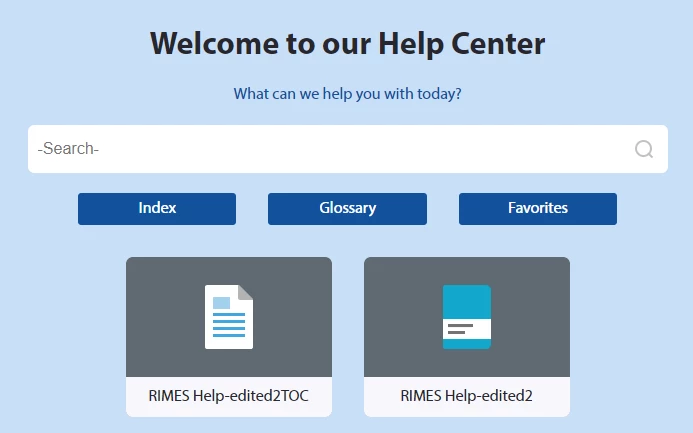


Then if I select a landing page topic, the right aligned TOC shows the names of the TOC and source doc file as H1 and my heading 1s are sub-topics:
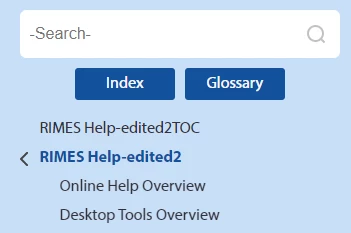
I have no idea how to fix this, any advice would be greatly appreciated.

-Bill


    This topic has been closed for replies.
    Correct answer Matt-Tech Comm Tools

    Hi Bill, 

    Make sure you are generating the HTML5 from a book file, and make sure that the TOC you are using is a generated one

    (Confirm that the TOC icon color in the book is orange, not white)


    -Matt

    1 reply

    Matt-Tech Comm Tools
    Community Expert
    Matt-Tech Comm ToolsCommunity ExpertCorrect answer
    Community Expert
    December 8, 2021

    Hi Bill, 

    Make sure you are generating the HTML5 from a book file, and make sure that the TOC you are using is a generated one

    (Confirm that the TOC icon color in the book is orange, not white)


    -Matt

    -Matt Sullivan, FrameMaker Course Creator, Author, Trainer, Consultant
    Matt-Tech Comm Tools
    Community Expert
    Community Expert
    December 10, 2021

    Hi Bill, glad you liked my suggestion. If it solved your problem, please mark as correct to help others find it.


    -Matt

    -Matt Sullivan, FrameMaker Course Creator, Author, Trainer, Consultant
    Inspiring
    December 10, 2021

    In my book you have a solid reputation as one who delivers correct answers; thanx Matt, you are the best!

    -Bill