Inspiring
June 13, 2017
Answered

insert columns in flow

  • June 13, 2017
  • 1 reply
  • 980 views

I have searched for the answer but I do not get the answers posted! I just need some steps to do this.

I have usually inherited templates so has not come up before. I have a document with different sections. On the first page I need a text frame or flow with a single column width across the width of the page. Below it on that first page I want to start another text frame or flow with two columns. And then later on revert back to the one column followed by two columns. Not sure how to do that whether on a regular page or master page.


This topic has been closed for replies.
Correct answer Barb Binder

You can set up a multi-flow document by drawing text frames, but I'm wondering if that is actually necessary. If you set up a document that is 2 columns, you can use the paragraph tags to span both when necessary, and stay in one, when not. That would be a heck of a lot easier to set up and to manage.

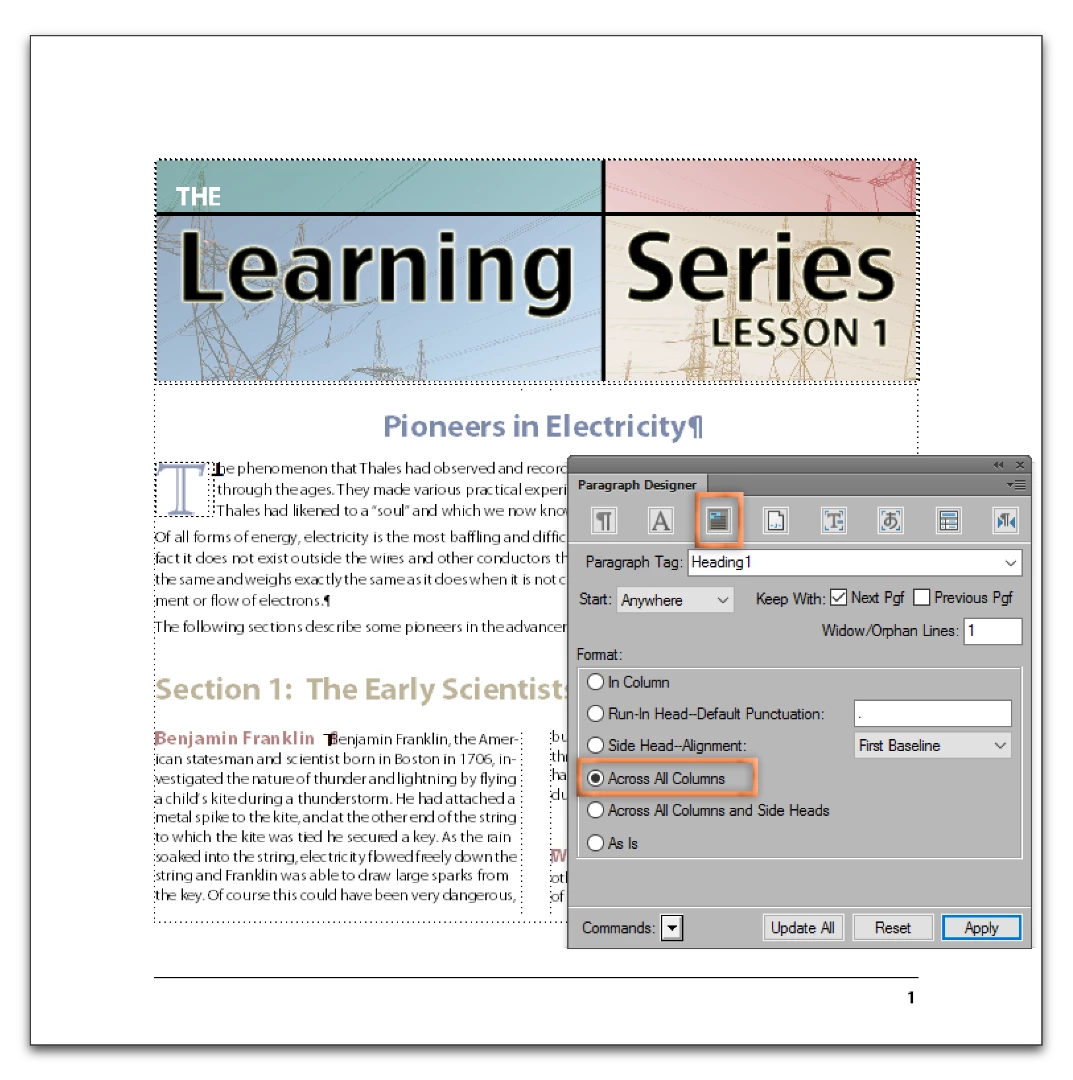
For example, the blue Heading1 is set to run Across All Columns.

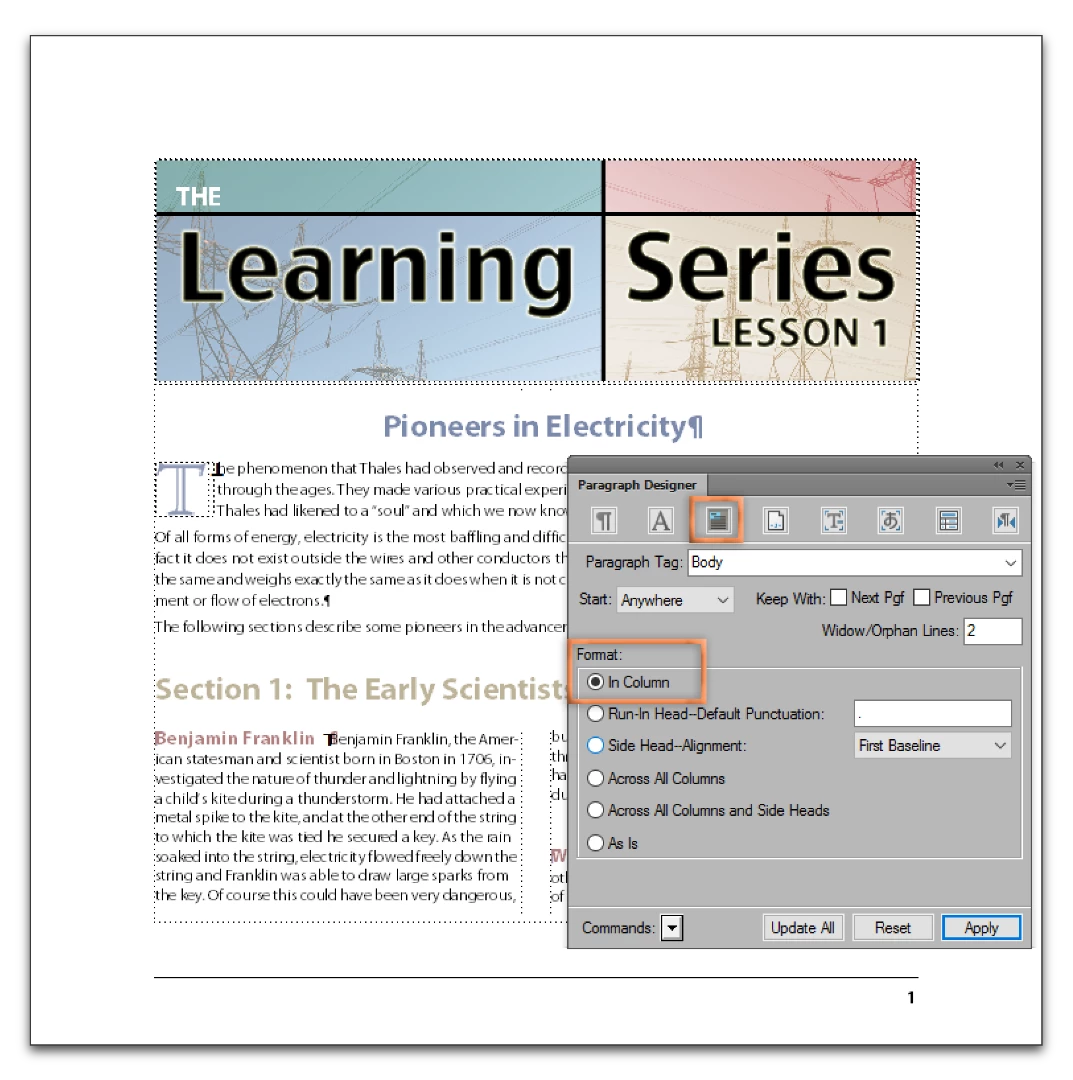
The Body paragraphs are set to In Column.

1 reply

Barb Binder
Community Expert
Barb BinderCommunity ExpertCorrect answer
Community Expert
June 13, 2017

You can set up a multi-flow document by drawing text frames, but I'm wondering if that is actually necessary. If you set up a document that is 2 columns, you can use the paragraph tags to span both when necessary, and stay in one, when not. That would be a heck of a lot easier to set up and to manage.

For example, the blue Heading1 is set to run Across All Columns.

The Body paragraphs are set to In Column.

~Barb at Rocky Mountain Training
Inspiring
June 13, 2017

Thank you for taking the time to provide a detailed reply! Helps me with a deadline!

Ken

Barb Binder
Community Expert
Community Expert
June 13, 2017

Great! Hopefully, what I just added will fill in any gaps you run into.

~Barb at Rocky Mountain Training