
Participating Frequently
May 29, 2023
Answered

Inserting Images into the body paragraph (at insertion point

  • May 29, 2023
  • 1 reply
  • 335 views

Hello,

I´m trying to solve this problem with inserting pictures into the body paragraphs.


Is there some Anchored frame or Paragraph style setting, that can automaticaly modify the Paragraph line space setting, which doesn´t let image to colide with line above, as you can see below?
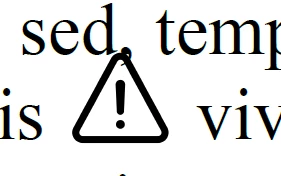
 

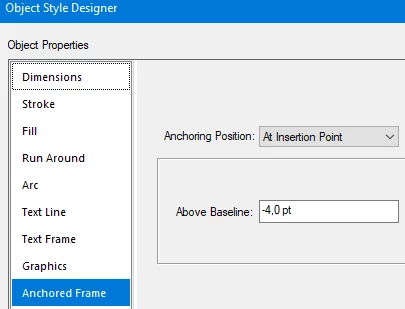
Now I have this settign and I don´t want to go lower than -4 pt, because it is not the solution of my problem to go lower.
 

My colleagues that are currently using the PTC Arbortext normally instert pictures of control lights into the paragraph and the system automaticaly modifies the Paragraph line space according to height of image, see picture below:

 

Thank you for your advices.


Adam


    This topic has been closed for replies.
    Correct answer K.Daube

    Select the paragraph, open the paragraph designer and uncheck on the first tab "fix line size" (or the like - I'm not in FM now). Then Apply. 

    The paragraph will then take its height from the embedded image frame.

    1 reply

    K.Daube
    Community Expert
    K.DaubeCommunity ExpertCorrect answer
    Community Expert
    May 29, 2023

    Select the paragraph, open the paragraph designer and uncheck on the first tab "fix line size" (or the like - I'm not in FM now). Then Apply. 

    The paragraph will then take its height from the embedded image frame.

    Participating Frequently
    May 29, 2023

    Problem solved.

    Sometimes the solution is much easier than expected.


    Thank you very much for your help.