


Japanese language causing problems
Hi.
I'm creating a Table of Contents in Japanese but my formatting is not coming out as is set in my Reference Page. I've done TOCs in many foreign languages so I'm pretty confident my settings are correct. I'm wondering if it has something to do with the Japanese language / font? Does FrameMaker 12 support Hyojuno language? I've tried to fake my way through it by manually changing the font size / weight to what they're supposed to be, but then the font changes to question marks (even when only changing the font size). I've included some pics below. Anyone have any thoughts on what's going on? Thanks.
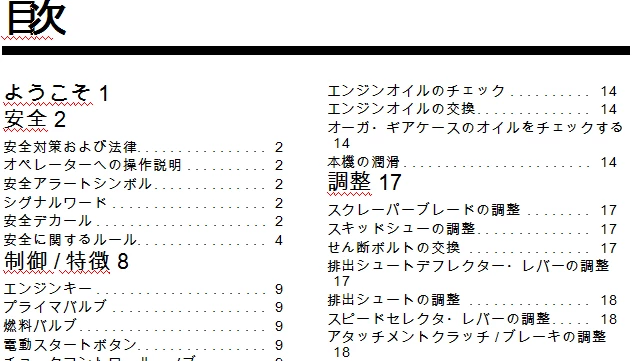
This is what it looks like now with the incorrect formatting in the Head 1s. They need to be the same size as the Head 2, but bold. The leader lines are also missing.
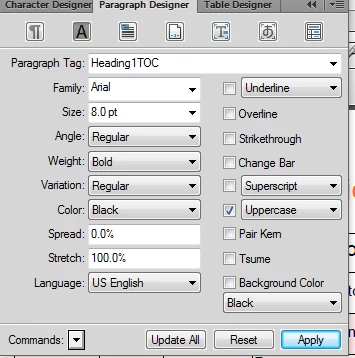
Here's a look at the Paragraph Designer for my Reference Page. The Language is set to English because I don't have Hyojungo as an option.
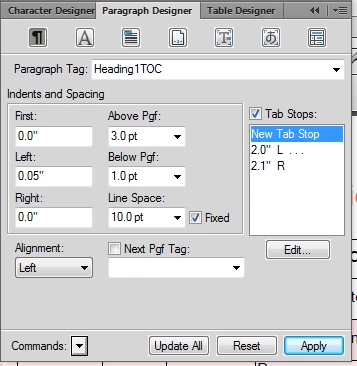
And here's my tab stops on my Reference Page that should be creating the leader lines.
TIA. 
 AdChoices