



frameexpert
Community Expert
Community Expert
Nov 29, 2021 3:34 PM UTC
Answered

Literal tab character in XML input to FrameMaker

I am pretty sure I asked this before but I can't find the thread. I am using XSLT to transform XML to a FrameMaker table on import. I want a literal tab character at the end of the cells in one of the columns. Here is a snippet of my XSLT:
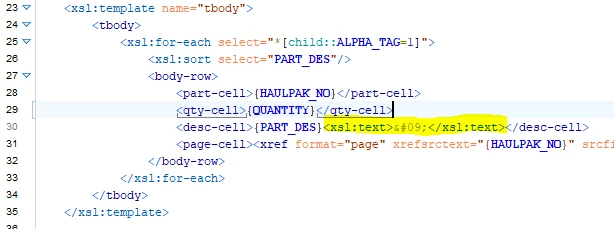
When the file opens in FrameMaker, I don't get the tab character:
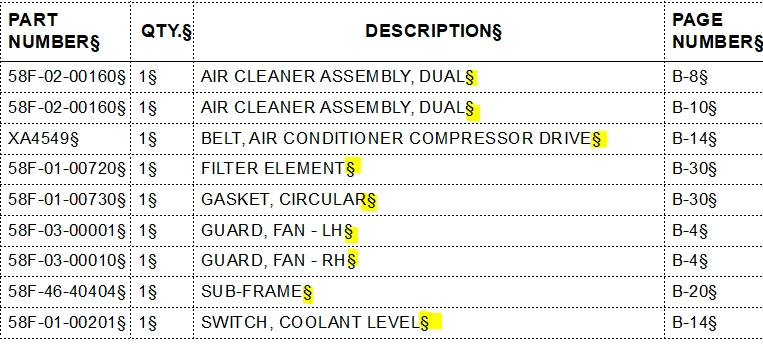
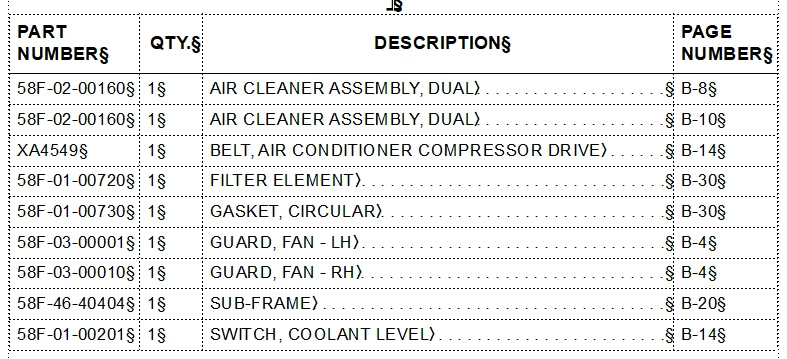
If I substitute any other character for testing, it comes over. Any help will be appreciated.
This topic is closed to new replies. Start a new post to keep the conversation going.
frameexpert
frameexpertCorrect answer
Community Expert
Nov 29, 2021 4:22 PM UTC

So funny that you found that! I couldn't find it so that is why I reposted. But yes, that worked fine. Thank you Stefan!


To complete THIS post, here is the solution. In the [Preferences] section of maker.ini, change this

RemoveExtraWhiteSpacesOnXMLImport=On

to this

RemoveExtraWhiteSpacesOnXMLImport=Off

www.frameexpert.com

8 replies

Legend
Nov 29, 2021 4:06 PM UTC

What happens, if you try  instead of 	 ?

Translate
frameexpert
Community Expert
Community Expert
Nov 29, 2021 4:09 PM UTC

My XML editor (Oxygen) reports it as an illegal XML character.

Translate
www.frameexpert.com
Legend
Nov 29, 2021 4:15 PM UTC

Of course, right.

What about this: <xsl:text xml:space="preserve">(actual tab character)</xsl:text>

While (actual tab character) would be a "real" tab (0009)?

Translate