

Community Expert
November 21, 2024
Answered

Make table row heights fit to text?

  • November 21, 2024
  • 2 replies
  • 911 views

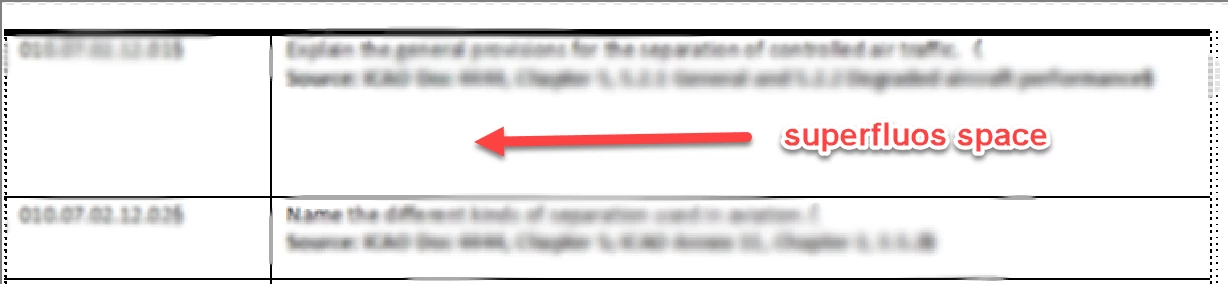
I am working on a pulication with a gazillion tables. I need to reformat the text in the table to a smaller size, and when I do that, I am left with empty space in all the rows like this. How do I make the table rows fit in smart manner without having to adjust every single row?
 

    This topic has been closed for replies.
    Correct answer mk-will

    The setting is saved as part of a table format, so after applying this setting you can make a table format (object) and newly made table susing the format will behave "correctly".

    Existing tables will not be altered automatically.

    So maybe just applying the new/altered table format is working (never tested that) or you have to go through all existing tables to apply the new cell height settings.

    Regards

    Stephan

    2 replies

    Community Expert
    November 21, 2024

    Probably not relevant for you.

    When you have a hidden column with a condition which has more lines than the other columns (e.g. 4 lines), then the height of the table row will adjust to these 4 lines, although they are hidden.

    https://tracker.adobe.com/#/view/FRMAKER-9910

    Community Expert
    November 21, 2024

    Hi Bjørn ( @FrameMaker-dk ),

    mark the cell or a column of the table to change all cell-heights, right-click on marked area, click on "Row format" (in german "Zeilenformat") and change the minimum to "0" and the maximum to "355,601 mm" (max. that FM accepts).

    Now the height of your cells changes with the change of the content between the minimum and the maximum.

    Regards

    Stephan

    Stephan

    Community Expert
    November 21, 2024

    Thank you @mk-will . That will work. So... no way to do this using the table tags or some other global setting?

    Bjørn Smalbro - FrameMaker.dk
    mk-willCommunity ExpertCorrect answer
    Community Expert
    November 21, 2024

    The setting is saved as part of a table format, so after applying this setting you can make a table format (object) and newly made table susing the format will behave "correctly".

    Existing tables will not be altered automatically.

    So maybe just applying the new/altered table format is working (never tested that) or you have to go through all existing tables to apply the new cell height settings.

    Regards

    Stephan